I get the color space error when playing back on xbox or web gui
“File is unplayable. Color space is not supported.”
on ios i get, “Something went wrong playing your media. Please try again.
Could not direct play because: App cannot direct play this
item. No direct play video profile exists for protocol http, with
container mkv, and video codec hevc.
Could not transcode because: Cannot convert this item. No
conversion audio and video encoders could be found in app
profile.”
plex server error log says, “…Could not fit playback within bandwidth limit of 3000kbps…” plex full log
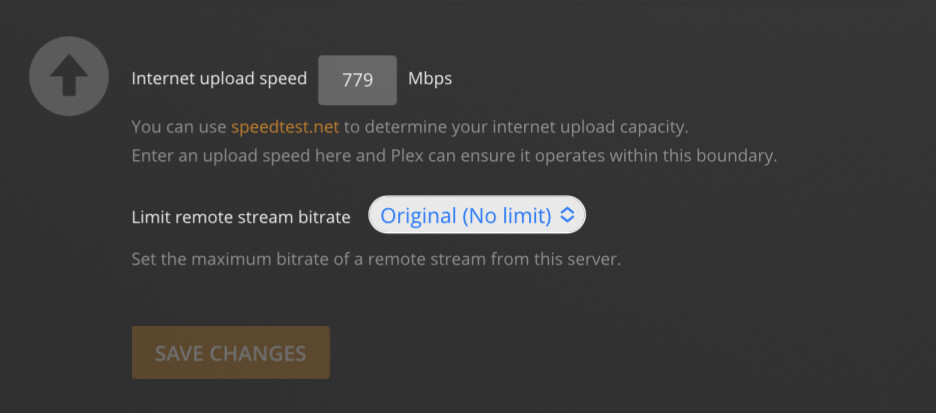
however my settings are:
Limit remote stream bitrate: Original (No limit)
Internet upload speed: 779 Mbps
Transcoder quality: Automatic
not sure why it’s limiting the upload to 3mbps or where to change this setting
Plex Media Server Version 1.28.1.6104
Unraid Docker PMS from plexinc
using Nvidia hardware transcoder
I 100% agree with this. I’ve been using Plex for many many years now and it’s pretty much always been a disappointment. From fighting with metadata clients, to playback issues like this… it never really “just works”.
My iTunes library is much larger than my Plex library at this point. It’s sad, but true.
Anyway… Aug 24 and the problem still hasn’t been resolved for me. After what? 4-6 months?
Hey, I also have LG Oled[C1] but I still get the error, what is your client and server versions of plex?
Also did you change something in the settings?
Plex is reading a 4K file fine on an iPhone XS but not on an iPad or a MacBook Air M1 where the error message pops up, but Infuse Pro has no problem. I don’t understand. And 4K HDR looks like raw footage. Not impressed.
Is there any idea on a timeline to fix this issue? None of my devices (Apple TV 4K, web browsers on Windows/Mac/Linux, iPad, iPhone) can play any of these Dolby Vision files. The solution cannot be to downgrade to SDR.
I did the server side update, so yesterday i came to rewatch file that is DV that play fine the first time. but i got this error hdr play fine just dv file. setup is window 10 server software to LG 4k Tv. is there a eta on when this will be fixed.
My LG C1 was working fine but after last update I started getting this error.
Both my client and server are up to date, not sure why asking logs for everyone like whats the point there are hundreds of users with same issue and its been now what 5 months?
Scrolled through every comment… TBH I don’t understand most of it what I can say is in Chrome I get “File is unplayable. Color space is not supported.” and playing the same file on my ipad in the plex app it plays just fine. So It seems less of a Plex issue and more of a supported device issue.
I do laugh when people scream “FIX THIS OR IM LEAVING TO JELLYFIN!!!”
Here is the video: [WEBDL-2160p][DV][EAC3 Atmos 5.1][x265].mkv
All DV is not the same. The biggest issue is with DV profile 5 which we cannot transcode and does not have a fallback HDR10 and some players just cannot play.
Ran into this issue for the first time with Dolby Vision last night on an up to date server/Vizio TV plex client. If I go to a streaming service the video plays just fine with DV (same episode) and TV displays Dolby Vision, try to play it in Plex no dice color space error.
I’m seeing a bunch of these color space errors with both Apple TV and Chrome trying to play the same files in Plex. “File is unplayable. Color Space is not supported”.
The age of this thread sure raises an eyebrow. This issue seems to be getting worse as I accumulate more and more 4K media files.
One of these unplayable files has the following characteristics:
Expected with Chrome for DV Profile 5. As mentioned earlier in thread, Plex does not have a license to transcode/tonemap Dolby Vision video.
If the media also contains HDR10 video, Plex will transcode/tonemap the HDR10 stream.
When viewing in Chrome, if you see VIDEO 4K DoVi (HEVC Main 10), it is DV only and you will get the Color Space Unsupported message. If you see VIDEO 4K DoVi/HDR10 (HEVC Main 10) the media contains both DV and HDR10 video. Plex will transcode/tonemap the HDR10 stream.