Server Version#: 1.28.2.6106
Player Version#: 5.44.6/4.9.0 (LG TV Latest version)
I have a TV series consisting of mp4 files. They play just fine on the web player, my Roku 4K unit, and my Apple 4K TV box, but they WON’T play on my LG TV App. I upgraded to the latest version of the LG app and the files still wouldn’t play. I turned on logging and found that the “container” was somehow wrong (I don’t recall the actual wording) and did not support direct streaming. I had to turn off Direct Play and Direct Stream to get them to play.
Question 1: Why would they play on my Roku and ATV4K and my web player but not on the LG App?
Question 2: What’s the impact of turning off Direct Stream and Direct Play options?
Question 3: I turned on logging to the server, but where do I find them?
I can’t find the log I need (I turned debug logging on there LG App). Don’t have a clue what the app log would be called and searching for “protocol” (the only specific word I recall from the error message) is like a needle in a haystack
I’m sorry, then I don’t have a suitable solution. I had solved a problem with the DLNA transmission to my TV after the Plex app was discontinued there. The Plex server had attracted the wrong TV DLNA profile (standard) for me, which is why every transmission to the TV there appeared incompatible/not displayable.
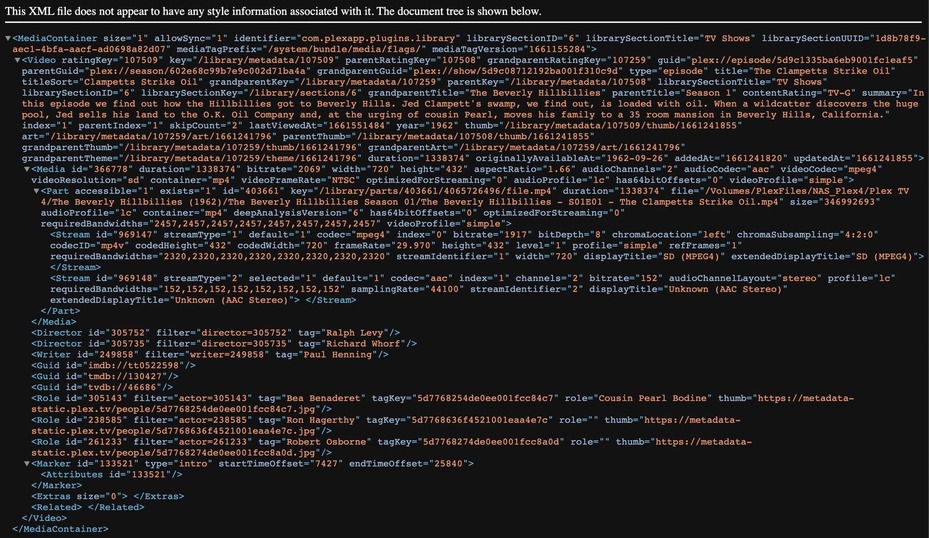
Can you post a sample , meaning Media Info of Episode of that TV show. Click on the show thumbnail bottom right Vertical Ellipsis ⋮ Then select xml and take a screenshot.