Hey,
I currently have a few movies and trailers on a small Windows Storage Space. I am watching these with VLC and Audio Passthrough so that I can get Dolby ATMOS Sound if available.
Is it possible that I can use Plex as an overlay for convient selection of movies or trailers and that Plex plays back my files in passthrough mode so that there is no encoding done on them?
The PC I use for storing my files is the same that is hooked up on a projector for playback via HDMI so there has no transcoding be done…
In Short… can Plex passthrough ATMOS to my reciever and give me the original h.264 or h.265 encoded files I have on my server?
Or does Plex alway transcode files to send them via ethernet / internet?
Transcoding depends on the Plex client you use. Plex Media Player is a good Plex client and can handle almost any file. I’m not positive on Atmos. I thought it could handle it. Give it a try. Plex is free to use and setting up a server with a test library is simple enough to do.
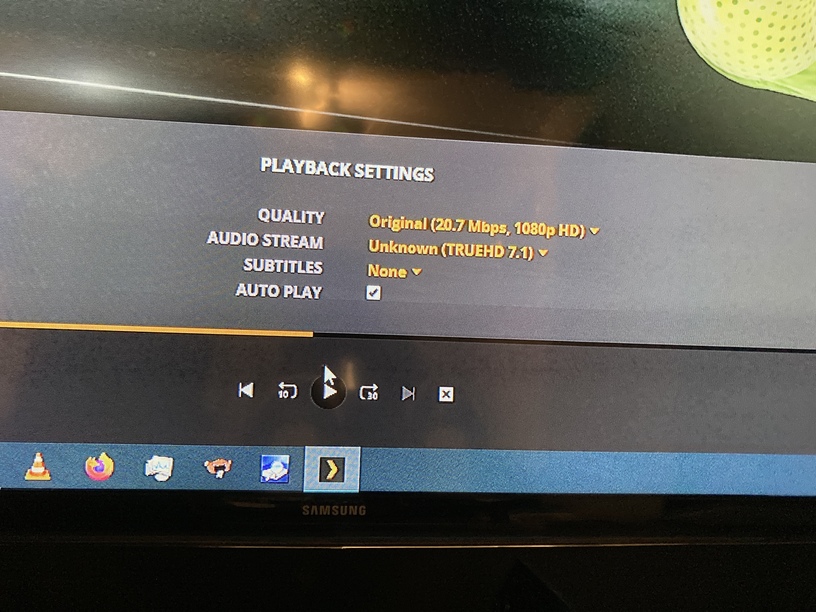
Hey, I tried it, but it seems that it does not work with default settings.
When I play a Dolby ATMOS soundtestfile as mkv with plex media center my receiver does not show ATMOS.
When I play the same file with VLC my receiver shows that ATMOS is passed through.
Is there s switch I can turn on for audio passthrough as it is in VLC?
Hey my receiver can “upscale” incoming audio to either “dolby surround” or “dts neural:X” this will be shown if he gets ac3 sound for example.
when the receiver gets true atmos or dts:x it shows it like in the first picture by shwoing the audio stream atmos or truehd which could be mixed to neural+x
Change to TV Mode to access the audio settings. Enable the exclusive mode option and check other settings to make sure they are correct. Try the Atmos file and see if it works in this mode. If it does, change it back to desktop and see if it works there too. I can’t remember if there is any limitation between the 2 modes.