Server Version#: 1.18.2.2029
Player Version#: 3.104.2
Windows 10
does anyone have atmos passthrough working with pmp? i’ve fiddled with all of the audio settings and just can’t get pmp to pass atmos to my avr… if i fire up windows movie & tv player atmos is passed to my avr out of the box, no settings required.
yes to all of the above and, btw, i’ connected using a certified hdmi cable… again, as i mentioned, audio passthrough works fine with other players so it’s not like i’m not sure if everything is set up correctly outside of plex… but i have to say, if plex handled atmos passthrough without a prob i can’t imagine theu would offer this nonsense:
So in short; when using decoding the only drawbacks are the lack of the extended Atmos data bits, and that your receiver will not light up the TrueHD light. Don’t worry, though: even if the pretty light doesn’t go on, you’re still getting identical sound!
if you have a nice atmos setup with overhead speakers, you can easily tell the difference between passthrough and plex processing.
sorted it out… i uninstalled pmp, removed all traces of it, reinstalled it and all is well… to be honest i was pretty surprised that it worked after the pmp re-install given i would think the prob would have been with the plex server and not the player? also, fwiw, reapplied the same passthrough settings as the previous install and this time they took for whatever reason, plus it’s not like there’s a tone of audio options in plex settings, it’s about as straightforward as it gets.
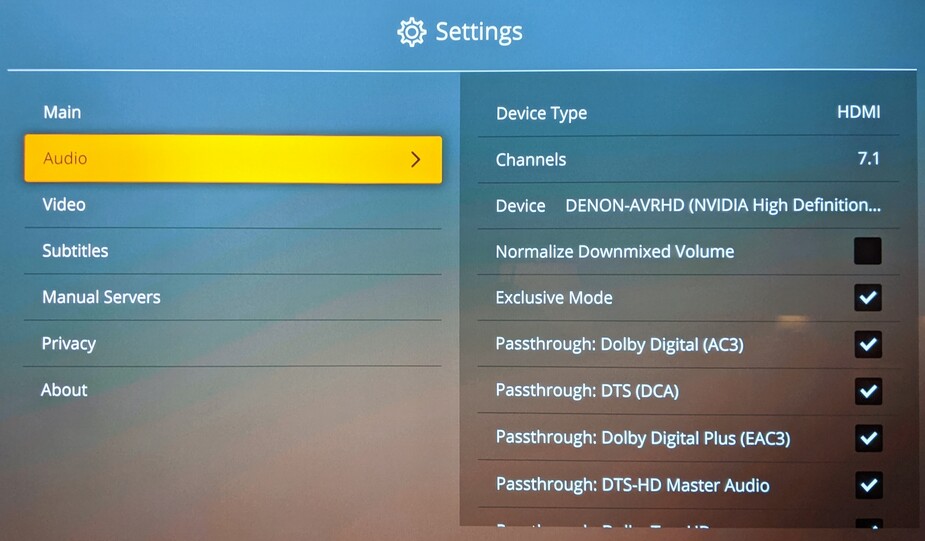
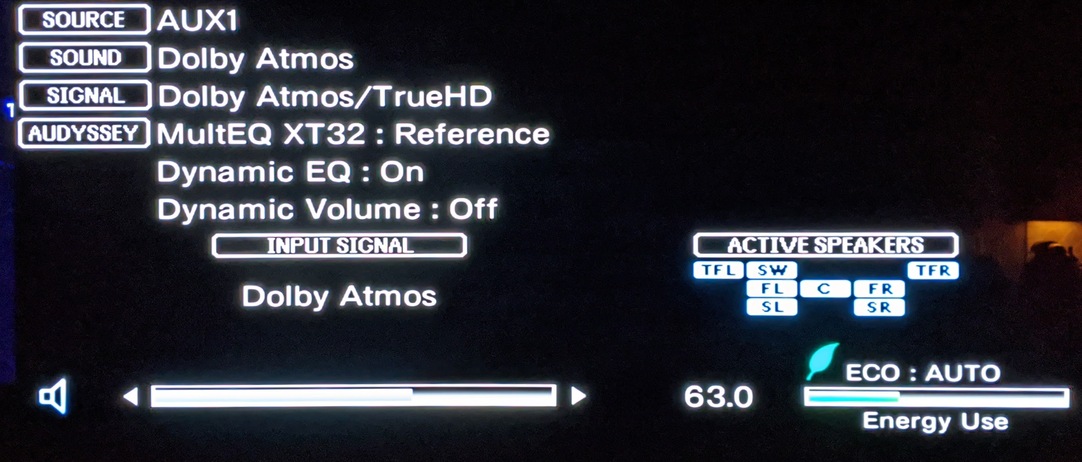
Hooked up my desktop to my Denon receiver. Here’s the PMP settings that work on my system. It is not shown in the picture, but TrueHD 7.1 is also set for passthrough.
PMP 2.47.0
PMS 1.18.3.2129
PC <-HDMI-> Denon 4300 <-HDMI-> LG B7 OLED
well that’s the good thing with plex, it couldn’t be easier to find out if audio passthrough works or not given the settings are so easy to find and the options so limited, impossible to go wrong, you just click the obvious boxes and see what works, which is why i was so frustrated that i couldn’t get it to work prior to the re-install (speaking of which, i wonder if my recent windows update broke things and caused it not to work)? anyway all is good.