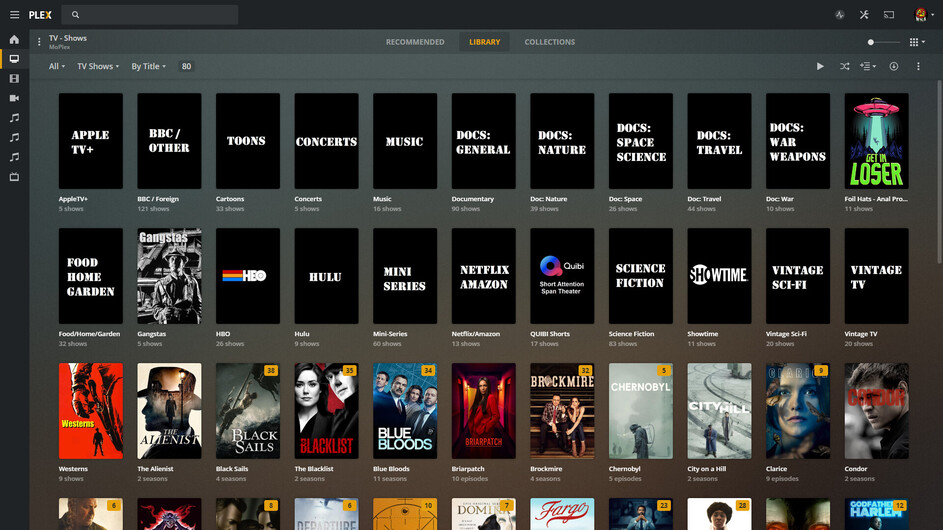
I want to group certain shows into one folder to help organize everything.
An example of this would be: tvshows/startrek/the.next.generation/season01/etc for star trek
or tvshows/marvel/wandavision/season01/etc for the marvel short series
However, when I try doing this, plex mistakes startrek or marvel as the tv show and tries to group everything in that folder under the one show.
I’m able to group star trek shows by tvshows/startrek - the next generation/season01/etc (not really grouping, but am able to get the folders next to each other alphabetically) but the same does not work for tvshows/marvel - wandavision/season01/etc
I do something very similar to this in my movies library consistently with no issues
example: movies/marvel/ironman/ironman2/<ironman2.video>
Is there a special trick to getting the plex library scanner for tv shows to pick up this kind of folder structure?
Now if we just had more features while in the collections…
That’s where it all blows up for many. You do need to be able to compromise - a little to a lot.
Maybe Plex has something in mind with Smart Collections, but before they can sell that idea, they’re going to need to fix them so Shared Users can see what’s in them - and after NINE releases since deployment (broken) - not yet:
I may have misunderstood what the OP actually wants.
A way to organize his folders that will also allow Plex to read the folders correctly or
A way for Plex to organize the specific shows into collections.
The former is impossible, I think, and the latter may be possible - when Plex fixes Smart Collections for Shared Users in TV Show Libraries.
Many use one giant folder for their TV Shows.
I use many smaller folders scattered across HDDs.
Adding Folders to a TV Show Library doesn’t do anything special for Plex. The shows contained within them just show up as TV Shows, each one having a Folder in the Folder View… just like shown in my second image above.
Any Folder you add to the library has TV Shows in it - and Plex just sees them as more TV Shows. There’s no way I know of to list nested folders.
Yep, I’m only looking for a better way to organize folders for TV shows. Ideally, the same way I organize my movies.
I’ve considered adding more folders to the library, but I’d rather have a more streamlined/automatic solution similar to how the movies library is able to handle sub folders.
Adding individual folders to library is a bit tedious since you have to select folders one by one through the web interfsce. There might be a different way of adding folders, but I’m unaware of any alternatives.
The main reason for all of this is that if/when I rebuild my Linux server hosting plex, I don’t want to add tons of folders to libraries. I already create separate libraries for 4k videos, and everything else. I know it’s just a small inconvenience during setup, but still tedious.
My guess as to why this hasn’t happened yet :
Tldr: there’s probably some effiency and error checking concerns when implementing this feature.
Long technical guess:
Implementing this feature may be a bit of work under the hood which is why this feature isn’t available since with movies, it’s pretty simple. Find a video, scan name, and add it to a library.
The devs may not want to implement this feature for runtime and/or compute effiecicy. Right now it seems to create the show based on folder names, then scan for seasons and video files to associate accordingly. The way to implement this features probably requires more processing during every scan since it would have to find the video, go up 2 folders, determine the show, then determine the season. Then also create error checking to ensure a scan doesn’t mess up with the number of different ways in sure people organize their libraries (names, hierarchy, etc)