Out of curiosity, do you have any tabs at the top? ie Home, Libraries, On Demand, Discover? Or are none of the tabs visible?

I have only Home, Libraries, and Discover Tabs in the Preview App. In the Experimental Player TestFlight, I have LiveTV and DVR available.
Thanks, I’ll add a Missing Tabs note for some users to the tracker.
1 Like
For TV Shows, the episode details page (the one that opens up if I select a show from the „Continue Watching“ list) is missing the list/row of (thumbnails of) episodes of that season. I like having this in the old app, since I like to know where in the season I am/how many episodes are left. I know I can see this in the season overview page, but opening that one is much more complicated and unintuitive. Major reason for me to not use that new Apple TV Plex app if it stays that way.
Also, continue watching is now using the season artwork instead of the show poster. I like having the show poster there, since the season artwork tends to be kind of ugly for many shows, and it‘s changing with every season (logically) so it‘s harder to get used to them and therefore harder to quickly find the show I‘m looking for.
Other than that, as others already mentioned, the navigation to the content of my local libraries is a major regression and needs to be simplified, plus currently the app feels soooo slow and clunky. Not fun to use. I know it‘s an early preview, but it already triggered me looking out for alternatives. Hope I don‘t have to pull that trigger.
2 Likes
MKVs here. Only difference I can see here is that you are not defaulting to using subtitles, apparently, and potentially apple tv gen?
Edit: As a sanity check I tried the same files in the old app and there the playback starts fine, transcoding to flac as expected.
Navigating is a chore, especially moving from series to movies compared to the old one.
1 Like
Okay i did some testing last night and this is what i see
If you can fully do direct play - no transcoding at all and add a srt or pgs subtitle - everything works
If you add any sub at all and its transcoding audio (truehd to opus) it forces video transcode to burn the subs - for some reason
2 Likes
I’ll take a peek, I have limitations set to video transcoding, so the same issue you are describing could explain my black screens on truehd tracks.
1 Like
Yep, that was the bug for me, too. Transcoding audio plus subs forces burning in of subs.
1 Like
Most of my feedback with the Apple TV Experience is already covered above, so I will avoid repeating it. However, there is one small pice of feedback that I don’t see above:
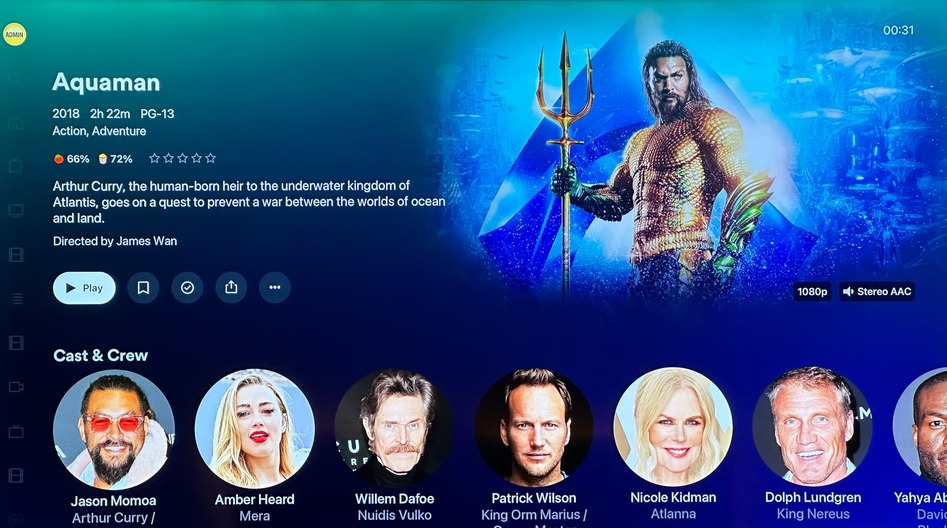
Content seems to use just the “Poster” image now, and the “Background” image does not seem to be used anywhere. Opening the media page for a particular Movie, I would still like to see the background image.
I would like the option to choose between vertical thumbnails (poster images) and horizontal thumbnails (background images) in the browse pages. Many content only have Landscape Cover Art and they do not look good in Portrait Thumbnails.
2 Likes
Thanks @lal5942 and @mcrommert, I’ve added to this to the tracker above.
@maahinberi are you not seeing background art in the top right of your pages like the images below (see red arrow)?
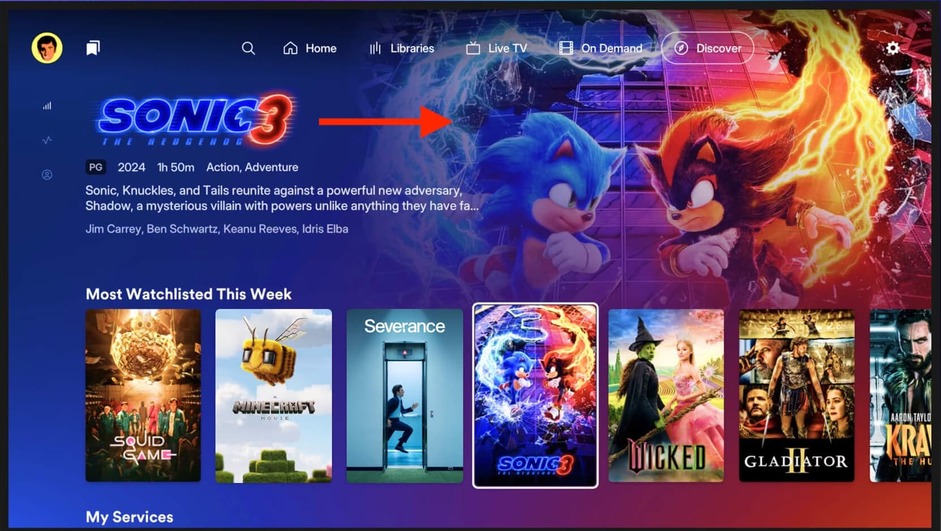
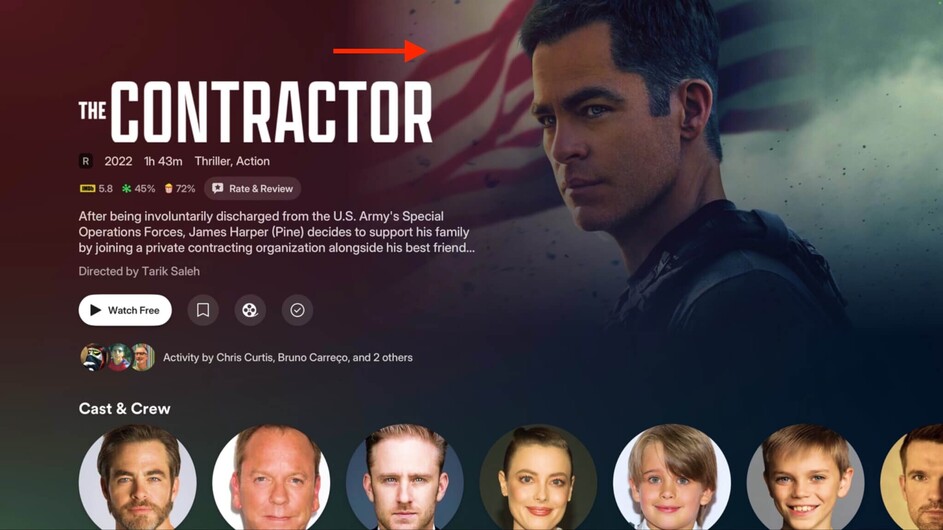
Nope, it’s just a black background for me.
1 Like
Is it just me or is scrubbing not responsive? Not using the default tvOS scrubbing is a downside in my opinion.
1 Like
I’ve been able to replicate this on my setup, and I’m also noticing that having subtitles enabled is forcing an h264 transcode instead of a HEVC transcode on the newer server versions.
If you have an item in multiple libraries (say a movie in an HD library and a higher res copy in a UHD library), only the highest quality version is displayed in the continue watching feed. In the public app, both library entries are displayed so a user can choose to access the lower quality option if they prefer (ie for an older Apple TV HD or mobile/remote device).
Yeah, the current scrubbing is not responsive at all, and jog wheel scrubbing isn’t supported currently.
1 Like
I for one am super happy this is now “fixed” and only the highest quality one is showing. I hated having dupes across my continue watching swimlane. An easy fix would be clicking on the higher res version poster and selecting a lower quality version. But not having 2 of the same or more posters is a blessing
Something like the “Play version” interface, but for media across libraries would be nice.
1 Like
No auto skip intro.
Can’t use skip intro button in UI.
The focus indicator will often disappear (usually when app switching) and require a full app reboot.
There’s an extra step when bringing up the player UI to select anything. And hitting back on either the player or content instantly takes you out. More something to get used to, but it’s different from the stable app.
@dklein
Here’s an example of New UI vs Old UI for the same content. This happens across all my content. The “Background” image is not present for anything.

5 Likes
