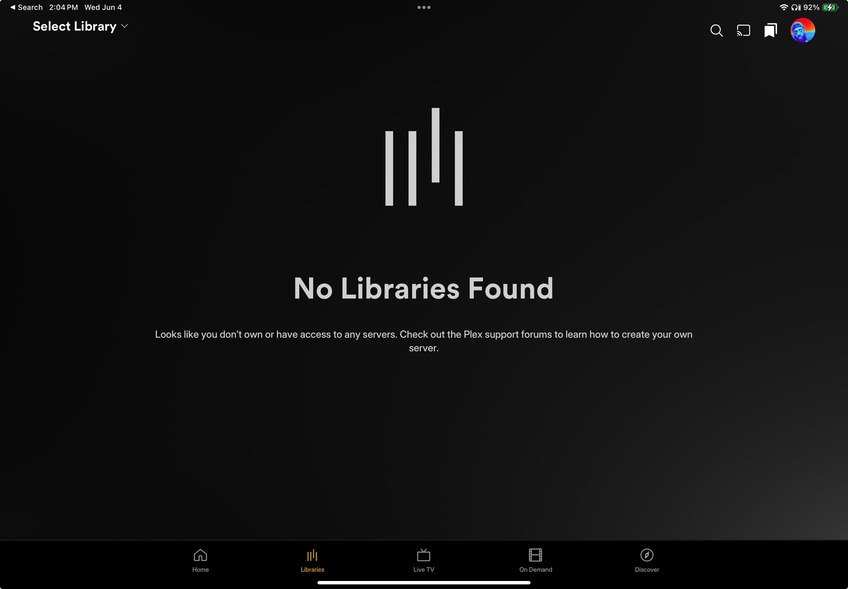
Server Version#: 2025.17.0 (1082(
Player Version#: 18.4.1
So I generally use Plex on my TV at home, so I’ve not encountered any issues whatsoever doing so. Today, for the first time probably since last year sometime, I’m attempting to watch on my iPad (something I never had issues doing in the past). Well aside from this HORRIBLE new UI, I can’t seem to find any of my libraries that I KNOW are there because as I type, my mom is watching with one of her Plex-connected TVs at her house. Am I just not seeing it and it’s right in front of my fave? #WhoSignedOffOnThisShit?? Please help if you can.
The user avatar shown in that image is not the same you have for the forum. Are you sure you are signed into the correct Plex account?
It is the right account.
Would need to see the mobile app logs to figure out how it is trying to connect.
Make sure Plex is allowed on the iPad to connect to devices on the local network in privacy settings
Hey, I ended up finding out what the issue was, though I don’t understand HOW/WHY it was an issue. There was a storm in the location where my computer/hard drive is located and it knocked the power out. The confusing part was that my family was still able to access and watch content at that location (maybe because it was on the local network?), but I was unable to stream anything (or even see content I KNOW exists) here at my job. I had a family member restart my hard drive and I was able to get things back going. Also…the new app design sucks too lol
Thanks so much!!! Lifesaver!! Yeeeeah…I’ve come to find out I’m definitely not alone in not loving this new app lol