Desperate for help: Server was unreachable, then available but content unavailable. Now after trying to sign out and back in server is just gone

Server Version#: Version 4.72.0
Player Version#: All

Desperate for help: Server was unreachable, then available but content unavailable. Now after trying to sign out and back in server is just gone.

I updated to DSM 7 to fix the problem. Last night my server popped up and was visible but I couldn’t play anything.

Clicking on the Unavailable icon showed the correct file path.

All the files are still in the same location on my Synology 1515+ NAS.

Tried Analyzing, refreshing metadata, to no avail. Then tried to sign out / sign in but upon sign in nothing was visible. Now my server isn’t even shown as unreachable. It’s just not there.

I’m no pro with the NAS or Plex but it has worked pretty reliably for years before this.

When the server’s content becomes unavailble – This is always a permissions problem because Plex doesn’t have special privileges on DSM.

Upgrading to DSM 7 broke it even more because DSM 7 forced a complete rewrite & restructure of how Plex runs.

At this point, which version of PMS is installed and do you have all your libraries defined? (the server migrated from DSM 6 → DSM 7)

We will fix the permissions once we know the state the server and its metadata are in.

I believe the server migrated properly as I “claimed” the server and it took a good couple hours to save the change.

Once it finished saving all my content showed up as before but was unavailable.

Now that I signed out nothing shows up.

How do I check on the Library definitions?


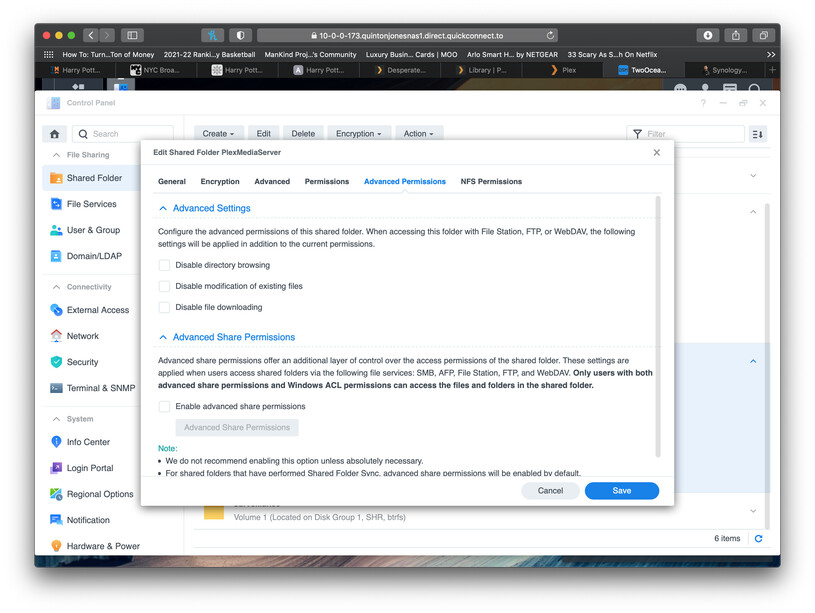
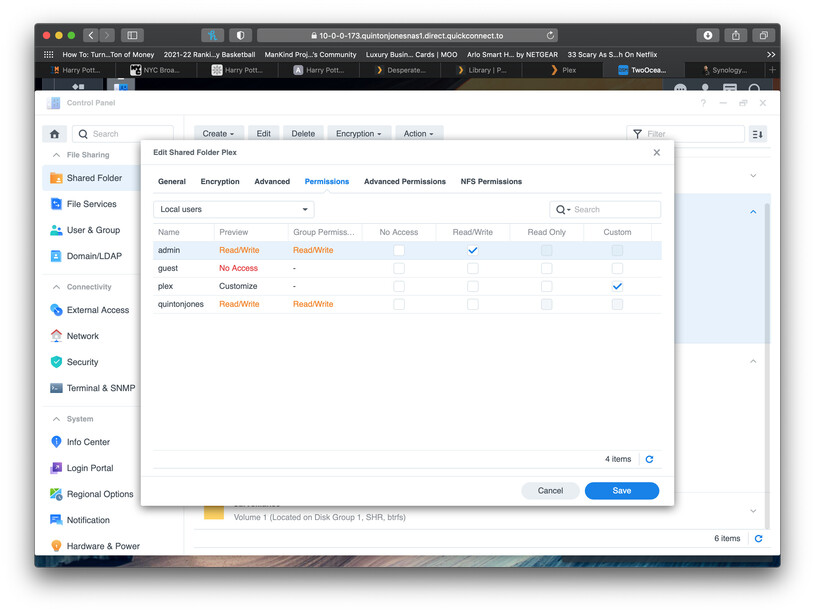
This is the current state of Plex on the DSM


  1. The PlexMediaServer shared folder looks good.
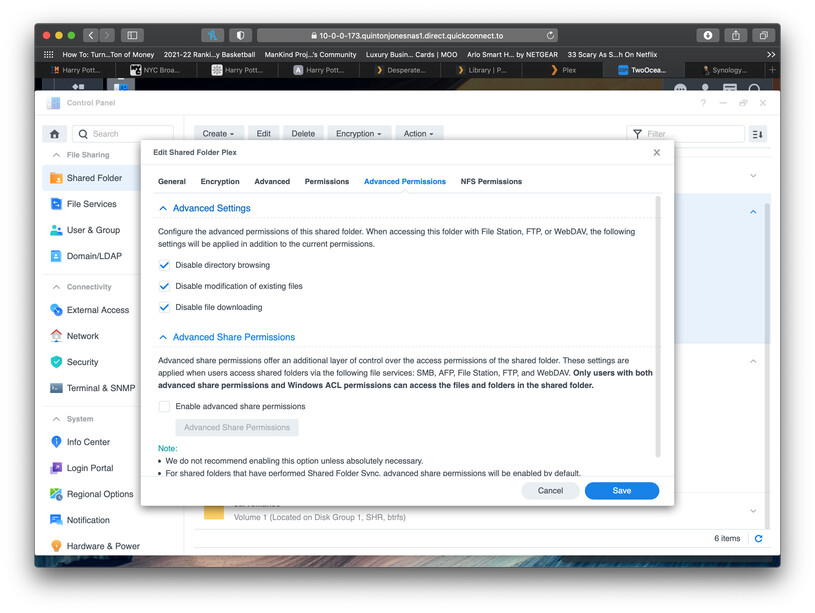
  2. I’m confused why you changed (?) Advanced Permissions. Those don’t need any changing.
  3. Notice in this picture:

https://global.discourse-cdn.com/plex/optimized/4X/f/1/6/f164a49cc3c5d212af5ecda2b37c907ed4033ddd_2_690x519.jpeg

You show “Local Users”.

  1. When you go to your Media folders (don’t change anything else)
  • Change “Local Users” to “System Internal User”
  • Now give permission for PlexMediaServer to Read or Read/Write; however appropriate.
  • After you do this, Plex will be able to see your media.

It’s probably helpful to read about all the changes (top part)

Hi there. Thanks for the info but nothing has changed. I don’t know how Advanced Permissions are supposed to be but tried unchecking everything but it didn’t help

Does it matter what the Local User settings are?

should I just reinstall things using the steps from this article: How to fix Plex migration issues in Synology DSM 7.0 | Android Central
?

Really confused and frustrated at this point. Thanks again for the help

No. That’s a copy of my work. – which is now grossly out of date. It became outdated as of 1.22.4.4973 when DSM became final release

Please do the following:

  1. Uninstall the package with the KEEP option (save your metadata)

  2. Now, while on the same home LAN as the server,
    – Install the package again
    – Using the ‘Plex Claim Token’ option
    – Click "Get Plex Claim Token’
    – COPY it from the new browser window
    – PASTE it into the installer’s window
    – Click NEXT until it installs.

  3. It will take a few seconds longer than normal because the installer and Plex.tv are getting new credentials for the server for you.

  4. When the installation is complete, Open PMS by the normal LAN IP address
    – Don’t use QuickConnect.to or https://app.plex.tv

  5. It will confirm it’s your server again and your library sections will all be there.

Once back into your account, we can finalize any permissions changes.

This topic was automatically closed 90 days after the last reply. New replies are no longer allowed.