Server Version#: 1.16.3.1402
When looking at my server history I see a device streaming content that is not listed in the “Authorized Devices” area. Once upon a time I authorized it, but have since removed access.
How do I stop this device from accessing my server???
Authorized devices is your devices. Not family/friends devices.
Who is accessing your plex you don’t want to?
Go here and find the share user and remove
There is one exception to this rule.
You gave out your plex login credentials to someone or was stolen from you.
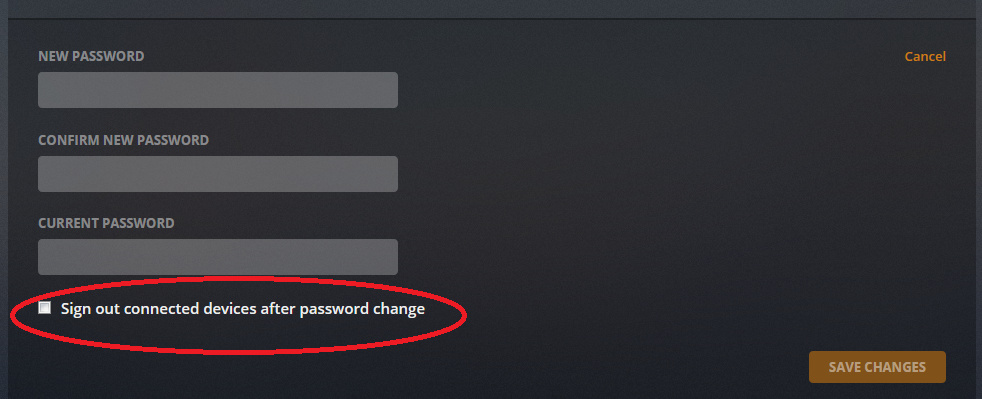
If you did infact give your login info out to people you must change your plex password in account settings and sign out all devices.
https://app.plex.tv/desktop#!/settings/account
It shouldn’t be limited to this. We used to be able to see and manage all authorized devices that are connected to our server and that functionality should come back. We should be able to de-authorize devices from our root account. This way we are ensuring no one is password sharing outside of our friends & family.