Following TheTVDB folder naming structures results in my Documentaries looking as follows:
BBC Documentaries
– 2019
---- 2019x132 Rams Principles of Good Design.mp4
– 2020
---- 2020x62 Titian - Behind Closed Doors.mkv
Natural World
– Series 32
---- 31x14 Unnatural History Of London.mp4
– Series 35
---- 35x2 Super-Powered Owls.mkv
Top Level Name > Series Name (I always follow TheTVDB, sometimes this is “year” sometimes “series”) > Episode Name
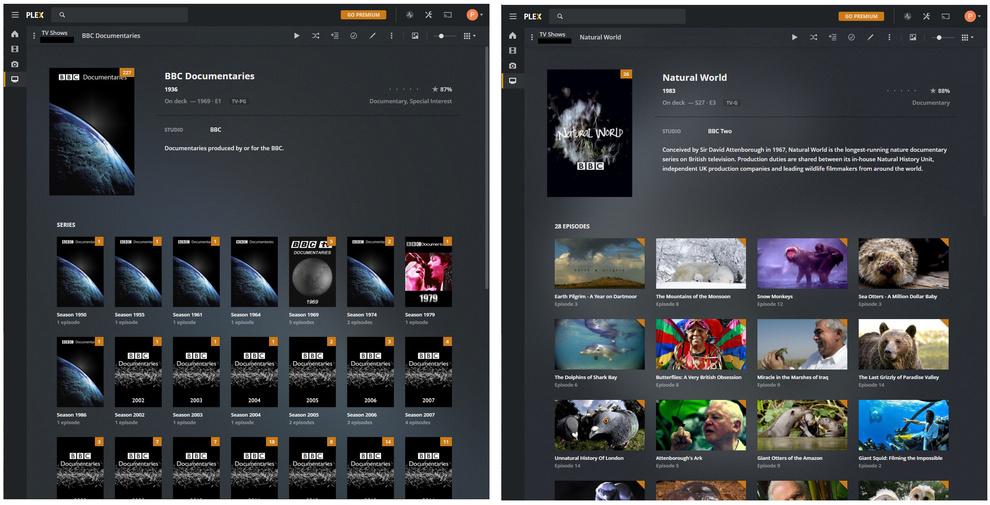
When I go to browse for documentaries, BBC Documentaries shows a list of folders by year, then documentaries within them. Natural World just shows the list of documentaries (not within folders).
This “flat” structure is much nicer, as when I want to find an interesting documentary I don’t necessarily want to browse by series in order to find it- a long flat list would be much nicer.
Please does someone know how Plex is determining whether to show all episodes in one list vs series?
Considering your MP4/M4V files could contain embedded metadata that WILL throw Plex into a tailspin (unrecoverable) do this to prevent Plex from looking in your MP4/M4V files for metadata:
And a Plex Dance after that for these two shows would be a good idea:
Do enable Debug Logging - NOT Verbose before you do any of the above:
Server/Settings/General
…in the event they’ll be called for… by someone that can read them.
Look at this example: https://thetvdb.com/series/natural-world
On the right under series you can select absolute order. This allows you to have a single directory, and a single PLEX page for your show.
Structure would be:
\TV Show\ Natural World\Season 01\ Natural World - s01Exxx - Optional Info.ext . The S01exxx can be any value between 001 - 534 messy in my opinion but it is supposed to work. I don’t use absolute order but is sounds like you want to.
Thank you but my understanding is that nothing is inherently wrong with my naming conventions here- all the shows show up with the correct data pulled from theTVDB.
What is confusing me is why Plex is displaying “BBC Documentaries” as “Series” and “Natural World” as “28 Episodes”.
My apologies if I’ve understood this and the only way to fix it will be to follow your steps, but currently nothing is broken as such, just being displayed in a somewhat arbitrary way.
I agree that this looks like I’d like it to, but it seems Plex is doing it automatically for “Natural World” despite the files not being named as you suggest.
Well… that ain’t in the handbook - that’s certain.
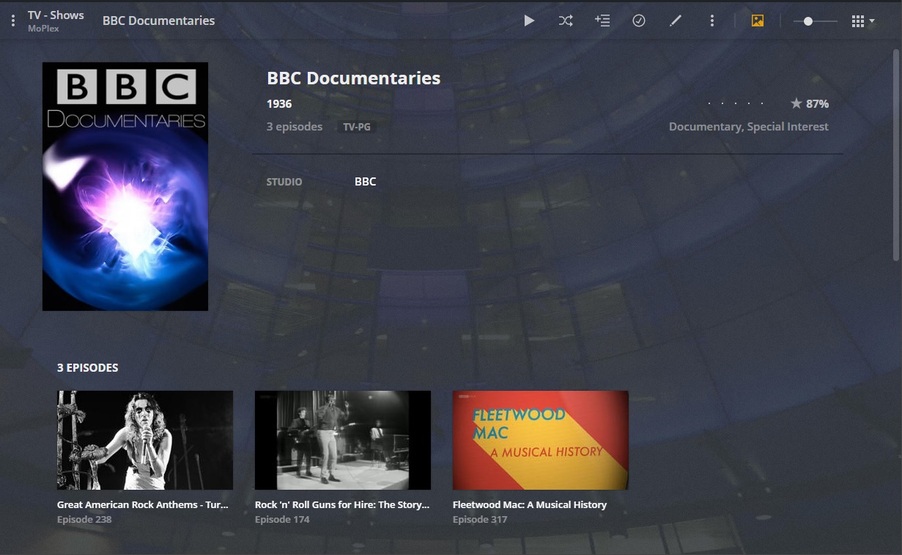
But I do the switch for BBC Docs - 'cause they’re all single episodes in seasons - and who wants a page full of Seasons you have to drill into to see what the episode is?
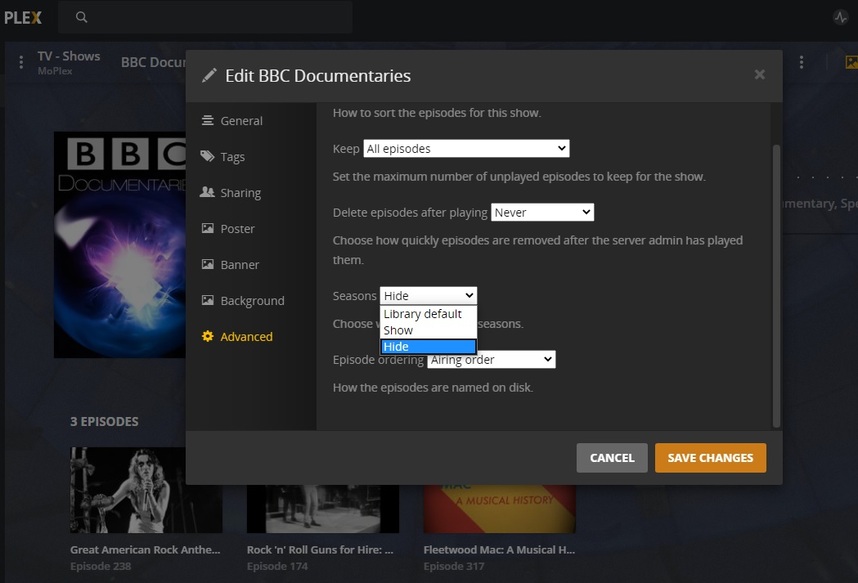
Show Level/Pencil/Advanced
Set Seasons to Hide/Show as required.
There is a ‘Library’ option for this - and that’s good, 'cause I don’t want everything that way, but can change it at the Show Level.
Maybe the Library isn’t set the way you like, but one of the Shows is, or Vice-Versa.
Some research into your settings may reveal something… and I won’t tell you it’s not confusing - it is.
For instance: I have my TV Show Library set to ‘Hide Single Seasons’. TV Shows having more than one Season show the Seasons. I switch BBC Dox to ‘Hide’.
Edit Nat-Wo at the Show Level and flip Seasons back to ‘Show’ - seeing if it’s ‘Hide’ now. You should see the Seasons Appear… we hope.
Don’t know why we get an episode number - I don’t memorize those and it doesn’t make it ANY easier to Users to have a number there that means nothing to us. We hope we can see the name of the episode and hope it’s not ‘Episode One’. That says as much as it’s episode number. Nuthin’.
That Episode Number means nothing, but if it was “S2013-E238” it might be of interest. To some. Maybe. Thank Goodness they’ve got a name. <—if they didn’t - I’d give them one.
Anywho - hit the pencil (at the Show Level) Go to Advanced: