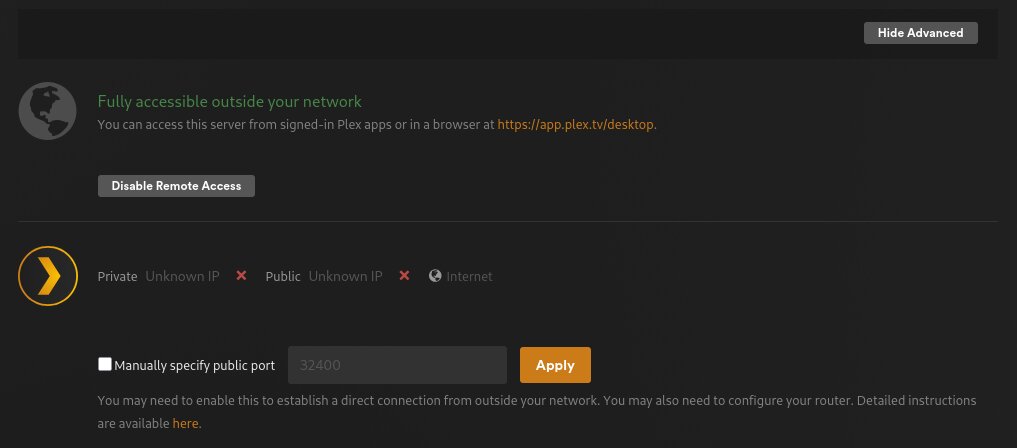
Hi I have an issue, I recently upgraded my server by just moving the main SSD and the HDDs to the new system and firing it up - done this before, this was not a problem then - but now Plex Remote Access says I have a Double-NAT situation. I’ve already updated the forwarding IP address. It worked flawlessly before the upgrade so it is not an ISP problem.
Also, PlexAmp is working fine, only the main Plex app not reaching my server from outside, just in LAN.
I use Plex since 2018 and never had this problem.
Does anyone have any idea what can I do in this situation? Thank you in advance!
PlexAmp can use Plex Relay and can function without a working Remote Access.
Take a breath and work the problem.
Provide Debug Logs or start with https://support.plex.tv/articles/200931138-troubleshooting-remote-access/
Ah that explains PlexAmp, thanks!
I went through the linked article thoroughly earlier, so I provide logs:
Plex Media Server.log (3.1 MB)
I tried to enable remote access just before downloading the logs and waited for it to show the error, so it can be found at the very bottom.
Barely caught it or I would have asked for you to restart PMS wait 3 minutes and then grab all the Plex Media Server(x).logs.
Unless you are running TailScale, ISP’s can put you behind CGNAT without notice, and this is what I see.
Server → 192.168.x.x
Router → 192.168.x.x (Matching segment)
WAN IP from router → 100.78.2.107
Public IP → 94.x.x.x
This puts an extra hop in the route. On the firewall you have your port forward defined but most ISP’s don’t provide a way for you to add a port forward on the 100.x.x.x .
CGNAT range 100.64.0.0 to 100.127.255.255
Ok, I restarted it, and waited or 5 mins, currently it is reachable from outside, but here are the logs anyways:
Plex Media Server.log (337.4 KB)
So yeah, currently it is working, but shows this:
And I know for a fact, that it is not a CGNAT problem. In the morning it worked on the old system, after the moving, it stopped working on the new system.
Maybe the server restart solved it, I actually don’t know. I haven’t changed anything since starting this thread.
Edit: Added additional log entry, showing public address.
May 27, 2026 22:05:27.497 [140444637756216] DEBUG - PublicAddressManager: Got public IP from v4.plex.tv: 94.21.104.154
May 27, 2026 22:05:30.926 [140444637756216] DEBUG - NAT: UPnP, public address is 100.78.2.107
May 27, 2026 22:05:30.926 [140444637756216] DEBUG - PublicAddressManager: got WAN IP 100.78.2.107 from router
May 27, 2026 22:05:30.926 [140444637756216] WARN - PublicAddressManager: WAN IP on router does not match public IP from plex.tv
As @pl_5309 states, your ISP is using CG-NAT.
Contact your ISP. Ask if they can provide a public, IPv4 address that supports port forwarding.
Using Plex Relay, as mentioned by @pl_5309
Stream something remotely and monitor playback via Plex Dashboard → Now Playing + Expanded View. The connection will be local, remote, or indirect. indirect = Plex Relay.
I will ask the ISP tomorrow then.
But why I haven’t had this connection problem up until the server hardware change? Never had to ask the ISP for anything like this in the last 8 years and now they implemented something like this while I was changing the PC? I know its a stupid question, I’m just curious what changed.
Also my ISP is really bad at costumer support so wish me good luck.