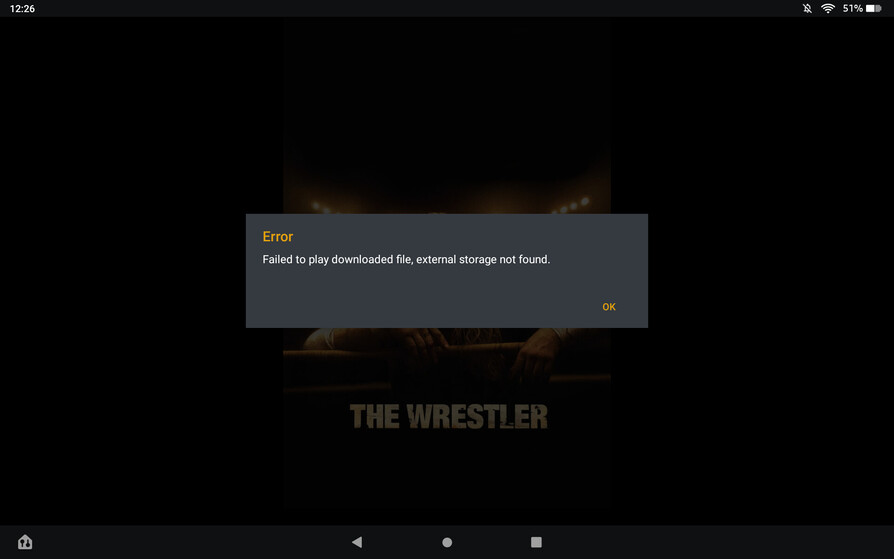
I have exactly this same issue with Android
Samsung Galaxy Tab S5e
OnePlus Pro 9
With Samsung Tablet, I WOULD prefer to use the SSD Card (512GB) , however with the One Plus 9 Pro phone, there is NO external card posslble. (it is 256GB internal storage…)
The commonality is that it is AOSP LineageOS ROM + Root on both devices. Samsung is now on LIneageOS 19.1, while OnePlus Pro 9 is on LineageOS 18.1.
Both are rooted with latest Magisk, and appropriate methods are in place to hide root, and working. (For instance on both devices, WideVine reports L1).
I did a google search on this topic, and can only find instances (many) where others are seeing the same behavior from Android Plex App.
My perspective is that this conversation should not ever have any “rooting” applicability considerations in regard to the Android Plex app. Frankly, if that is any kind of consideration, it would intimate that we need to find an alternative platform. In regard to user content, rooting or not should have exactly zero impact on Plex Functionality. (I.e., it should never be necessary to hide root from the Android Plex app. Otherwise, it is further indication that Plex has abandoned user content / libraries primary function, in an effort to gaining favor (or in-roads) to those who do not want us to have control over our user-content media…ala the Plex Comcast app which won’t even allow for user content at all.)
I’ll be looking at Emby overy the next several weeks in terms of the solution. Increasingly, data metric observations appear to indicate that Plex has sold out to Corporate considerations and so perhaps loosing sight of why Plex was successful in the first place.
(Since I know it sounds like I’m bitching…which I am…couple of other [unrelated] things. Where is VR (Cardboard even) for iOS devices? Also, where is QAM DRM for AppleTV? (In 2022, Why can I watch my Silicon Dust HDHomeRun channels on Windows, iOS, and Android, but NOT on my AppleTV 4K?)
Just seem like the actual functional important metrics for product development have been depreciated by the Plex development team.