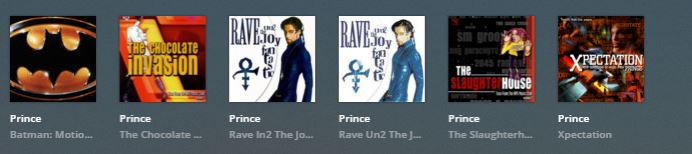
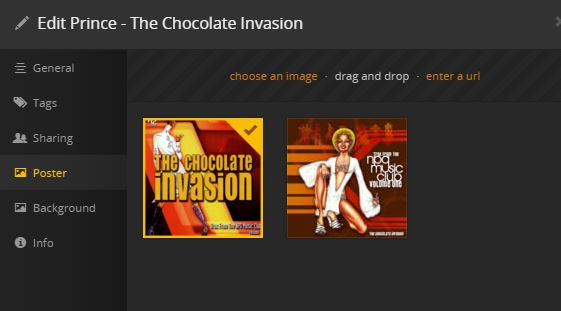
Both PMS’ have identical agent settings (Plex Premium Music) but Shield doesn’t appear to set the downloaded covers for Artist or albums. I’ve moved local media assets to bottom & tried on & off to no avail
I’m fairly new to testing out the PMS on nVidia Shield TV. I mostly stick with the PMS on my Synology NAS because of things like this. To make it short, they both store different databases where those ‘downloaded’ images are at. You would have to find the database for one of them and copy the file location of the artwork over to lets say your nvidia’s database location. There are some articles with guides out there. Personally, I will say you are better offer with embedded ‘poster’ tags from your music files such as itunes, mediamonkey, or musicbrainz. It helps if you ever have to rebuild your library.
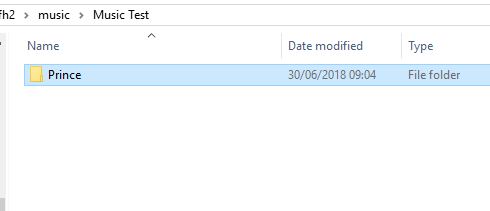
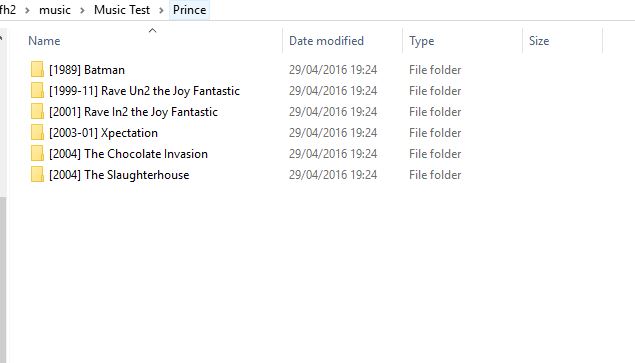
I have not seen that before. Let me dig around and check. Can you show me the directory with the contents of the parent folder for “The Chocolate Invasion”? Since it is using the same poster for multiple albums, maybe you have a local poster at the artist level that is overriding it.
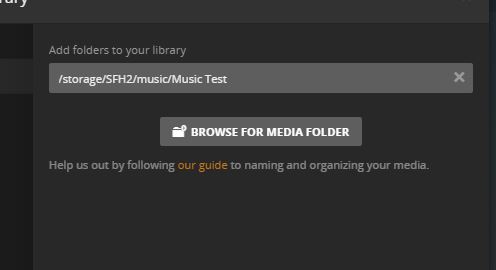
To rule out file issues I’ve removed all metadata from the files in windows, copied just the MP3s to a new folder, added a new library pointing to that & I get exactly same problem.
I’ve also tried with them stored locally on shielld to no avail.
Just to reiterate I don’t see this issue on my Synology NAS PMS with identical settings & version, very strange
Sounds like your shield database could be corrupt. Again, I would copy your database from Synology onto the shield; assuming you are using the same music library on both servers.
Best way to do it this is to stop the PMS on the shield, enable pc share or whatever it’s called in the shield settings, map one of the directories on a computer and do the rest.
I wouldn’t delete your metadata (tags) from your music files because that’s the exact opposite of what you want to achieve. Subsequently, updating all your metadata with embedded cover art would have been the best method. You could have changed the settings in your library to read those tags first and did a refresh and they would have loaded far more quickly than downloaded images from the agents provided.
However, I do understand the issue you’re having is the shield shows the images but doesn’t automatically select them. That’s why I would suggest, at least as a last resort, to delete the database, let it rebuild itself or copy it from Synology. (It’ll save you time from downloading the same images already stored on your NAS, not to mention the rest of the processing that happens in the background).
Good luck! I know how frustrating it is.
I have the same problem with my music files and PMS running on my Shield TV.
Set up my server from scratch but only the movie covers are selected automatically. The music artworks are downloaded, but not selected.
@ProfitC, thanks for the tips. I’m only just starting to rip all my collection, would like PMS to handle it all. I’m not convinced it’s a corrupted database as this occurs before & after a factory reset. Would also like to get the root cause solved rather than rely on workarounds