But all of my library information on my Synology is gone and I don’t see how to re-add it. When I click on “Your Media”, instead of seeing any information about my libraries on my NAS, I get “Add your media to Plex” and “get plex media server”. Which is confusing because I am getting there through the web access of my Plex Media Server on port 32400 of my NAS.
DSM 7.0-41890
PMS 1.24.0.4930-7000
Dunno how to find previous PMS version.
There are no files at all in the Plex directory.
If I need to upgrade PMS, can you tell me what hardware choice to make? I have a DS1817+ with an INTEL Atom C2538 CPU.
PlexMediaServer user has R/W to both Plex shared folder and PlexMedia shared folder.
Just to verify… Going through the Plex download UI for Synology DSM7, I can choose Intel 32-bit, Intel 64-bit and three different ARM packages. I should use Intel 64-bit?
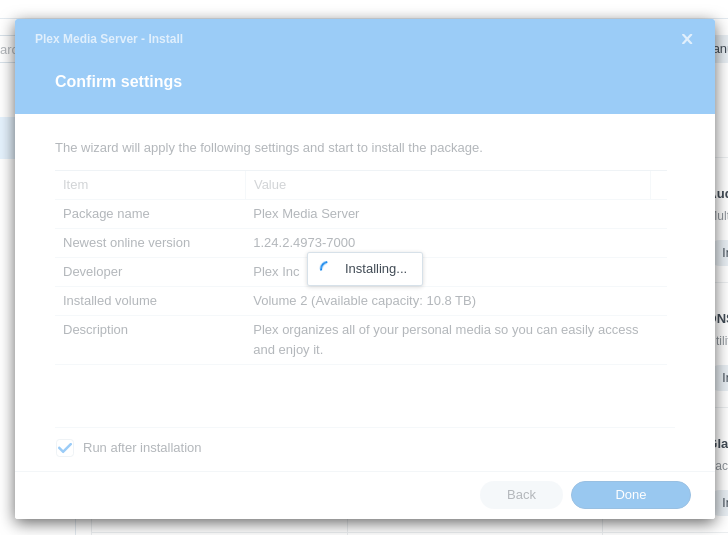
I installed the Synology DSM7 x64 version of PMS. The one decision I had to make was “where to put the logfile”. I said to keep in the same place (wherever that was). Should I have picked a location? If so, where?
DSM confirms that I am running 1.24.2.4973-7000.
I see nothing in the Plex directory.
I get the same lack of anything in PMS – If I try to go to “Your Media”, I get the UI for “Get Plex Media Server”. I don’t see any UI to get to my libraries or set them up or even use the 32400 port for remote access (I have a port punched through my router for that).
One last question… The folder that is called Plex (I believe where all data used to be stored prior to migration), I assume it is no longer being used and can be deleted after I’m up and running on PMS 1.24.2?
Some folks like their logs outside the PlexMediaServer shared folder
while others don’t care.
You should now find you have a PlexMediaServer shared folder.
In there → AppData/Plex Media Server
It should be of appreciable size (size of your old Plex share)
Since the server isn’t listed yet… (which happens)
Uninstall the package – use the “KEEP” (default) action.
Reinstall it again – use the “Plex Claim Token” option
a. Click the link to “Get Plex Claim token”
b. COPY to your browser
c. Paste that token into the window
d. Click Next → it starting to install.
It will take about 30 seconds longer than normal while the installer talks to Plex.tv and signs in the server for you.
When done, it will print the summary page “Claimed for: YourPlexUserename”
@ChuckPa – Using the File Station, I cannot see any AppData folder. I also do not see a PlexMediaServer folder in “Shared Folders” in the Control Panel.
@ChuckPa Oh, sorry. Yeah, I got that. Now I understand. Anyways, I still have the same experience with the PMS after the installation. I do not see any settings for my media libraries.
Ah – now I see the PlexMediaServer tree. There is an AppData folder under it. And a Plex Media Server folder under that with a number of subfolders. Including a log folder.
I see networking errors and XML parsong errors. Do you want me to upload the last log file somewhere?
The default gateway is 192.168.1.1, which is my router. I do not have IPV6 gateway configured. I do not have manual DNS server configuration – so it should just use the gateway, right?
I have been having some latency issues with XFinity on DNS traffic for my whole house for a few weeks. I wonder if Plex server is giving up quickly.