My upgrade to dsm 7 went without problems, at least it show this way in begining.
Now when i start playback i recive on some video files error. Since my plex is translated to local language this error message here is my translation back to english
“Playback Error, Conversion not sucessful. Transcoder not started”
As instructed i am sending info.
I attached log files and 2 file info files (one from media that works and one from not working one)
99.5% of time i use plex on PC (windows + firefox browser), so i try to open same media file on PS4 app and on PanasonicTV app both same results same error. Log files fron plex are made before PS4 and TV app use.
Thank you for all help.
Looks like with dsm7 my NAS is working on his limits. In 2 years and 1000h watched on DSM didnt have any problem.
I normaly dont use subtitels most time when i watch something i go and disable them later. I guess i was to lazy to switch off autodownload from subtitles.com.
I try the problem media and selected subtitles off before i start media file and by miracle media works without problems.
One more question in witch folder are automatic downloaded subtitels stored.
I’m hoping this is the right place to ask as I have a similiar problem. I’ve upgraded to DSM 7 and now plex won’t play any files on either my pc plex web or plex on my fire cube. Oddly I can play files on windows via file explorer and by playing direct in a DSM interface window on my browser.
When I try and play via plex the web interface says “Conversion failed. The transcoder exited due to and error” The plex app on the fire cube just says there was a connection error.
What has gone wrong? I didn’t have any problems playing before. I made the DSM software change
DSM version PlexMediaServer-1.24.3.5033-757abe6b4-x86_64_DSM7 downloaded from Plex website
Remote Access says it is enabled.
Files are H.264 already so shouldn’t need transcoding as mentioned above.
I’ve tried restarting the NAS, no effect. NAS is Synology D918+
I’ve tried setting up static port forwarding on the router, no effect.
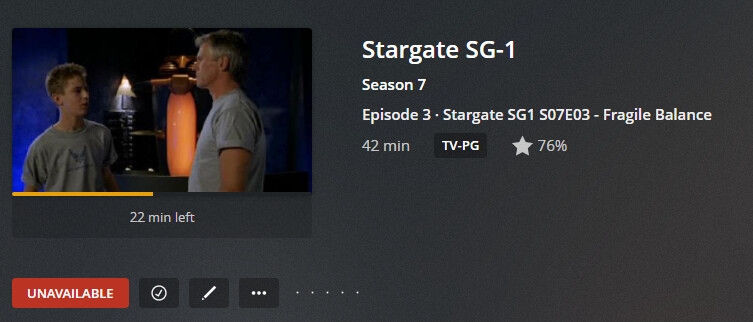
PlexMediaServer doesn’t seem to be directly connected to the NAS and I’m not sure why. The libraries are still there, plex sees the films, tv shows etc but seems to think they are unavailable
OK OK, my stupid error. In my defence it was 3am and I should have gone to bed
I was giving permissions to the PlexMediaServer Folder NOT the folder where my media actually was, something that occurred to me as I woke up this morning
Hopefully someone will see this and not make the same stupid mistake