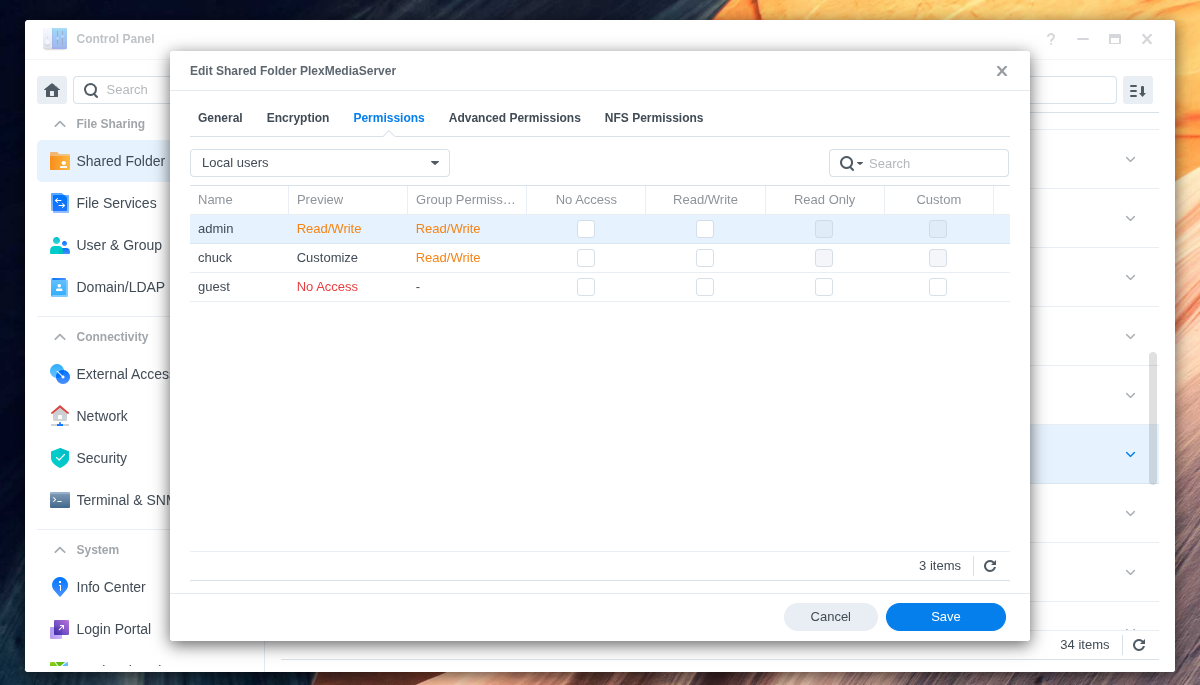
I have already corrected the system permissions for ‘PlexMediaServer’ and reinstalled ‘PlexMediaServer-1.42.1.10060-4e8b05daf-x86_64_DSM72.spk’, but selected the ‘Keep Plex data’ option. I’m afraid of accidentally deleting the old ‘Plex’ folder used for DSM 6 if I use ‘Delete All Database’ (and yes, I tried to repair the old Synology package that was provided after migrating to 7.2.2 before updating to the latest version). I would appreciate any advice. Thank you, PA
EDIT: I now decided to try the ‘Delete all’ option when uninstalling the package as I have a full local backup. Unfortunately, the migration process described above still does not start after reinstallation. Any advice, please?
Server Version#: PlexMediaServer-1.42.1.10060-4e8b05daf-x86_64_DSM72
Player Version#: 4.147.1
The migration only occurs when PlexMediaServer shared folder is empty
–AND–
System Internal User has FULL CONTROL (not just RW) of the Plex shared folder for All Files and Folders
Have you looked at this?
I am the author of it all. Please don’t hesitate to ask questions.
You can migrate all of DSM 6 → 7 without any loss.
yes, there still was an unresolved permission setting for the ‘Plex’ folder. I have now set unrestricted permissions for the system user PlexMediaServer in the “Plex” and ‘PlexMediaServer’ directories for the main folder and all subfolders. Now it finally works. Are the settings correct? Can I keep the full permissions for both folders? Can I now delete the shared ‘Plex’ folder, as the migration appears to be complete?
Unfortunately, after trying all the settings and uninstalling and reinstalling, I now have these shadow lists of Plex server instances (see image). What can I do to make them disappear?
In DSM 7, I don’t have any permissions like I used to have in DSM 6.
DSM 7 changed the username and shared folder.
DSM 7 controls both.
Words of caution
Don’t touch the PlexMediaServer shared folder.
Don’t ever put any media in it. It will break and there’s nothing I can do to fix it.
The Plex shared folder is free for you to do as you wish (keep for media just like it was or to delete)
User “Plex” can safely be deleted.
System Internal User PlexMediaServer is now a system service and not accessible via the GUI except for granting permissions (RW)
The PlexMediaServer shared folder permissions should only allow admin.
( I am added here for development purposes)