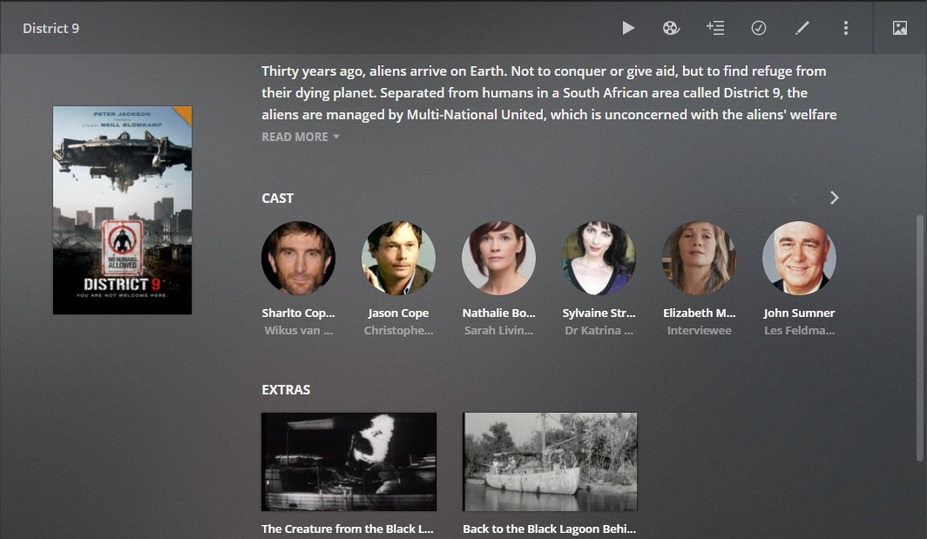
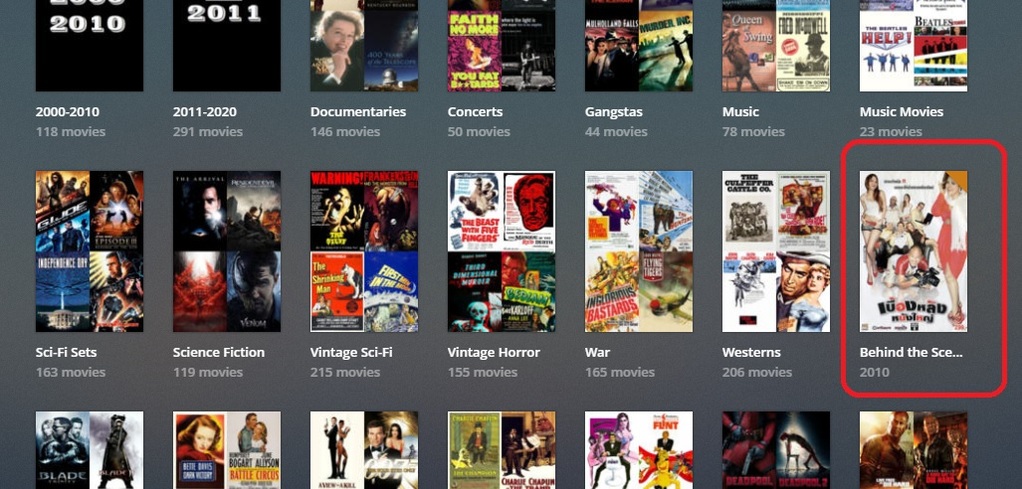
and managed to get my extras to appear with the movie. And there was celebration.
But,they are also showing up on their own. I can’t imagine this is the intended behaviour and that I must be doing something else wrong.
Can anyone help?
Many times people confuse ‘trailers’ with ‘extras’ - easy to do, I guess 'cause they’re both in the same place (locally).
Extras aren’t special, in that they won’t automatically play before media, but Trailers will. There are two areas in the settings to kick that back a notch.
Settings/Extras
and the players have one as well - Plexweb is:
Settings/Web Client/Player
Manipulating these settings should get your Trailers back under control, but if you are, in fact having Extras jump into the mix - you’ll need more advanced help.
I suggest using subfolders. They have always worked well for me.
Manually re-scan the library if the extras still show up as separate items in the library. Things should clear up in a minute or two after the scan finishes.
Guys, I’m not confusing cinema trailers with anything. I know what they are. I’m talking about my own media and according to the documentation I should be about to create folders like this:
Movies/ movie name/featurettes
Movies/ movie name/deleted scenes
Movies/ movie name/behind the scenes
Then anything I but the “featurettes” folder should show up in the EXTRAS section of the movie in any player. And that is what is happening.
My problem is that these items are also showing as their own item as well. So if I have ten movies that each have “behind the scenes” items I’ll end up with ten "behind the scenes " in my movies list as well as the item showing up with each movie.
I hope that is clear now.
I have heard of that happening - and the cure is, I think, an easy one, but you’re going to have to wait for more advanced help. I don’t recall what the cure actually is.
A complete set of log files and a snap of the folder structure would be advisable at this time.
Yes. I have seen that occasionally. Rescanning the library fixed it for me. It took a couple of minutes, but Plex put things in the right place.
If that does not work for you, then try Plex Dancing the entire folder - movie and extras. When you clean bundles, go ahead and optimize the database at the same time, since you’re on the same screen (Settings → Troubleshooting).
So, in your experience - those folder names are case sensitive?
(I’m almost 100% certain)
(I once mis-tagged “Clark Gable in a Dress-Behindthescenes” and blew the entire Extras collection for that movie)
Right… well, I would certainly change those folder names to reflect EXACTLY the instructions laid down for our behavior in those support pages - and that means Case Sensitive.
Do you have the setting to automatically update your libraries when files are added? This will mess up the extras if you use the folder option. With that setting, Plex doesn’t scan the folder so it doesn’t know it’s an extra. Turn off that setting and manually update your library or switch to using the movie-extra type.ext method.
First I was lazy with my messaging and forgot the case sensitivity, but I had it right in the file structure. Thanks for that. Second, it appears that the solution was simply patience. I went for dinner and a beer and when I came back everything was OK.
We’ll see what happens the next time I add extras.
Thanks for all the help!
Apparently - if one fails to follow the instructions - naming things willy-nilly… the plan breaks down.
Field Testing will reveal shortly if a proper folder name repairs the errant, badly matched, Behind The Scenes movie… lol
Edit: Yea, that fixed it (Behind The Scenes) - and an automatic scan on changes picked it up fine - right before I was going to click the button - but a hard library scan, followed by a Refresh Metadata (for ONLY District 9!) was required to finalize the fix - when District 9 went AWOL..
(I will now be pulling all that outta there, and cleaning a bundle)
I have seen that happening if there were arbitrary folder levels involved. Whenever you use local extras, you better stick to a folder structure like Movies > Movie Title (year) > movie title (year).mp4
with no additional folder levels inserted anywhere.
(And with the library pointed exactly to Movies, natch)