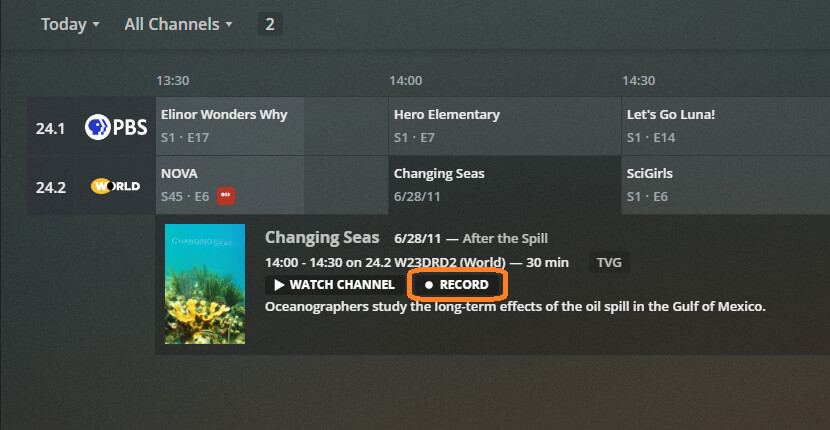
Let’s say that I have a TV Show library. And for that library, I have two source folders (one on an internal drive, and one on an external drive). When I setup a show to DVR (record), and choose to add it to this TV Show library, where does it save? To the internal, or external drive? How is that determined?
Server Version#: 1.21.2.3918
Player Version#: 4.50.1
Tuner Make/Model: HDHomeRun CONNECT DUO
Guide/Lineup name:
Using XMLTV?:
Channel number/Name:
When you select a library which has more than one folder configured, you’re given the option to choose to which folder the recording is stored when configuring it:
Precisely…
… and if you don’t add some new folders Plex just wants to aim recordings at the main TV Show or Movies Library - in a big orgy of confusion.
I went the other way - wanting my DVR Recordings to go where I want them to go… so I can find them if I have to… and I’ll absolutely have to find them at some point. Easy for me… I know exactly where they are…
I lied a little bit… let’s just say I’ll name my NEXT two folders as indicated above and yes, hindsight is 20-20…lol
The “Location” selector is available when you have two or more folder locations added to the destination library. You configure the library’s folder locations on its “Add Folders” tab when creating or editing it:
Note:
The “Show” I grabbed the image for won’t let me select that Movies Folder - 'cause it’s in my Movie Library and Plex won’t record a Show to a Movies Library (without some Drama)… all the destinations are valid Show Destination Folders.
like if you had 40 locations (Folders)… or something…
I understand that, and as I said in my original question, I DO have two source folders for the single TV Show library. The folder selection is not shown when setting up the recording. I am not using the latest release (but the latest available for my OS). Maybe that is the issue? Or maybe because I am mixing internal and external drives??
Sorry, the way the original question was posed I thought it was hypothetical. Having said that, I can’t explain the behavior you’re seeing. The functionality has existed in Plex Media Server for quite a while. What server version are you on? If it’s very old, it may be before I used the Plex DVR. As for the internal/external split, that won’t affect this.
Add another folder - not called TV Shows… see what happens.
Could be 'cause your folder is the main TV Show Folder and you only have one on each drive… give Plex some other options by creating more folders and adding them to Add Folders for the TV Show Library.
I have external drives in my Plexiverse and Plex will happily throw down on any of them… if there’s a location folder there to throw down into.