YES - thank you @Nielsen. After Restart of Vbox - Finally PMS found the VBOX…
I will test it and I will share my experience.
Glad it worked. In the DVR setup guide on PLEX, I can only select ANTENNA, but I do have cable. VBOX is tuned to cable with all 63 channels. If I continue things seems to work anyway, but then I can not map my channels to a proper “GUIDE CHANNEL”. Well I honestly do not understand the concept PLEX has developed here with this extremely annoying mapping. I always end up having some 40 channels that I can not map and then not watch them. I have seen some who do zap2xml, but I do not think this is a proper way. Wonder id it is possible to hack “GUIDE CHANNELS” to make my own list or in some way disconnect it…
Anyway either PLEX or VBOX have an issue with missing “CABLE” selection.
I finally heard back from vBox this morning:
Please use VJ software version https://drive.google.com/file/d/15R7heev5UpJVWDWZPki0za6Yx0mw1Mgd/view?usp=sharing for
XTi 3442 DVB T2
XTi 3452 DVB CPlease use VB software version https://drive.google.com/file/d/1Dk46obtvKYlzMbytIygm7SHMJvIO0adi/view?usp=sharing for
XTi 3332 DVB S2
It looks like a few of you guys already got the firmware from them. There’s a second version for other models that should fix the remainder of everyone.
Again, my apologies for this not being ready for all of you out the gate. We had expected them to release the firmware when they announced the support for Plex.
thank you for the update
looks like i will have to wait for the official release, for me the image is not working
but what is a few more days/weeks now that the update is on the way
Got mine up and running at last. VBox support no help, suggested that I turn off anti-virus or try a different browser. I wasn’t born yesterday  However, I tried hard resetting the VBox and that worked, it took the new software and seems ok.
Plex server detected the VBox immediately, which was nice. Loading the guide seems very slow (nothing happened when I entered my country & postcode, ‘proceed’ button wasn’t active, so I’ve had to point Plex at VBox’s XMLTV file). We’ve been at 0% and spinning for about 5 minutes now and even the couple of items it says are ‘on now’, I can’t play, only the record option is on offer. I’ll leave it a (long) while and see how it gets on.
That’s definitely progress!
@zuun - suggest you try resetting your VBox as I did (the button’s in the UI on the backup/restore page) if the software isn’t loading.
1 Like
@tk41 a software reboot did the job. the new update was accepted
thank you
Ok, so… after several hours to load the XMLTV guide data, I have LiveTV.
It’s Live TV, Jim, but not as we know it…
- On one Android client (new AFTV, 5G wifi), lots of stuttering; HD channels are unwatchable, if they connect at all, juddery and blurred like most of the data is missing. SD channels are ok but tend to stall for a second or two intermittently. Some won’t tune at all, some cause errors one time then play happily a minute later.
- On a slightly older AFTV 4k (wired, gbE), Plex just crashed out and restarted (login screen) every time I tried to view a channel.
- On the PC web client, all I can do is record things; there’s no option to view live. Also, it’s not offering me all the available libraries to record to; I can record a TV show to my movie library but not to my TV Shows library… uh? Finally, the recording I tried failed - and kept popping up a message to tell me every time I went back to the TV guide on the Android devices.
All those devices are generally OK with VBox’s own (clunky) apps.
I can’t believe that this is how Plex DVR/TV behaves with other devices, so I have to conclude that this VBox combination needs some more work!
Plex team - if there’s some logging / debugging I can get for you to help with identifying why it’s having so many problems, tell me what to do.
Aside… what is the Plex TV guide trying to be? It’s hilarious, but not very useable. The attempt to be like a media library is just a silly waste of screen space; I finally found the simple grid view on one AFTV but couldn’t find it on the other AFTV or on the PC. Program name matching is trying too hard - e.g. ‘BBC Breakfast’ got the cover photo of ‘Breakfast at Tiffany’s’, some QVC type thing about party stuff was matched to a 1996 French movie, etc. Get back to basics, please!
Jeff
1 Like
It doesn’t work for me either - no Live streaming and no Recording, I tried SD and HD channels but I get an error!
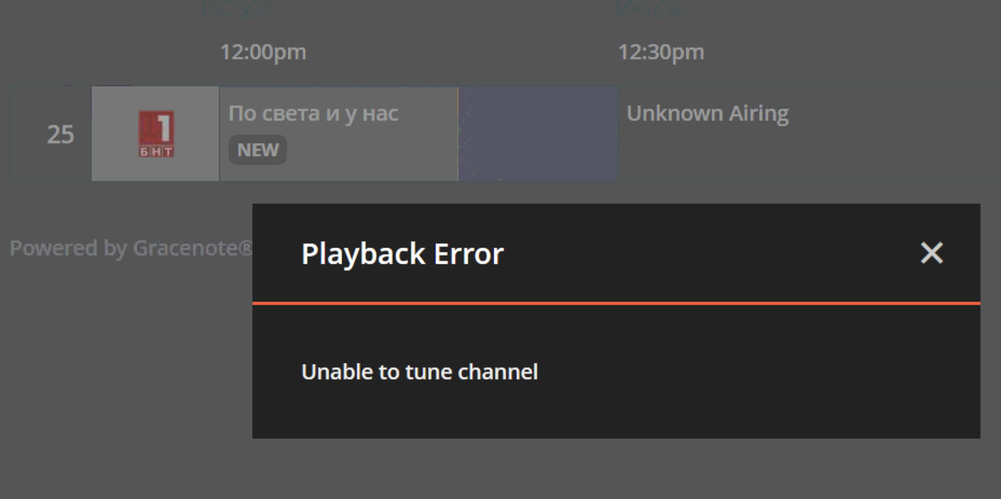
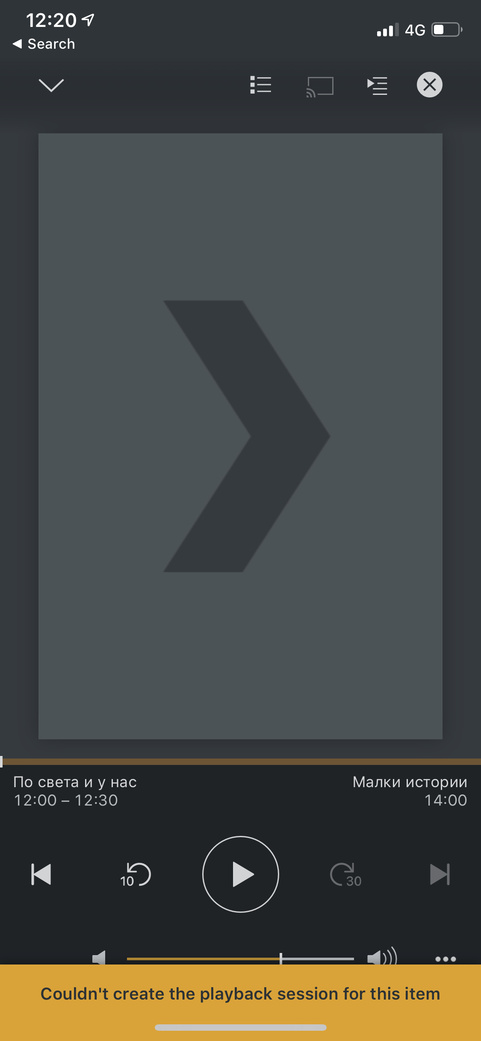
Looks like 3342 T2 model is not compatible with plex 
This topic was automatically closed 90 days after the last reply. New replies are no longer allowed.
