I am in a needless loop of Customize your Navigation that never stops, regard less if I re-log in again. it doesn’t matter if I reboot my system or close my web browser it has nothing to do with that what so ever. if I log out of my account with plex it forgets my settings and the next time I try to log in it asks me again to Customize your Navigation but it never remembers my settings.
i’ve tried and given up on doing this myself. so I am here.
I am using a Synology DS218 using there version of plex software that seems to work the best for my unit that is 4.12.3. all of my problems started when I made a big mistake of using your software that was requested me to update it.
that would be PlexMediaServer-1.20.3.3483-211702a9f-aarch64.spk
after that it would no longer let be login with out using. the site https://app.plex.tv/desktop
and would NEVER let my Synology unit go to sleep. I didn’t like that and so I’ve gone back to using the recommended software that came with the device. and it’s back to normal again but with this new problem of Customize your Navigation.
how do I reset this stuff so I can go back to normal living. not having to worry about my stupid NAS server ?
Thanks of taking the time to replying to my problem.
Nothing has changed in my browser settings, and I’ve tried other browsers yet it doesn’t matter if I choose to save a cookie or not it does matter. I could be still inside the software mode Synology browser mode server and re-login to the plex site and be at a total lost. it asks me once again " Customize your Navigation." this has betting me to death. i can just log out and log in again and it forgets everytime regard less.
Thanks trumpy81 but none of that seem to work, if I login to my Synology diskstation, and click the plex tv icon. it opens a new window and asks me to login to plex once I do this it asks me to Customize your Navigation it does this everytime, http://192.168.1.##:32400/web/index.html yet it doesn’t do this if I click on https://app.plex.tv/desktop link.
it was working fine tell I used the recommended update PlexMediaServer-1.20.3.3483-211702a9f-aarch64.spk so I uninstalled that and used the version that gets downloaded from Synology hoping everything would return back to normal again but it didn’t. I found the updates cause me more problems for my unit then the supplied software from Synology. I think the update broke something, because it all started with a update.
trumpy81, can you private message me here? so we can find a way to give you that zip file with out posting it here. I don’t really want that zip file on the net for personal reasons as it contains personal information like email address and files and stuff.
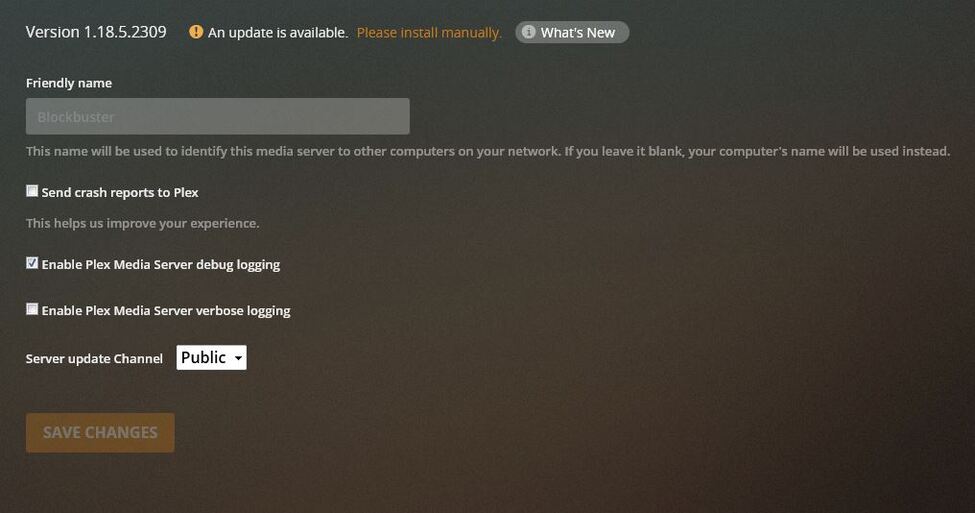
I turned off Verbose logging so what do I do now?
I don’t like to change the filenames because I want to know what version of the file I have say a show gets nuked I want to have the option of knowing what version it was and quickly try and get a better version if I can. other wise it’s itunes time.