Server Version#: 1.18.2.2029
Every time I access my plex server over the web it asks me to “Customize your Navigation” and “Finish Setup”. Moreover I can’t open any link in a new tab that the “Customize your Navigation” is popping out. I can imagine that some people love the “one page” web experience but why do you have to break the “multi tab” web experience to force people in the “one page” web experience?
Plex was working fantastic and i was able to open links in new tabs, now it is quite frustrating to have to click every time the “finish setup” button and not be able to open any link in a new tab.
- don’t let your web browser delete cookies from plex.tv, nor let other software do this (CCleaner et al)
- try to enable Settings - Plex Web - General - ‘Show Advanced’ - “Turn ON Settings Sync”
Thanks for the reply:
- The web browser is configured to delete all the cookies when closes, any way this happens all the time, I don’t have to delete any cookie at all, just by reloading the page plex asks again to “Customize your Navigation”
- I configured Plex to allow access without authentication within my home network (192.168.0.0/24)
Then configure it to make an exception. You are shooting yourself in the foot if you throw away the cookie.
Authentication is the need to provide username and password. If you don’t provide a user name, Plex cannot help with the issue as it cannot store a client configuration for an unknown user.
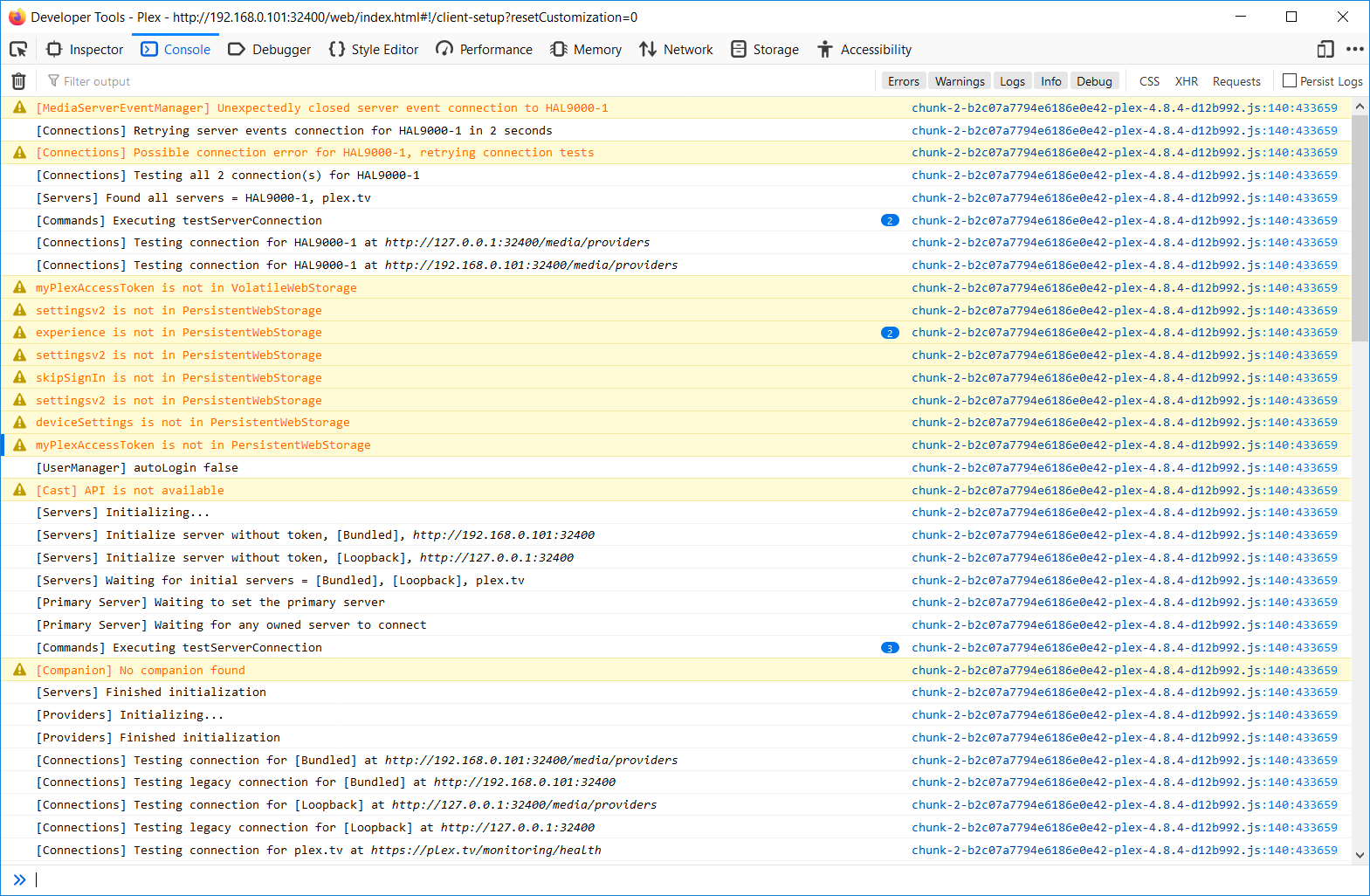
Thanks but cookies are deleted only when the browser is closed, I’m quite sure that the issue is with the “storage”, moreover there is a “Loopback”, which tries to connect to the local pc (127.0.0.1), but actually the plex server is on another PC (192.168.0.101)


For this matter, it’s the same thing. Make sure it isn’t deleted when you close the browser.
That’s a red herring. The web app is trying (among other IP’s) to reach the server at localhost, just for the eventual case that it is running on the same machine as the server.
For this matter, it’s the same thing. Make sure it isn’t deleted when you close the browser.
This happens every time the page is loaded, it’s enough to hit F5 to trigger it, it doesn’t need to close the web-browser. For some reasons it doesn’t store anything and obviously it finds anything when it reloads.
That’s a red herring. The web app is trying (among other IP’s) to reach the server at localhost, just for the eventual case that it is running on the same machine as the server.
Actually it is trying only the localhost and every 6 seconds … does it make any sense? If there isn’t a local installation of plex, why try it again every 6 seconds? Moreover the server which generates the page should know if the request is coming from the same machine, if it doesn’t why include a loop back for a localhost?
It is a setting in your browser. Disable it or modify it so, that it makes an exception for the domain plex.tv.
It is a setting in your browser. Disable it or modify it so, that it makes an exception for the domain plex.tv.
I’m not on plex.tv, I access my media center with the local IP address of the server, without having to log in in plex.tv. It has always worked before but since a couple of versions, it doesn’t work any more.
You are using Plex. Plex doesn’t work without a user account. And it is in this user account where your settings are stored.
You are using Plex. Plex doesn’t work without a user account. And it is in this user account where your settings are stored.
It doesn’t work outside a local network without a user account, it works perfectly inside a local network without a user account, as it works perfectly on a local machine without a user account.
I have always accessed Plex inside my local network without credentials.
Here the demonstration, not logged it at all:
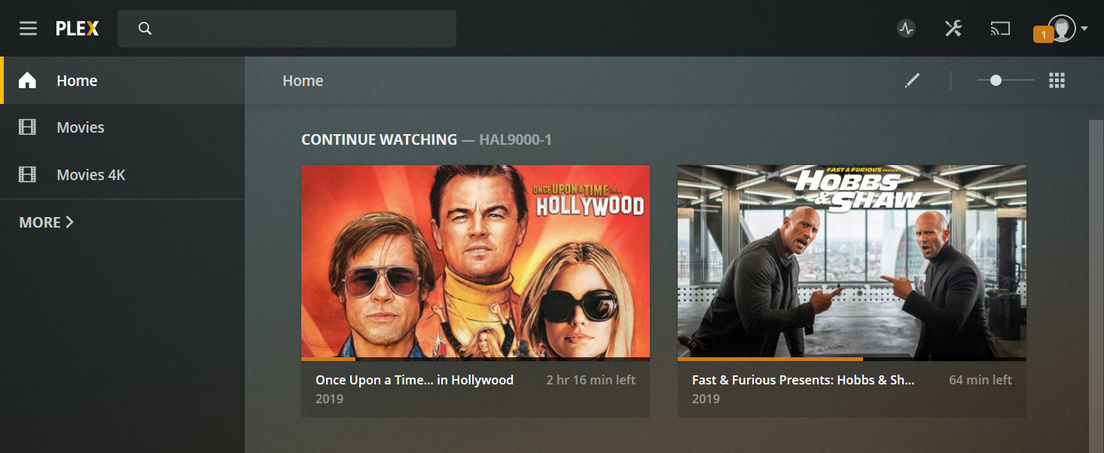
I’m having the same bug here, I get prompted to “Customize my navigation” every time I use my local Plex server (without logging in, which is how I have it setup).
Relying on local cookie storage is a pretty dumb approach. Why can’t we just disable this option?
1 Like
So in my case even allowing for the Plex.tx and my local ip to never delete cookies the issue is still here. Im running plex media server version 1.18.3.2156 on Ubuntu 18.04. Im accessing it through Firefox latest version.
This issue started with this version and has persisted. As other posters have stated even simply reloading the page will cause this issue. Also just to make absolutely clear Firefox does NOT clear cookies on a page reload and ONLY on browser shutdown and restart. But this shouldn’t be an issue.
Make sure to use the hosted web app app.plex.tv
NO I am using this without a Plex account for a reason. If the software is now being engineered to not work properly without a Plex Account then it is completely worthless.
2 Likes
Its really frustrating trying to get accurate answers from ANY member of the Plex community team. Every answer is just a guess at best and an assumption at worst.
Just updated to the newest version 1.18.4.2171 but the issue persists. Why do most if not all of the Moderators simple send junk out that is simply not helpful!
Issues like this are prime reasons many of us are moving to Kodi.
2 Likes
Just wanted to throw my hat in and say the same thing is happening to me.
Connecting to the local IP, not clearing cookies at all, and the same “Customize Your Navigation” comes up every time I connect from a different computer on the same internal network, connecting to the local IP.
1 Like
This topic was automatically closed 90 days after the last reply. New replies are no longer allowed.
