Server Version#: 1.42.1.10060
Player Version#: not sure
I’m running a Plex server on a 2020 MacBook Air 13-inch retina running on Intel and with the Sequoia 15.5 OS.
I added a new hard drive with new content (mostly movies, but some music, in separate folders), and when I tried to add it to my library, I keep getting a message saying “Your changes cannot be saved”. All the other drives are working fine, no other problems, but it won’t let me make any changes. It’s a shared folder and I have permissions set correctly, so I don’t think that’s it.
I am not much of a coder but I ran ChuckPa’s GitHub Database Repair Utility on the back end and it didn’t reveal any issues. I’m not sure what to do from here on out.
Any idea what I can do to fix this?
How are you adding the new drive? Are you going in the path manually? Is the path correct?
Yeah, I’m adding it from the Library management screen and putting the path in manually. It’s the right path - it shows the correct folders and adds them to the screen, but when I hit “save changes”, I get the error message.
Are you adding multiple folders instead of a “Parent Folder?” Take a look at this thread to see what I mean. Changes Can not Be Saved
Nope, I’m adding the “parent” folder - the files called “Movies” and “Music” on the new drive, not the subfolders within each. (There are no subfolders in the Movies file, just individual movie files. The Music file has subfolders with artists and albums, but I’m just adding the parent Movie and Music files.)
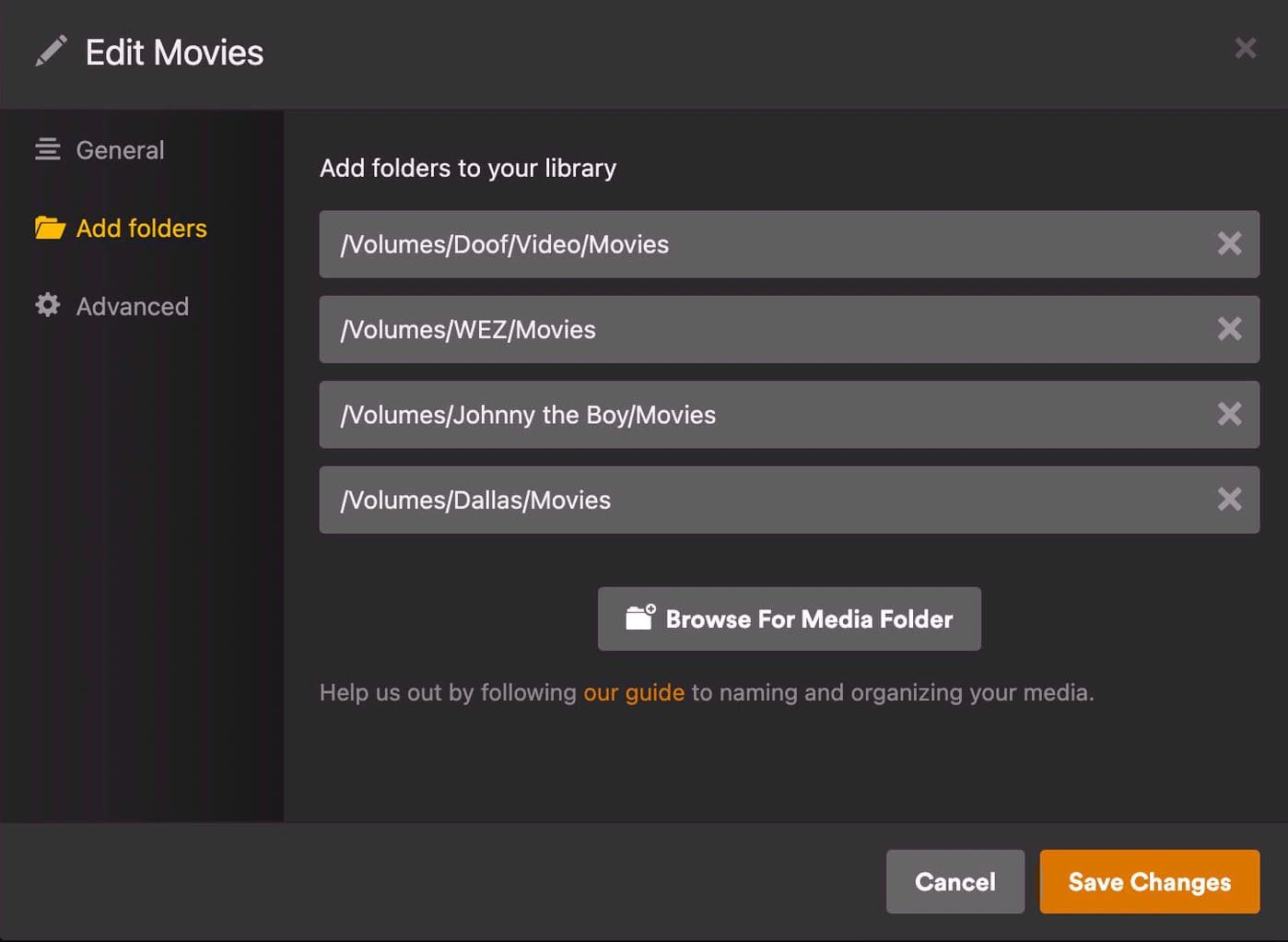
Can you provide a screenshot before you hit save?
Here’s the sequence I go through for trying to add the Movies folder (from the new hard drive, called “Dallas”). After this, I hit “Save Changes” and get the “Your changes cannot be saved” message.
Have you checked the permissions on that folder? I’ve seen this happens if PMS can’t access the folder you are trying to add. You can also test by trying to create a new library pointing to that folder by itself.
The permissions on both the drive and the folder are fine, they’re all shared.
I tried creating new libraries for Music and Movies that point to those folders on the new drive; it created the libraries pointing in the right direction, and I did a Scan Library Files. The scan seemed to work - I monitored the Alerts for a bit and it was creating items with the names of some of the music files - but when I did the full rescan and checked the libraries, they had no content (I just got the “This library is empty” screen).
I re-scanned the library files, and the process took only a second or two, so it doesn’t seem to recognize anything that’s in there, or isn’t displaying them, or something. Even more annoyingly, I now cannot delete the new libraries I created; when I try to delete them, I get the same “your changes cannot be saved” message.
Hmm. Can you post your server logs?