FireTV app:
- HEVC/H265 films are played much too fast, this could recently be prevented by calling up the original quality.
- original quality playback is no longer available in the Windows app & on the Fire TV, so a TV movie recorded in Germany (DVB-T2) can no longer be watched
- after starting, it takes an extremely long time until the content is displayed (used to be much faster)
- the playback times are not recorded, so that the film is played again and again from the beginning
Android app:
- HEVC/H265 films are played far too quickly, this could recently be prevented by calling up the original quality
- original quality playback is no longer available in the Windows app & on Fire TV, so a TV movie recorded in Germany (DVB-T2) can no longer be watched
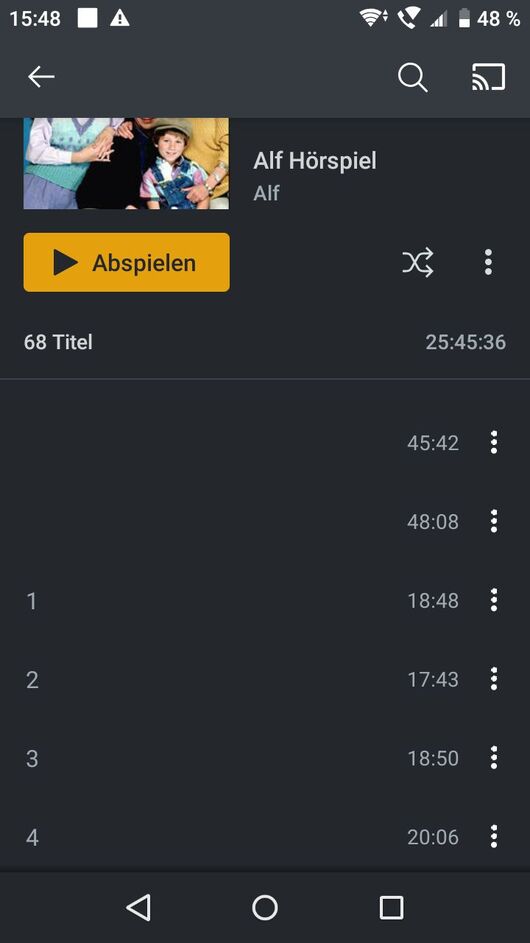
- after downloading mp3 files, the files no longer have titles.
- SOLVED: after starting, the contents are displayed faster again since the last version
Web browser:
- after starting, it takes an extremely long time until the contents are displayed
- Directplay of H265 movies does not work in Edge, although it would support Directplay.
Plex server on NVIDIA SHIELD:
- Series in another sub-folder are assigned completely incorrectly
Huh? Files should play based on the fps of the file. I do not see this issue on my Fire TV or Android mobile app. Do you have a sample file that you can share that exhibits this behavior?
This setting has not been removed. Can you provide a screenshot?
Do you mean the files themselves? If so, that’s on purpose.
Are these 10-bit files? Edge only supports 8-bit AFAIK.
I don’t understand. Can you clarify this more?
The movies are all very large, but I could (if desired) give access to my Plex content.
Here is a small video recording as proof. https://youtu.be/fHKhylY2hsU The same problem exists on the FireTV. The server in this case is an Nvidia Shield. I have uploaded the file info here: https://der-dirigent.de/plex/Movie-info.xml
When exporting the file info, I just noticed another small layout problem. When scrolling, the file info overlaps the content window. Here is a video about it: https://youtu.be/wnHxRIu-Vo8 The versions are all up-to-date or current beta from the beta channel.
When I click on “Show ALL”, no further options appear.
As you can see in the file info, this is an 8-bit recording.
If the series are created in the following file structure, they are not read in correctly. The series in the subfolder were all listed as episodes of the 1st series.
Series 1
Series 2
Series 3
new
Series 4
Series 5
Series 6
-
Looks like you are limited to 2Mbps speeds or less of video. When you play a video, can you see on the server dashboard if it indicates you are using the Plex Relay? The relay is a last-ditch effort by Plex to connect your server and client, if IP connection is not possible. On a remote connection, this can be because your router does not properly forward outside traffic (your client) to the correct computer (the server). If you are inside the house network, it can still use the relay if your internal network is incorrectly configured, or you have a firewall blocking the traffic to the server from the client.
– That, or your video file is that small…
-
For the edge/HEVC… I thought none of the browsers could do HEVC? Is Edge one of the few capable of doing that? I can theorize more about this, but if the relay is being used perhaps a transcode is being triggered because of the bandwidth limit of the relay.
-
When you point at a folder for TV Shows, Plex assumes every single subfolder (one level deep) within that is a show. If you nest multiple shows in one of these subfolders, Plex FREAKS out and does not read them correctly. It MIGHT be possible to sort it out and fix, but I haven’t tried that yet. I think it’d be better to just change your folder structure to the way Plex understands. If you insist on having a “NEW” folder that shows are in, consider moving them up one level, like such:
TV Shows (Point library at this)
Series 1
Series 2
Series 3
New TV Shows (Also point the same library at this)
Series 4
Series 5
Series 6
If you “graduate” a show from “new” to the rest of the show, Plex should notice the relocation and your play history for the show won’t change (it will remain “watched”)
The Pley Relay option is disabled.
On Windows and in the browser, the TV recordings can be played transformed. It has only stopped working on android and fire tv few months ago.
Yes, Edge can play HEVC. I was previously able to play HEVC in the Windows Desktop version. Unfortunately, this no longer works either.
I also find the converting options offered very strange.

It would be great to have more options with the same image size but a lower bandwidth. For example, 1080p 3 Mbit. Why would I want to download the film at 20 Mbit when the original has a bandwidth of 2750 kbps (https://der-dirigent.de/plex/Movie-info.xml)?
I have solved the problem with the series by already changing the directory structure.
Playback of DVB-T2 recordings in Germany now works again in the Windows Desktop App. In the Edge browser it only works with the conversion. Unfortunately, the speed problem video 2022 03 18 15 21 31 - YouTube has not yet been solved.