Then again:
How do the file and folder names look like inside of the folder E:\Video\TV Series ?
And I mean how it’s looking like in Windows file explorer, so I can inspect what folder and file names you are using.
Then again:
How do the file and folder names look like inside of the folder E:\Video\TV Series ?
And I mean how it’s looking like in Windows file explorer, so I can inspect what folder and file names you are using.
Very good! Yes this should work just fine for the most part.
I see you also have a Movies folder in there. Does your “Movies” library work with this folder?
No neither of them work since I switched to the new PC - both were working fine on the old one
Are you using any 3rd-party anti virus on this computer?
Do you have more than one Windows user account on this computer? If so, can you check if one of the other users is still logged-in?

And if they are, log in to their user accounts and log them off.
In your earlier attempts, how did you go about stopping the Plex server and restarting it? Did you use the Plex trask tray icon to stop the server?
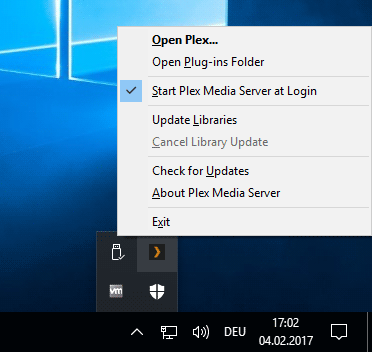
No one else is logged in.
I’m using AVG antivirus
And I used the Plex task tray icon to stop the server and I even went as far as restarting the PC
Try disabling it for a bit.
That doesn’t seem to have made any difference. Do I need to restart everything?
Close Plex server
uninstall it
download a fresh copy of it and install it.
maybe do it while the AVG is disabled
I’ll give that a try. I’ll let you know how it goes.
OttoKerner–
You might consider using Microsoft Quick Assist to connect to his PC so you can see what his issue really is. He says it’s a USB drive mounted as E:. It’s a no brainer. It should just work. On his Add Folder screen there is no E: drive. Just C:. If you can’t navigate to the drive, typing it in probably won’t help. This is a head scratcher. I hope reloading the latest version helps.
OK so I uninstaller the Plex server and reinstalled it again and it’s working OK now.
This topic was automatically closed 90 days after the last reply. New replies are no longer allowed.


