After having some problems with the server, I’m trying to reconnect the folders on my computer to Plex. Right now Plex doesn’t recognize what’s inside the existing folders (movies) so I’m trying to add new folders with the same content, but I’m not succeeding. Please see a relevant screenshot.
What do I do?
Is there no choice but to reinstall Plex?

Start by saying where your “Movie” folder is supposed to be.
(it is not recommended to use the pre-created Videos folder that appears among your user Documents on Windows)


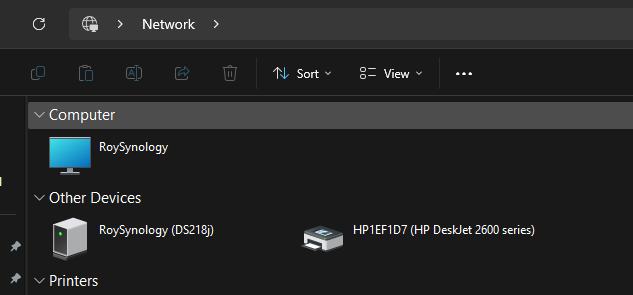

That is a very important information that you are not trying to access local drives but a network file share (i.e. a NAS). It is missing in your first post above.
Are you running Plex server regularly (i.e. after logging into your Windows user account)?
Not per task scheduler, or as Windows system service?
Nor per “Run as Administrator”?
Things you need to know:
Drive letters which have been connected to network file shares are not available to Windows services.
They are also only available to the Windows user account who created them.
Plex can only “see” drive letters which were already present when Plex server was started. If you connected those drive letters after Plex server was started, then you need to stop and restart Plex server.
You might wanna look at this: How to add files on a NAS to a Plex library on Windows
What does it mean to restart the Plex server?
Right now when I log into Plex, the ‘old’ folders are still there, but Plex can’t seem to find the movies (screenshot attached). So I’m trying to add those folders again, this time with new letters, but as mentioned, when I try to add the new folder, it doesn’t appear in the list of drives
I’m a long-time Plex user and this is what I would always do, let’s say if I were to change computers and need to reinstall the server and Plex.

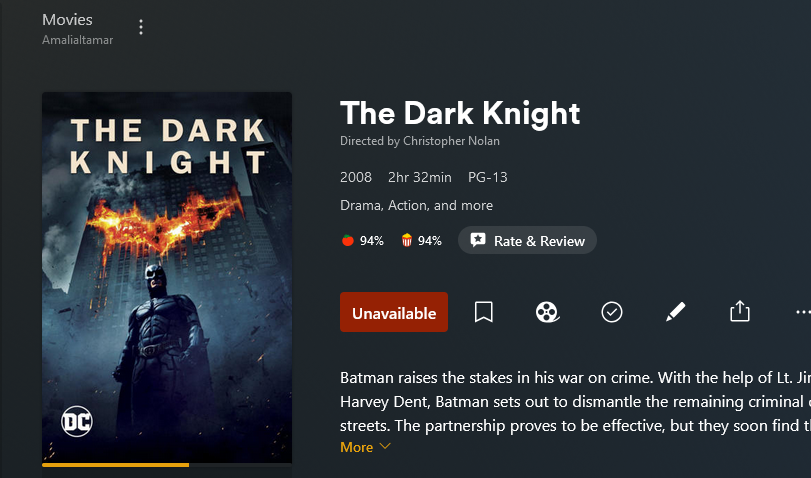
Access the plex media info of an affect title. Look at the first thing at the top, which shows the location, where Plex is expecting to find the file.
Verify that the location is still the same.
Thanks for your patience.
I don’t think the place you directed me to is relevant.
Simply because I’ve done it a few times before.
For some reason, the folder letters aren’t there so I want to attach the folder that has movies.
Like in the first screenshot I attached.
Try using the fully-qualified name instead of the mounted drive letters. For example:
\\RoySynology\TV Shows
You can’t pick these from the list; manually enter them. (I guessed at the subdirectory inside of the share; use what you actually set up).
No, it doesn’t let me choose a specific folder (like Z or Y) but only the large folder that contains all the movies…
