Server Version#: 1.41.3
Player Version#:
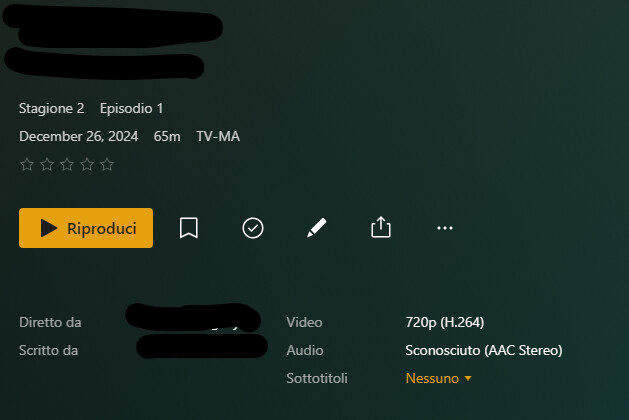
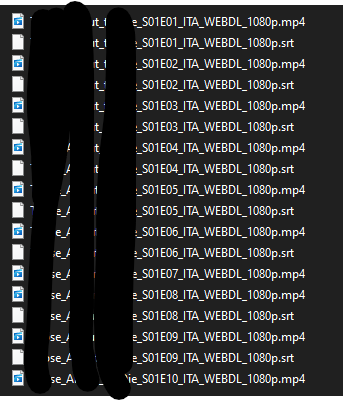
For a few days I have noticed that the subtitles present in TV series or movies are not detected by the scan. SRT files are present with the same name as the video file. I tried to update the metadata again, but nothing changed. I also tried deleting SRTs from a TV series and reloading them, but it keeps detecting only the ones it had detected the first time.
Scanner
Plex Movie
Agente
Plex Movie
Scanner
Plex TV Series
Agente
Plex Series
Does anyone know how to fix it?
Thanks
“Refresh Metadata” of the movies and series in question.
Please show the exact file names you are using,
as well as the folder organization of the series in question.
Squid G***
   Season 02
      Squid_G***_02x01_2671644.mp4
      Squid_G***_02x01_2671644.srt
It seems that the problem concerns the SRTs, I tried now to change the extension to vtt and file is detected, once changed to srt it disappears again
That doesn’t make sense. Are you sure that these file names are complete, i.e. that Windows is not hiding known file name extensions from you?
The pattern 02x01 is not officially supported in plex. Try the proper s02e01 instead.
It’s absurd for me too, but it’s so. names are complete. I have never had problems with The pattern 02x01.
I tried to modify it with S02E01 and nothing changed:
Changing the extension to VTT:
Same tv serie and season:
Squid_G***_02x04_2671641.mp4
Squid_G***_02x04_2671641.srt
Only 2 srt are detected in this season, I just don’t understand how it can be possible
Could you show a screenshot of the actual file names please?
I can’t now, as soon as I can access to the server I’ll do it for you. I didn’t make any changes, the names remained the same as originally written, I just tested it by changing an srt to vtt. consider that it doesn’t just happen to me with this TV series
If this is the folder structure of this show, is the immediate parent folder of Squid G*** added to the Plex library?
Or is there another folder level inbetween?
I confirm, as I have been doing for years 
I changed the extension to all episodes from srt to vtt and now they all look like this:
as you said… It makes no sense 
I think you might want to perform a repair of your database.
Ensure that there is plenty of free space on drive C:
(unless you have relocated your plex data folder to a different drive, in which case you should ensure plenty of free space on there)
Shut down Plex server (using its task tray icon)
then execute this .bat file PlexDBRepair/Windows at master · ChuckPa/PlexDBRepair · GitHub
If the database was damaged I imagine it should give more problems than that. What does that script entail?
Thanks
Basically it exports the database files into a SQL text file. Then re-imports these SQL files back into a fresh db file.
This process is more thorough than the officially documented database repair procedure.
You can open the .bat file in notepad.exe to inspect it, if you’re so inclined.
You are mistaken here. This is not a black/white, or On/Off situation.
Does it involve resetting something? like the list in recently added… or the user history for videos viewed or in progress?
Thanks
No, nothing of your usage or library data is being altered by this.
If something should go wrong during the procedure, you can reinstate the original versions of the database files as they are being preserved at the start.
Ok, maybe I’ll try to do it in the next few days.
Thanks
Done, but nothing has changed. At this point I would say that it’s a bug and not even a small one
No one is interested in solving such a serious bug? Mah…