Which model NAS please?
or better yet.
Which suffix is in the file you have now ? armv7hf ?
And, what’s the file extension please (so I get it right)
Which model NAS please?
or better yet.
Which suffix is in the file you have now ? armv7hf ?
And, what’s the file extension please (so I get it right)
This is the only ARMv7 one there.
Hope it’s the one. ASUSTOR
Synology ARMv7l
This is going to be messy.
Uninstall the current 1.24.2 package with the ERASE option (we are erasing this new install attempt)
Control Panel - Shared Folders - REMOVE the PlexMediaServer shared folder.
Install this SPK
You can use the new Plex Claim Token option if necessary
After it is installed, but before you start loading up any media, upgrade to the new 1.24.2.4973 that you have in your possession.
The model is AS1002Tv2, the file extension is apk and suffix is armv7neon.
Yup, it is, I will try to see if it fixes the corrupt database issue. Thanks!
Update: this fixes the Database issue with Asustor
Thanks for your fast reply !
Understood, I will proceed your instruction and let you know using this package.
Regarding Claim Token option during setup, I had seen this option but dont know how to proceed with it : it is a claim reference from support I need to specify ?
Sorry if it is a “stupid” question… 
Fine. I had never used it. It s clear when you try to Get your Claim Token.
Thanks for your feedback
Good ! Perfect !
Following your instructions and upgrade steps : it works perfectly now !!!
Many thanks for your fast and usefull help !
Just application error now… unauthorized access to this device
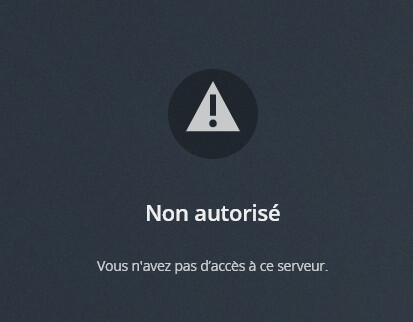
But nothing to do with my previous issue
I will search for it (removing users references in a Plex file I guess)
Regards
In fact I used claim token (claim-NsWYW9k4DyJ8rsii28vW) only while installating version 1.22… since it worked,
then while upgrading to 1.24 I didn’t 
OK I will redo the setup… but not sure while upgrading from 1.22 to 1.24, he proposed me option to enter a claim token (I checked to keep parameter from previous setup)
But i will remove and redo the install steps
I hadnt checked firstly but access is already denied after 1.22 setup
I stopped there. Please finds attached related logs
Logs 1.22.zip (499.1 KB)
Claim Token :
claim-v3HXtkzSvbgdyG3Mu8Lo[Uploading:
Logs after several connections attempts Last 10th Sept. 2021 at 5:51 pm
Logs 1.22 - Several Attempts (Latest 05-51 pm).zip…]()Logs 1.22 - Several Attemps (Latest 05-51 pm).zip (780.8 KB)
I understood i had to followed instruction from scratch,
Hence i went to resinstall process and stopped at 1.22.3 since I saw that Access Issue was already present at this step.
I can now proceed the upgrade to 1.24.2.4973 setting a new claim token, if required for troubleshooting
Done
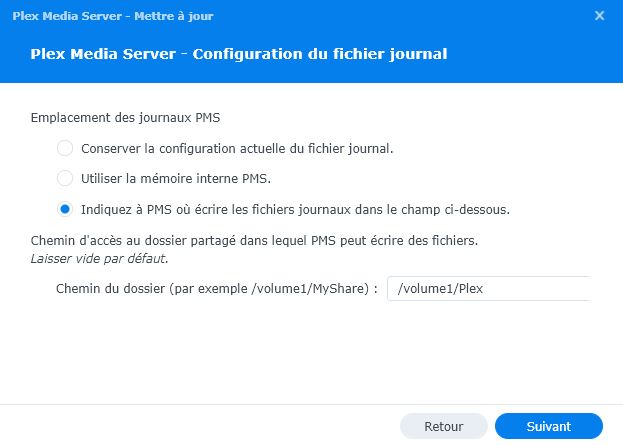
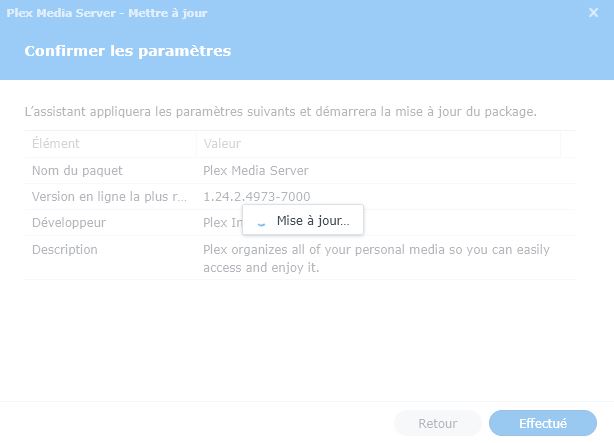
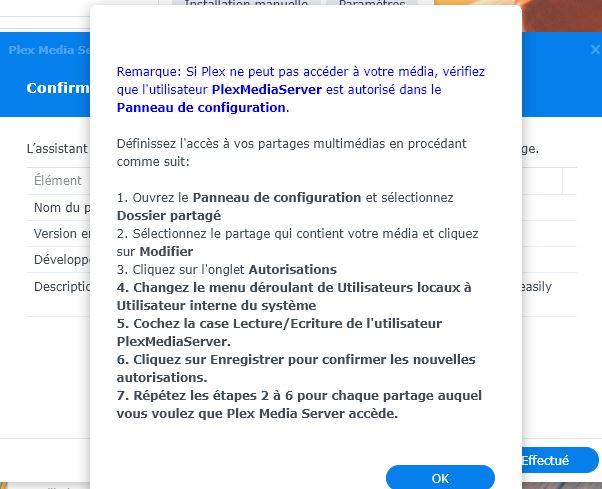
But while upgrading from 1.22 (required for issue as far as I understood) to 1.24 I have no option to set Claim Token (cf Upgrade 1 to 5.jpg attached) as I did for fresh install.
Please find attached install jpg + logs
I didn’t mention but Please not that my NAS is on a remote LAN and I need to perform port redirection to acces to it (this never was an issue)
https://:12400/web >>>> https://:32400/web
Than I have the Plex not authorized message


Logs 1.24 - Upgrade and Failed Attemps.zip (1.0 MB)
I hope it is what you wanted
No I did NOT know about that. It was the first time I am remote and I thought issue was a consequence from first issue I had.
My main concern was issue corrected by ChuckPa Post providing me to step upgrade from 1.22 to 1.24
As far as it is now fixed, I will read docs to proceed. I don’t need to disturb you more
Many thanks for your help
Regards
Hi ChuckPa
Thanks for your help.
I tried twice but this option was not proposed during upgrade (1.22 to 1.24). this option is only available with fresh install of package I think (at least from my experience)
Many thanks for package you proposed me to solve my issue
Installed PlexMediaServer-1.24.2.4973-2b1b51db9-armv7neon_DSM7 and looks to install fine.
After installation I am unable to browse to http://[synologynas]:32400/web and it simply shows connection refused.
Checking logs shows;
Sep 13, 2021 16:26:47.941 [0x2e7ded48] INFO - Plex Media Server v1.24.2.4973-2b1b51db9 - Synology DS215j armv7l - build: linux-armv7neon synology-dsm7 - GMT 10:00
Sep 13, 2021 16:26:47.942 [0x2e7ded48] INFO - Linux version: DSM 7.0.41890-0, language: en-US
Sep 13, 2021 16:26:47.942 [0x2e7ded48] INFO - Processor Arm
Sep 13, 2021 16:26:47.942 [0x2e7ded48] INFO - Compiler is - Clang 11.0.1 (https://plex.tv e0c29d5827bc4eaaa2ceb882cbeed224b0960173)
Sep 13, 2021 16:26:47.942 [0x2e7ded48] INFO - /volume1/@appstore/PlexMediaServer/Plex Media Server
Sep 13, 2021 16:26:47.940 [0x2b65de90] DEBUG - BPQ: [Idle] → [Starting]
Sep 13, 2021 16:26:47.973 [0x2b65de90] DEBUG - Opening 20 database sessions to library (com.plexapp.plugins.library), SQLite 3.35.5, threadsafe=1
Sep 13, 2021 16:26:48.067 [0x2b65de90] DEBUG - Running migrations. (EPG 0)
Sep 13, 2021 16:26:48.068 [0x2b65de90] ERROR - SQLITE3:(nil), 1, no such table: schema_migrations in “select version from schema_migrations order by version”
Sep 13, 2021 16:26:48.069 [0x2b65de90] ERROR - Database corruption: sqlite3_statement_backend::prepare: no such table: schema_migrations for SQL: select version from schema_migrations order by version
Sep 13, 2021 16:26:48.069 [0x2b65de90] ERROR - Error: Unable to set up server: sqlite3_statement_backend::prepare: no such table: schema_migrations for SQL: select version from schema_migrations order by version (N4soci10soci_errorE)
I have tried to use the 1.22 package (PlexMediaServer-1.22.3.4523-d0ce30438-armv7hf_neon.apk) however this wouldn’t install.
Any ideas?
Thanks @trumpy81, that worked a charm!

