Changed from LAN2 to LAN1.
Disabled IPv6.
Forced static address on DS via router.
Updated port forward settings in DS & router.
Uninstalled PMS.
Restarted DS
Reinstalled PMS
One thing that I’m now having an issue with is that “test connection” feature in DS fails every time. However…I’m still able to access my server via DS file & Ds get with no issues. So the port forwarding is correct (it’s an exact copy of the original port forwarding that was working for years prior to Plex giving up on me with no changes to settings).
Edit:
Wait I forgot deleting plex user & permissions…hold on.
If so, did you apply permissions again to all the media?
It looks like you didn’t.
Apr 07, 2020 22:52:38.839 [0x7fd9df447700] DEBUG - Scanning for plug-ins in "/volume1/@appstore/Plex Media Server/Resources/Plug-ins-72c16a276"
Apr 07, 2020 22:52:38.903 [0x7fd9ee77d700] ERROR - Couldn't check for the existence of file "/volume1/Main/Cinema/.grab": boost::filesystem::status: Permission denied: "/volume1/Main/Cinema/.grab"
Apr 07, 2020 22:52:38.904 [0x7fd9ee77d700] ERROR - Couldn't check for the existence of file "/volume1/Main/El Cine/.grab": boost::filesystem::status: Permission denied: "/volume1/Main/El Cine/.grab"
Apr 07, 2020 22:52:38.938 [0x7fd9ee77d700] ERROR - Couldn't check for the existence of file "/volume1/Main/Movies/.grab": boost::filesystem::status: Permission denied: "/volume1/Main/Movies/.grab"
Apr 07, 2020 22:52:38.939 [0x7fd9ee77d700] ERROR - Couldn't check for the existence of file "/volume1/Main/Music/Converted/.grab": boost::filesystem::status: Permission denied: "/volume1/Main/Music/Converted/.grab"
Apr 07, 2020 22:52:38.940 [0x7fd9ee77d700] ERROR - Couldn't check for the existence of file "/volume1/Main/Music/Converted/.grab": boost::filesystem::status: Permission denied: "/volume1/Main/Music/Converted/.grab"
Apr 07, 2020 22:52:38.940 [0x7fd9ee77d700] ERROR - Couldn't check for the existence of file "/volume1/Main/TV Shows/.grab": boost::filesystem::status: Permission denied: "/volume1/Main/TV Shows/.grab"
Apr 07, 2020 22:52:38.941 [0x7fd9ee77d700] ERROR - Couldn't check for the existence of file "/volume1/Main/Youth/.grab": boost::filesystem::status: Permission denied: "/volume1/Main/Youth/.grab"
Apr 07, 2020 22:52:38.941 [0x7fd9ee77d700] DEBUG - Grabber: Cleaned up 0 decrepit directories in 0.0 sec.
Let’s get PMS working first then we’ll deal with the rest.
Please do the following.
Stop Plex
Control Panel - Shared Folders - Edit the Plex share - Permissions Tab
Give your username R/W control.
Close it
Open File station -> Plex share
Right-click “Library” -> Properties
Look at who the owning username is.
Make certain it’s “plex”.
In the lower left corner, check “Apply to this folder, sub-folders, and files”.
Let it churn through that until done
From what I see, PMS is going great until it starts upload the previous crash report.
At that exact moment, it crashes.
That tells me there’s a problem in the Plex share.
If the above actions in Filestation didn’t resolve it, we will delete the crash reports entirely.
Thank you both! And a HUUUUUGE thank you to Chuck for going way above & beyond!
Deleting the Plex share and just starting from scratch did the trick.
So delete that, along with ‘plex’ user & PMS package. Then restart + reinstall the whole thing.
Give the share that has all of the media files ‘Read Only’ permission.
You might get stuck on the setup page that says to add the items to your library but you can skip it, wait a few minutes until your system purges the old Plex share and then you can add the libraries later.
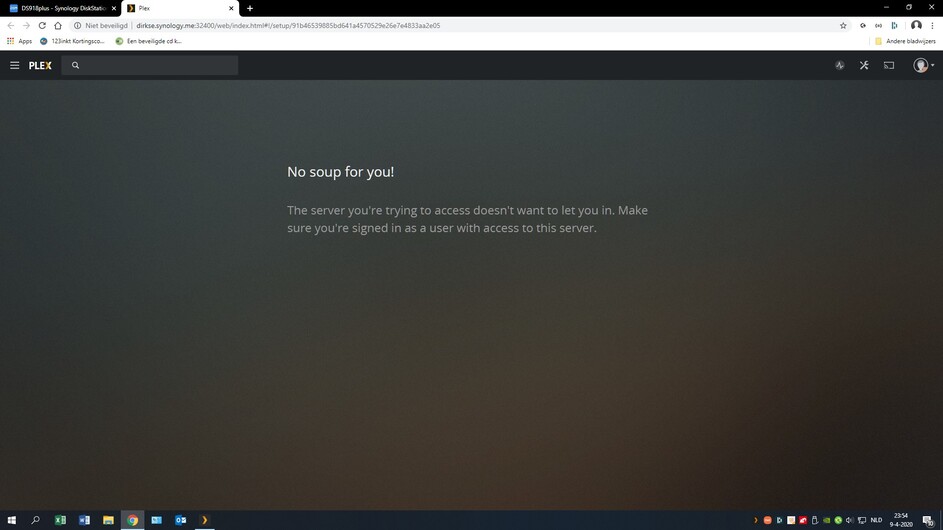
Deep sigh … I have made 90% progress. PMS on my NAS is working again. But I still see the message at startup: "No soup for you! The server you’re trying to access doesn’t want to let you in. Make sure you’re signed in as a user with access to this server. "
However, when I click PLEX in the top left of the screen, I can access my libraries.
Final question: how do I get rid of that message at start-up?
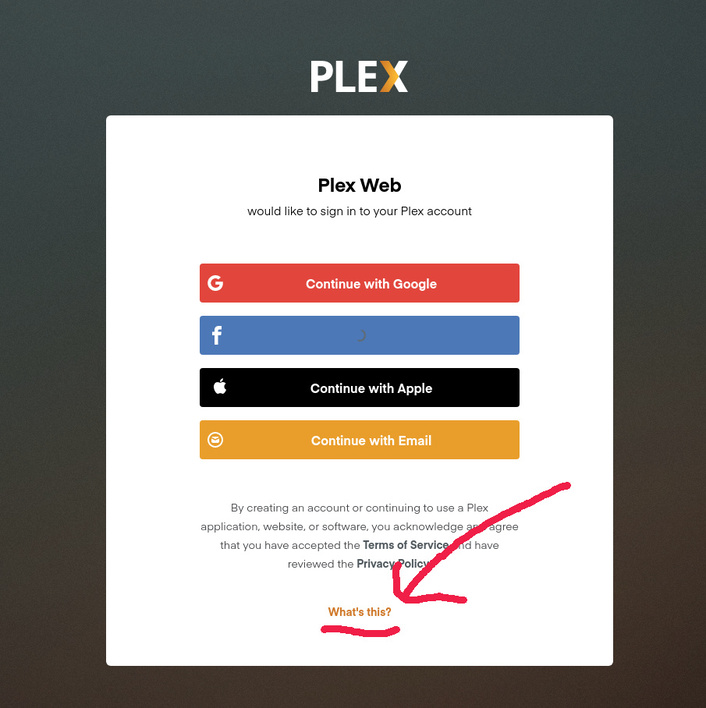
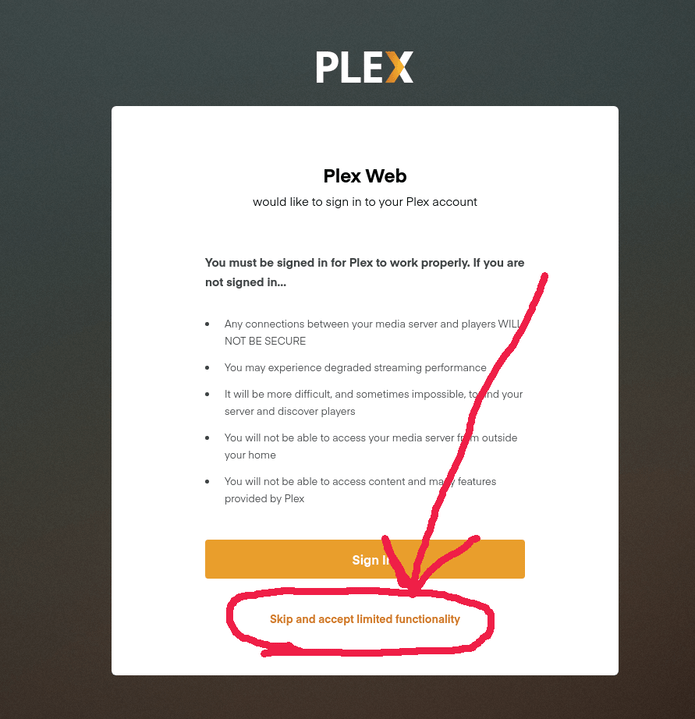
Click “What’s This”. This is the temporary / emergency bypass. The only thing that will work is basic admin and very limited streaming of what codecs you have locally.
Accept the limited functionality. (we only need the dashboard)
Answer to your first question (Which message at startup?): I have no extra messages at startup, only the message as I mentioned in bold in my previous mail (see screenprint1)
FAQ25: My file Preferences.XML does not match the one in your FAQ. (see Appendix)
Furthermore, in the the Sign In screen I don’t have the option “What’s this?” (see screenprint2)
Did you remove the server name from app.plex.tv - Settings - Authorized Devices ?
If not, please do so.
Please forgive my exhaustion. IP addr of the server and IP addr you’re trying to acccess it from? Also, is the syno using more than one ethernet adapter?
Did you remove the server name from app.plex.tv - Settings - Authorized Devices ? Yes
If not, please do so.
Please forgive my exhaustion. IP addr of the server and IP addr you’re trying to acccess it from? PMS on my PC: http://127.0.0.1:32400/web PMS on my NAS: http://MyName.synology.me:32400/web
Also, is the syno using more than one ethernet adapter? No, I’ve only one
I removed PMS from my PC (with Revo Uninstaller Pro) because I only want PMS on my NAS.
Later I’ll add the PC as a client.
All my present clients (smartphone, Ipad and Apple TV) are de-authorized.
Now I focused on reinstalling PMS on my NAS. For this I used the installer that is on the Plex website for the Synology NAS, PlexMediaServer-1.19.1.2645-ccb6eb67e-x86_64.spk (64bit).
Now PMS on my NAS has the (unsecured) URL: http://myname.synology.me:32400
But it still opens with No soup for you! The server you’re trying to access doesn’t want to let you in. Make sure you’re signed in as a user with access to this server.
And I can’t get to my libraries.
I’m back to square one. PMS is now running on my PC but cannot get it working on my NAS.
PMS on my NAS still gives the “Soup” message when starting. When I click this message away it connects to PMS on my PC. As a result, I can only use PMS when my PC is on. That’s not what I want.
While reinstalling PMS, I received notifications that there were multiple servers on my PC. How do I find out and how can I delete unnecessary servers?
Hi, I still have the aforementioned issues.At the moment, Plex only works well on my PC. But on my NAS I can’t get it to work. There I still get the “Soup” message at startup. It looks like it wants to connect to the Plex server on my PC. However, I want to have Plex on my NAS. Otherwise I always have to leave my PC on.




 Thanks again!