Server Version#: 1.13.9.5456-ecd600442
Player Version#: 3.69.1
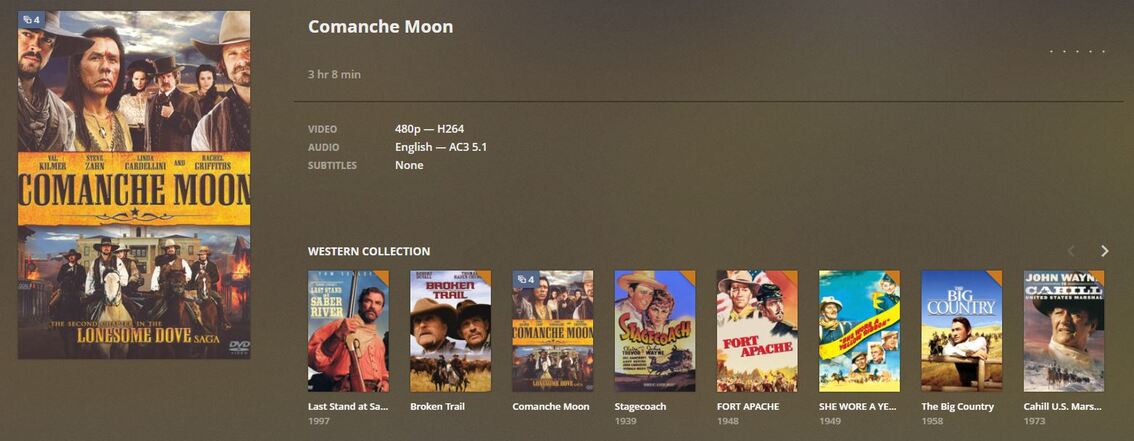
In spite of the MANY well documents methods for managing multi-part programs, I have not been able to replicate any that actually work. It is possible that what I want is not possible, so let me cover that first. What I have:
Note: there are three thumbnails for parts 2, 3, and 4 SHOWN in the what I would like version. Ideally, these would be linked to those parts (.mp4 files).
I have four separate .mp4 files for Comanche Moon. ALL are under the folder Comanche Moon (2008)
/Comanche Moon (2008)
Comanche Moon (2008) - pt1.mp4
Comanche Moon (2008) - pt2.mp4
Comanche Moon (2008) - pt3.mp4
Comanche Moon (2008) - pt4.mp4
which follows SOME of the file naming and folder structure guidance I’ve found here.
However, part 1 is not identified as part 1 and subsequent parts do not appear at all. The run time displayed in Plex is for part 1 only. I have not tried to play this through to see if Plex picks up part 2 when part 1 ends, etc.
This is what I would like. I would prefer NOT to have to put each part in separate folders which means there would be four entries, one for each part, in the library.
Is what I would like possible with Plex and if so, how can I do it, please?
Since I cannot have them in individual files, I’ll just join them up. I am new to Plex but from what I’ve seen, it book marks a video when you pause or stop watching it. So that will work. It helped a great deal just to know clearly HOW Plex works.
Thanks, I know Comanche Moon is a made-for-TV movie. If I put it in a TV Show library, it would be the only thing there. Easier to manage as a “Western”. And I have Lonesome Dove but it’s on DVD. I’ve ordered it on Blu Ray so will wait and rip that when it comes to go in the library.
The Pelican Brief was my first two-sided DVD “challenge”. I tried joining the two parts with PowerDirector and then “producing” an mp4. But the produced file was HUGE. I DID like the easy ability to edit in PowerDirector. I use it for editing trail videos. I will look at Avidemux, THANKS again!
“… I was unable to match the file as a Movie any longer…” I am unclear on this
Now I get it. Could you have avoided that by file naming? Ie, named it something that would not help Plex associate it correctly…leave out the year, or something similar.
The ugly solution would be to manually split and unmatch the movie, manually assign all information and group the 4 parts as a collection.
That being said… it’ll blow right into your face once your system gets the hiccups and requires you to start over.
Your preference should be to organize it in accordance with the guidance from TheTVDb.com / TheMovieDb.org and treat it as a TV Show / Mini Series – as it’s only a mini series with a single season, you could even tell Plex to skip the season overview and directly go to the episodes (which will result in somewhat like what you’re looking for).
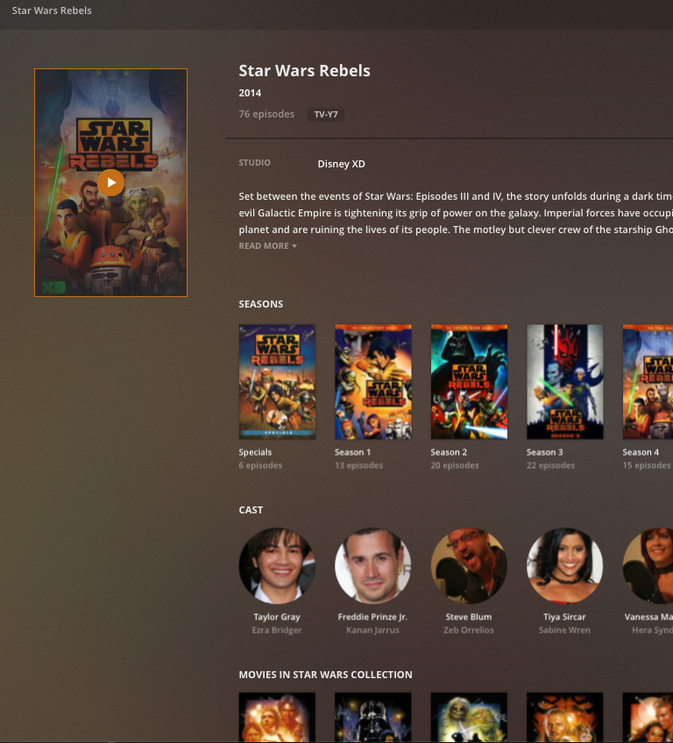
FWIW you can put TV shows in a collection of the same name and movies in that collection also show up on the TV shows page. This is the preplay for the TV show “Star Wars Rebels” which i also added “Star Wars” collection and you can see the movies in that same named collection show up in the info ( towards bottom of screen shot)