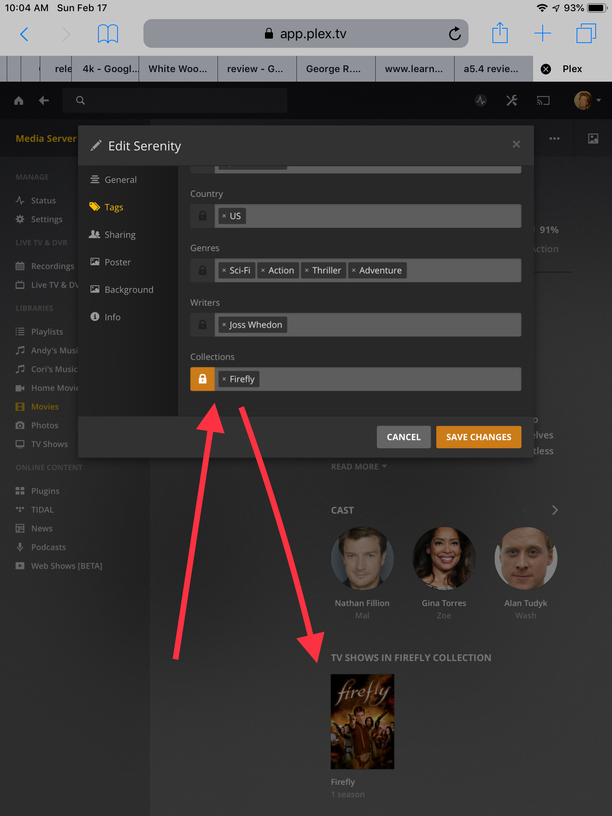
As the topic describes, I’ve got the Firefly series named and sorted by the DVD order. I added the Firefly movie “Serenity” as \TV Shows\Firefly\Specials\Firefly - S00E01 - Serenity (Movie).mp4 as it is listed on TVDB. However, when I updated my library it isn’t being matched, and has no metadata; it’s just listed as “Episode 1” of season 0. The rest of the series is matching fine and sorted in DVD order as expected. What am I doing wrong?
I tried changing the “Specials” folder to “Season 00”, but that didn’t make any difference.
Forgive me if there is some simple error: I’m a new user. Didn’t see this specific issue addressed in other posts. Thank you!
Well, as I stated, that’s how I have it set up. I tried using both a “season 00” and a “specials” folder, but either way it isn’t retrieving the metadata.
Again, sorry if this is newb stuff, but how are you browsing the info for the DVD order? I’ve been looking the TVDB website, and on there the Serenity film is listed as Special 1. I don’t even see the option for DVD order listing on the site; when I ripped the DVDs I searched the forums and saw that people said it would work in DVD order if I sorted them that way under settings. I feel like the DVD order is hidden on TVDB, so I can only guess what’s listed there.
Either way, why NOT list the movie as a special, like in the air-date order? Seems like a no-brainer.
I guess the solution would be to manually enter the metadata for the film, and hope that it plays after the series due to air date…
I see your point and I don’t know how to get a movie into the series using DVD order.
Guess you could name the file S01E100 - Serenity Movie.mp4 and see if it shows up in season 01 as ep 100.
Ok, I just noticed that if I change the series back to “Airing Order” then the movie is recognized and its metadata all looks good, so @NewPlaza is right: it’s an issue with the ultra-secret (at least to me!) DVD ordering. If by some Internet magic, a person with the ability to do so sees this post, please add Serenity (MOVIE) as a special episode in DVD ordering, if that’s possible.
***PS - Also, changing it back to DVD Order again didn’t strip the metadata from the movie, so I guess the problem can be fixed by switching to Airing Order, refreshing the metadata, then switching back. It is now showing properly as a special w/ title, etc. Yay!
lol. Yea… It did exist on thetvdb but once they went to API v2… The last talk I saw about adding the ability to view DVD order was back in December. The MODS say it will return…So…We wait…
well plex doesn’t control the tvdb, so you can join us other scrubs at the tvdb to grovel and or complain I mean kindly provide feedback about the issue.
[quote=“Geardan, post:1, topic:376829, full:true”]
As the topic describes, I’ve got the Firefly series named and sorted by the DVD order. I added the Firefly movie “Serenity” as \TV Shows\Firefly\Specials\Firefly - S00E01 - Serenity (Movie).mp4 as it is listed on TVDB. However, when I updated my library it isn’t being matched, and has no metadata; it’s just listed as “Episode 1” of season 0. The rest of the series is matching fine and sorted in DVD order as expected. What am I doing wrong?[/quote]
What you are doing wrong is trying to put a movie into a library for TV shows.