Server Version 1.32.8.7639:
Player Version 1.84.1.4069-ff740b6d:
I have a Music library on my Plex server, and within that a number of Album collections (some smart, some manual).
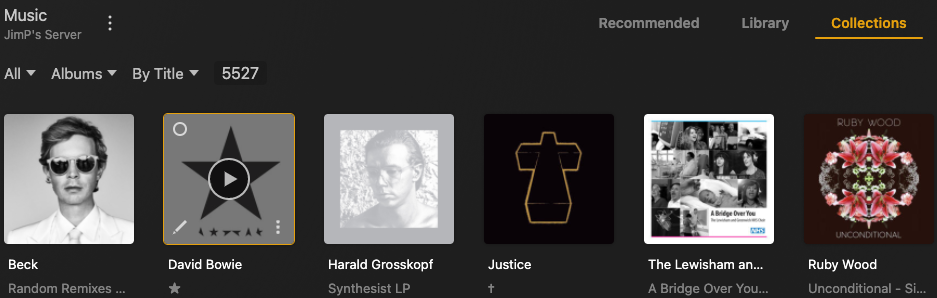
In the last week, the Plex Desktop Player on my Macbook has stopped showing the collections themselves under the “Collections” heading ; isntead it shows the filter/view options I also see under the “Library” heading. Playlists show as normal.
Screenshot shows what I see under “Collections” in Music
weirdly:
-
Collections show fine in that app for my Film and Tv libraries
-
The Music collections show fine under Plexamp player on the same Macbook (and all other devices)
-
The Music collections show fine in the web browser interface.
-
Plex Desktop Player App on another Mac shows the Music collections section fine.
So it seems like just this instance of the Plex desktop player on this Macbook are showing the Music collections weird. Am i missing some kind of view/filter option??
I’ve tried deleting the app and deleting the Plex folder from ~/Libarary/Application Support, then re installing and setting up, but that hasn;t helped.
