Server Version#:1.45.0.3013-1676042f
on windows 10 my server is saying (flaming eye network is currently unavailable) so all 2 tb of music and video’s are unavailable and I have no way to get plex to work with my personal media I can only access streaming service’s and live TV on PC and shield tv pro. I’ve restarted my PC redownloaded plex nothing work , I had access 3 days ago . please help . can’t find a way to add my local files again ether
Can you still see/access your own Plex Media Server using the bundled version of Plex Web?
- if you’re on the same machine… browse to http://127.0.0.1:32400/web
- if you’re on a different machine in the same network… brows to http://[PMS IP address]:32400/web
Also… as you specifically mentioned the version of the desktop client for Plex (Plex for Windows version 1.45.0.3013)… have you verified the actual Plex Media Server is up and running?
o http://127.0.0.1:32400/web when I try that I get this = This site can’t be reached
127.0.0.1 refused to connect.
I assume it is running I’m logged in and I can stream and play live TV on it , but I’m not that savvy so how can I check
The Live TV Streams aren’t related to your server. They’re available to any Plex client app no matter if your own server is on or not.
Is the Plex icon showing on the System Tray of your server’s Windows?
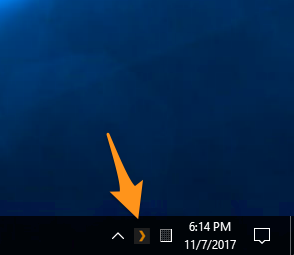
no it is not
That means there’s no Plex Media Server running on your Windows machine.
Does the icon appear if you manually start the Plex Media Server app (not Plex)?
no nothing is happening . I’m going to re download the app
If it keeps “not starting”, your server logs might contain some insight on what’s going on. You can access those in your file system while the server is offline (as a fallback).
ok thanks . so fare it’s updating library which last time took for ever
OK I had to recover/reset my PC now plex is working like before ,thanks’ for all the help it’s appreciated
