I went to a lot of trouble to categorize multiple medias into appropriate folders. Now the option to browse by folder is gone and everything is lumped together. This is not a good feature at all. Please restore folder browsing ASAP. If you cannot do that, offer instead a downgrade to the previous version which worked fine.
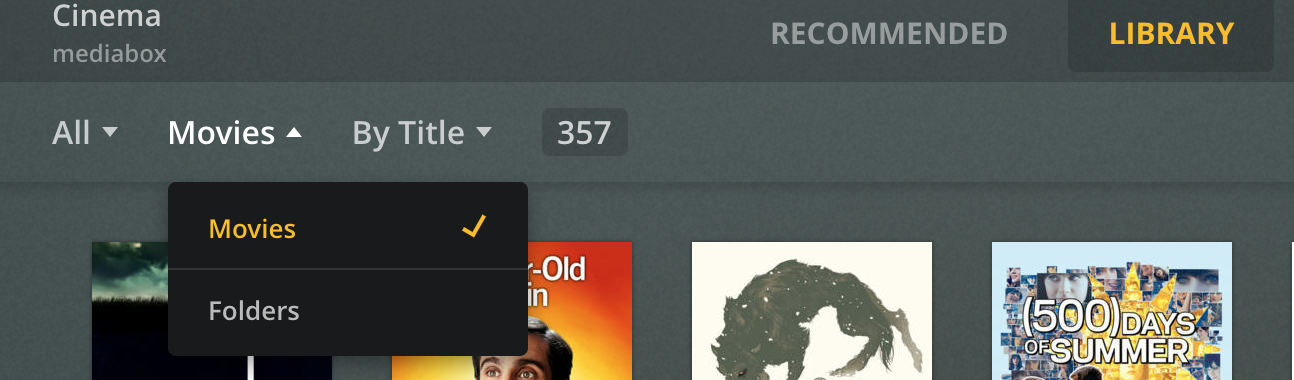
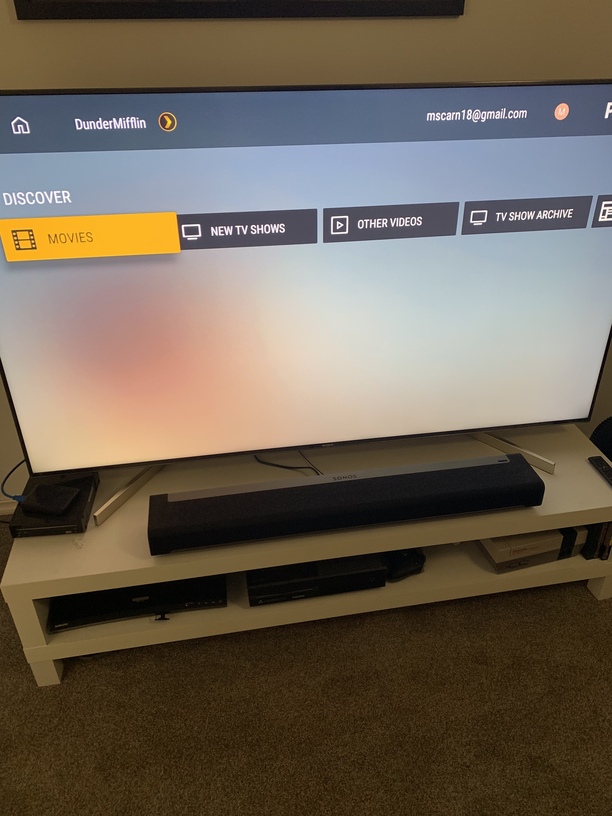
Thanks for getting back to me so quickly. I do not see the Folder option on my Android TV. When I try to select Movies as shown below, the cursor skips right past it. It is a SONY Bravia and I am running the latest update on both the Plex server and the TV. On my Roku it works correctly as shown below. I click on Movies and a dropdown menu appears.
Thank your for reporting. I see the issue in the preview of new UNO layout . Will make report to Android team.
It is still there in the older layout. In settings towards the end of the Experience row you should be able to see the option to turn the UNO preview layout off.
Not sure where you want me to go. LOL I looked around in the Plex Server settings but I didn’t find anything called UNO nor did I see an Experience row.
In the Android TV app settings I mean, not your server settings.
The Android TV app with UNO is only available to those who are in the limited beta, isn’t it?
Thanks! That took care of my issue. It always helps to be looking in the right place. LOL

BigWheel
Plex Employee
June 27
Mike_Long:
I looked around in the Plex Server settings but I didn’t find anything called UNO nor did I see an Experience row.
In the Android TV app settings I mean, not your server settings.
Yes should be. But sometimes folks signed up for beta so long ago and forget they are on it. I sometimes forget myself and need to opt out of the beta and reinstall so I can reproduce an issue someone is reporting.
Big Wheel at Plex knew exactly how to fix this issue. He will turn it over to the Android section but I am able to see folders again.
I have the same issue. I’m using the Android app on the Bravia. When I open the app, I don’t have the option to choose Folder view.
First image below - When I’m navigating TV Shows, I can choose the TV shows menu, but there’s no ‘By Folder’ option.
Second image - When Im navigating Movies, I can’t choose the Movies menu and change to ‘By Folder’; it skips past the Menu and goes straight to Sorted By.
Third image - I have checked the Experience section of Settings and theres no option to turn off UNO.
Fourth image - Also when I first open the app it doesn’t show me On Deck, Continue Watching or any other browsing options.
Any advice would be really appreciated!
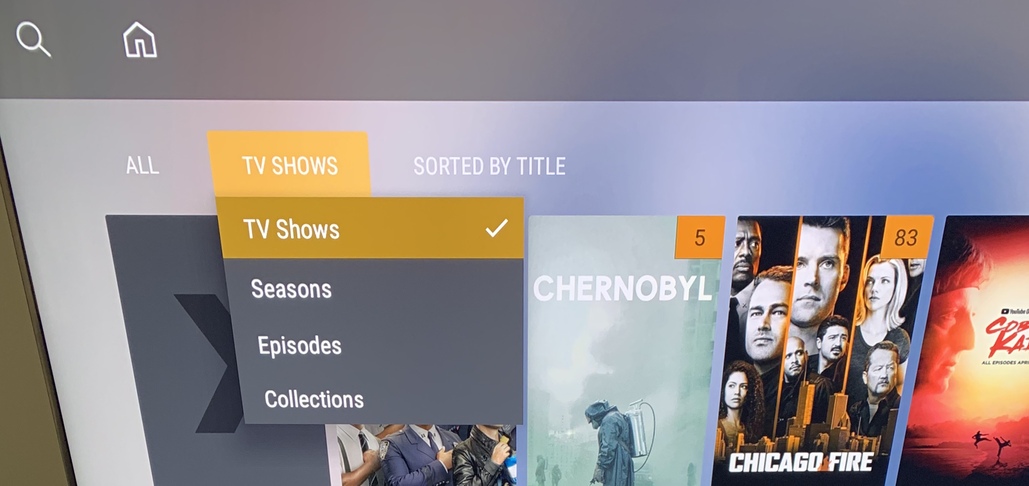
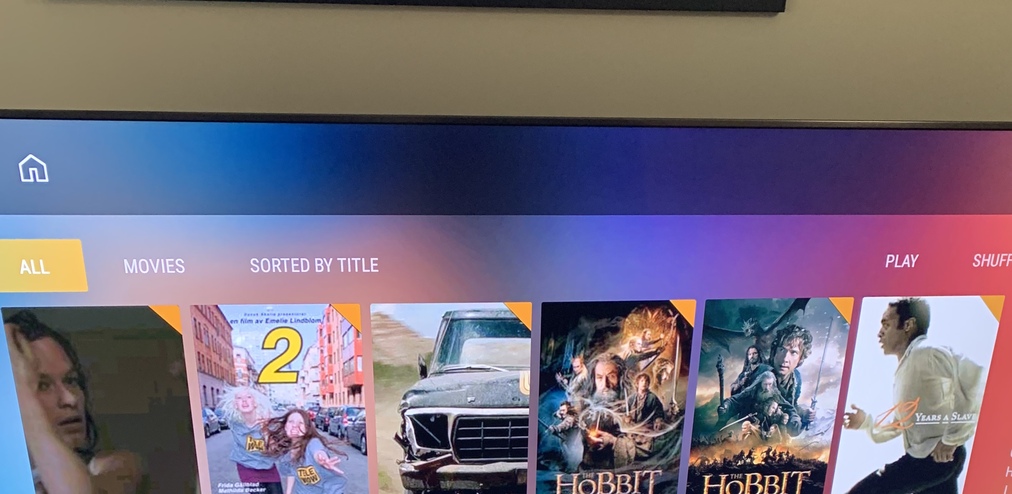
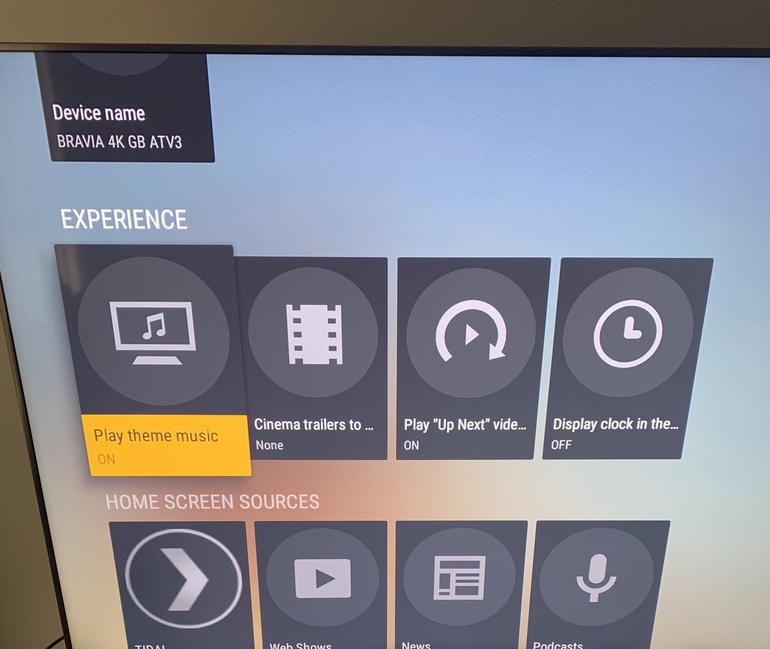
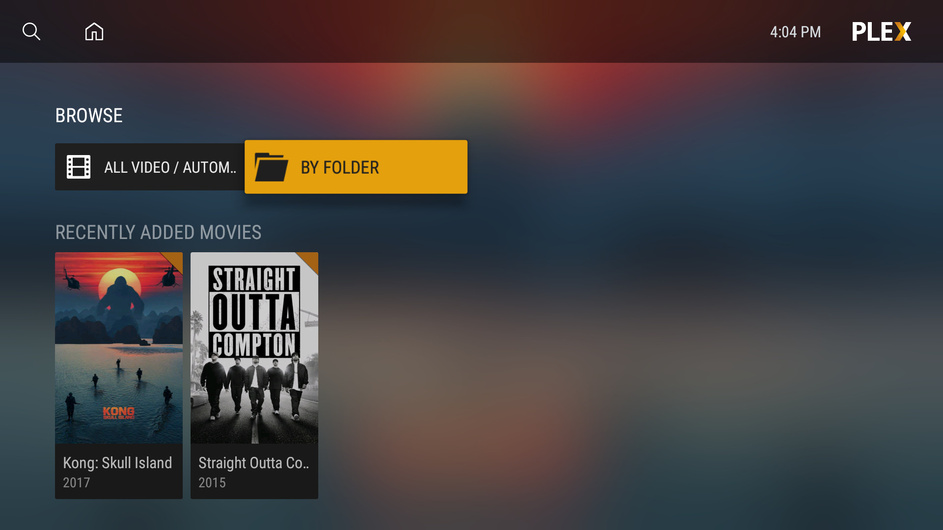
I don’t see that. When I open Plex, I see the fourth image I posted. When I click Movies, I see the second image
What version number is your app exactly? Should be on the bottom right of the settings screen.
You seem to be missing all the discover stuff on the home screen too like On Deck Recently Added Movies etc. ( edit just re read and you said that already)
what version is your server. ?
I’ve just seen that I’m on server Version 1.13.3.146 and that an update is available. Could that be the issue? Just seems odd that the issue appeared out of nowhere on the same server version.
I agree is it odd. That is a really old version and I would update anyway but not sure if you have a reason for staying on that version.
what is the version of your Android TV app? The other user said he was on a Sony as well but I think he was running the Beta app which you don’t seem to be.
Maybe something is just off with app data and if you clear the apps cache, or sign out and back in.
Ok so I’ve updated the server to Version 1.16.0.1226 and it hasn’t changed.
The Bravia app version is 7.17.2.11085(ae904f73).
Ok. I have made a bug report for Android team…not sure why it is missing for some. Definitely was not intentionally removed.
Ok so after updating media server, I uninstalled the Android app, to delete the app and its cache, and reinstalled from scratch and it solved it. So must have had something to do with the cache because the app was up to date.
Thanks for your help BigWheel. It would still be useful to know why it suddenly stopped; must have been to do with the server version.
Bigwheel, I now have a new problem since updating. I open the app, it shows the Plex logo, flashes the home screen for a second, and closes. This happens repeatedly. There’s definitely something buggy going on.
