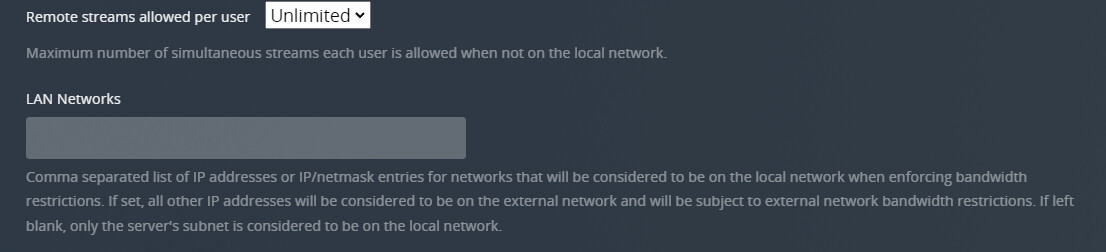
With the smart TV issues starting from Sep 30th, my home TVs (LG OLED C8), no longer can access my local Plex server. Is there a way to force remote users to connect securely, but allow insecure connection locally? Or can I create exception for only my local LG TVs?
In the network settings under LAN Networks put 192.168.0.1/255.255.255.0,127.0.0.1/255.255.255.0 that is assuming that your local network is 192.168.0.x. Then in your client under security settings change the use SSL not for local. I can’t remember the exact wording.
I don’t think that will fix the issue, the TV will try and connect secure and the server will reject the cert… only if you set the server to secure:disabled will the TV possibly try and connect without SSL
Sorry copied the wrong line but adding the IP range here is fine too so that speed is not restricted. You need to also paste that range in the following field:
List of IP addresses and networks that are allowed without auth
On the client under advanced there is a Allow insecure connection option, under that select the On Same Network option. This will disable the secure connection locally like you want but keep the reomote secure.
Unfortunately this is not working. The only way to allow my LG TVs to see my Plex Server is to set Secure connections to preferred, rather than required (which doesn’t enforce remote users to use secure connection). Any other suggestion?
Any takers? In this day and age with security and surveillance, you would think that privacy and security concerns, that this would be on the top of the list. All we need is one security breach or issue and customers will be off.
Let me put it this way, @plex my trust if for you to lose… No retakes!
I don’t think this feature exists, maybe a feature request? It would be nice to see that option indeed.
What I have been doing here is to use geoIP, thus allowing only IP addresses from my country to connect…
The problem to make this to work is that Plex uses Amazon servers to check the server availability, and these Amazon servers are not located in my country.
So, to accomplish this, I had to find a dynamic list with the Amazon servers that Plex uses to include in my firewall rule…
The problem is that in order for your unsupported TV to work you must set the server to secure preferred from the looks of it. If you want to make sure your remote users use a secure connection, then you will need to get a new device that can run the updated Plex client, in that case I would recommend the Nvidia Shield.
As an engineer, I feel this should be a very easy feature to be implemented. As long as destination and source are both within the local network, allow encryption to be skipped. Also if you are using local network, there is not really a need to encrypt / decrypt the data.