This one 1.30.3, it was running great up until the last few weeks. It would become unresponsive at least once if not more per day. Seems to be resolved with the latest beta, but the latest beta lacks the credit detection.
This build on Windows
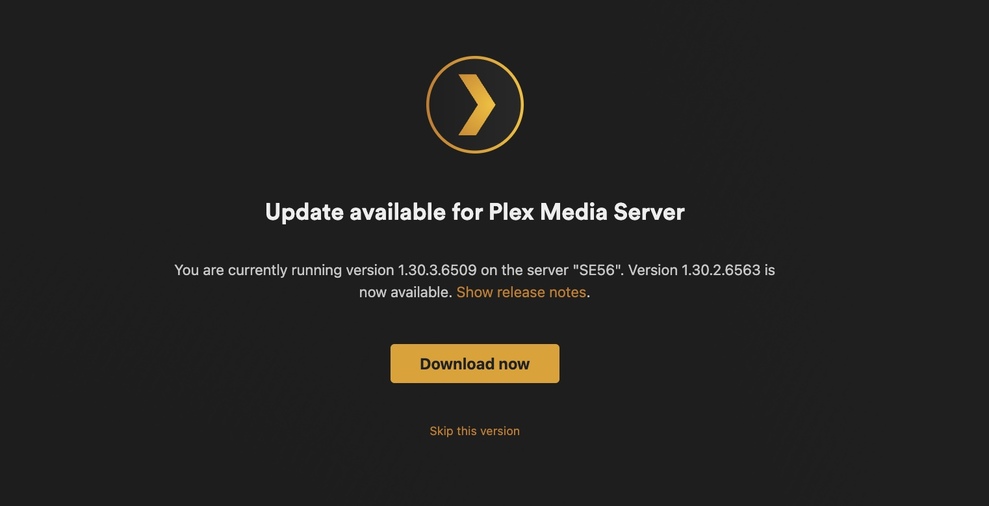
Fully aware this build is an Alpha preview, yes the beta I’m referring to is 1.30.2.6563. I’m running it on Ubuntu.
The alpha I just had installed has everything to do with this discussion. I simply wanted to know when the fixes from 1.30.2 which came out shortly after this alpha was released would be incorporated into a new alpha build.
There is no schedule for this. Alpha builds don’t get updated like that, that’s why they are alpha.
After some extensive testing, I’ve noticed degraded performance which is extremely noticeable during the scheduled maintenance hours. I’m getting major cpu spikes (over 200%) when the credit detection is running in unison with intro detection.
I feel as if an option to disable intro / credit detection at the same time might solve this. I also can’t confirm this claim, but it also seems like it’s taking priority over transcoding streams too (but this could just be the spikes causing the issues in that department)
Nope, actually the opposite. Scheduled tasks will take a lower priority to streaming. Although it is up to your OS/CPU to actually do the change. If you are using one of the newer Intel CPU’s with the big.little design, we are looking into an issue with those processors.
I know how plex is suppose to act, with transcodes taking priority. This is why I lead with seems like and followed with probably just the CPU spikes 
The main issue here, is more than likely the spikes from both the intro and credit detection running at the same time. If that isn’t the issue, there must be an issue specifically with credit detection causing the huge spikes.
The player keeps reporting that the server isn’t fast enough to play items that are transcoding, more noticeably when the schedule tasks are running. The reason I said it seems like transcodes aren’t taking priority, is because the server was struggling to transcode something when the CPU was getting overworked from something else, when it should’ve changed priority.
I also use a Synology DS918+ (Intel Celeron J3455), if there’s no known issues with that chip specifically, that means the issue is indeed with this build of plex as I didn’t have any issues like this prior to installing the alpha.
You’ll need to provide logs and info on what times you notice these spikes so we can check if something else is going on of it it is the intro/credit detection. Or it could be the priority was fine and that poor little Celeron still couldn’t keep up, which is very possible.
Good Evening,
Would someone be able to verify this for me please.
I have both:
Scan my library automatically.
Run a partial scan when changes are detected.
disabled.
(I prefer to manually run the process).
I have noticed with this version that when I drop an asset in to a media folder it is being picked up in straight away by Plex. It is not waiting for me to initiate the scan.
Would someone be able to check please, just in case it is my setup.
Thank you.
Considering that little CPU can blast out a solid 8 consecutive transcodes, it’s unlikely. The spikes are occurring during the scheduled maintenance hours and when credit detection is running. This wasn’t an issue prior to this build, so unless there’s anymore under the hood changes to core functionality, it’s pretty clear what the issue is 
I don’t have access to my computer right now to get you the logs, when I get a chance I will but luckily enough when I checked my server on my phone, it was currently running credit detection and there was a huge spike, so for your viewing pleasure I’ll attach a screenshot
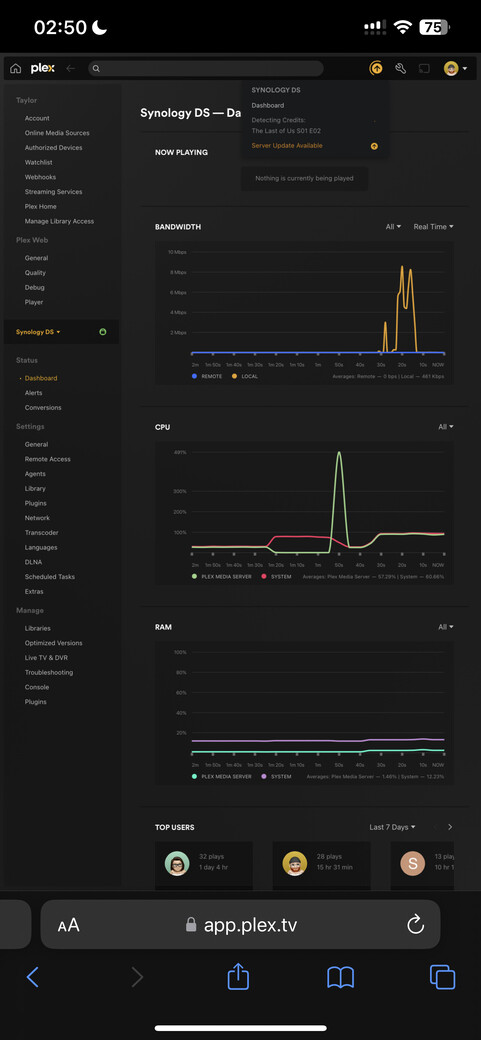
In the screenshot you shared, at the bottom left under Manage: Troubleshooting → Download Logs.
WHAT? As a prior DS920+ user, I know my synology choked doing two at once (in software). If you are relying on hardware transcoding, then yeah, it’s surprisingly decent for transcoding.
I’ll bet they aren’t using the hardware graphics chip for credit detection though. So at that point, it’ll probably be the equivalent of doing a software transcode, which can trash the CPU.
Thanks for all the feedback everyone, we’ve fixed a few issues that were a direct result from the feedback from this thread and I’ll update this thread when I have a new build.
When credit detection runs, yes there will be spikes, that’s expected.
This wasn’t an issue prior to this build,
Well, there was no credit detection before this build. Credit detection works on the video, unlike intro detection which uses the audio, so this will use more CPU. If this is causing issues for streaming, I’ll need to see your logs while something is streaming and credit detection is running.

Very likely all the on-screen text is detected as credits.
Probably, the percentage of screen that is text is quite high and unusual…
Yep, just copied some new tv episodes in and went to perform a scan of the TV library and they episodes were all ready showing.
I’m not getting a “skip credits” button as shown in some screen shots? What my Apple TV client is doing is like what it does when an episode finished and you don’t have play next automatically set.
The screen shrinks to the top and you can select the next episode if you want.
This seems to happen before the episode finishes so I assume it’s the end credit feature kicking in?
Just wondering why my behavior seems different than what is being discussed?
