Server Version#: Ubuntu 18.04.4 LTS
Player Version#: 1.19.1.2630-72c16a276
I have just done a fresh install and when I go to :32400/web I get this message:
We were unable to complete this request.
You will be redirected automatically.
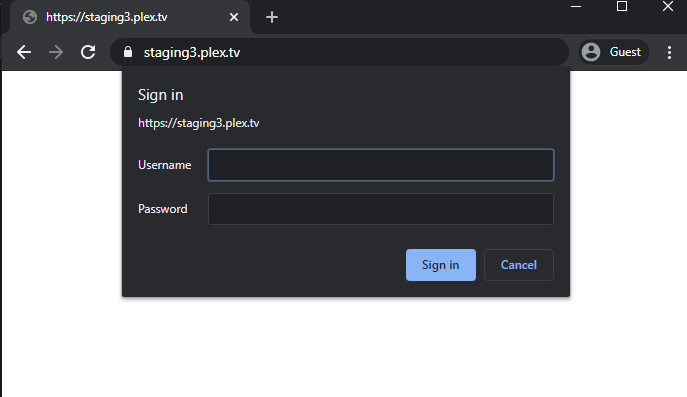
and it redirects me to https://staging3.plex.tv/ where it ask for a user name and password. My plex login doesn’t work. and I assume this is not the intended redirect.
I have a long time install. I applied yesterday night the last update: Version 1.19.1.2630. Today tried to login from a new laptop and got:
“There was a problem signing in to Plex.”
If I tried again i get re-directed to: staging3.plex.tv.
I’m logged in in my laptop (chrome) and other tablets also If I use the android app in the new tablet I can login successfully. I think this is a greater issue and not directly related with your install.
In another laptop I got a msg saying that my credential was expired and then same error/problem.
I hope it doesn’t kick me out from all my devices.