I have the looney tunes collection, and as it is right now, there is 34 seaons, from 1930 to 1968, and i want to make it more simple, so i have 1930s and 1940s.
how should i setup the folders and rename the files
Have you considered creating collections for this?
If you just brute-force this on a file/folder level, you’ll impact Plex matching the episodes.
You could instead have a smart collection to list the episodes of the show per decade.
i dont think collections, will help with this.
I have it ind tom and jerry, the first episode i name
“Tom and Jerry - S1940E01 - Puss Gets The Boot”
And the last is
“Tom and Jerry - S1940E46 - Tennis Chumps.mp4”
That gives a season 40, but if i do it with looney tunes, it dosn’t work, or match up
Season does not mean the year it came out.
In this case it does for these 2 shows.
Check the TVDB aired order for both of them and the seasons go by the year.
-Shark2k
You don’t have to go by season – even if they match in this case.
I don’t have those shows, but here’s an example based on Doctor Who (admittedly… it’s a bit weird grouping that by decades  )
)
Example 1 – Episode Collection
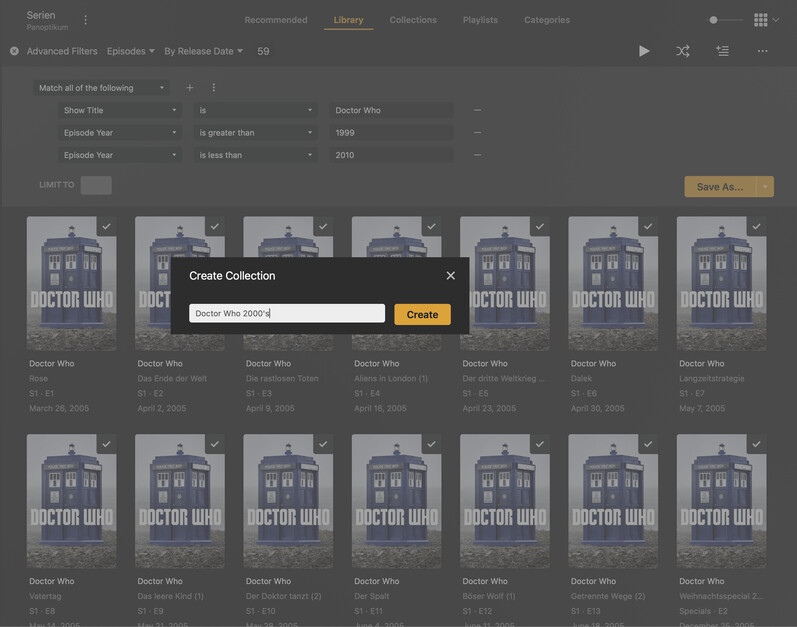

Example 2 – Season Collection
In case you still want to use the sub-categorization by yearly seasons
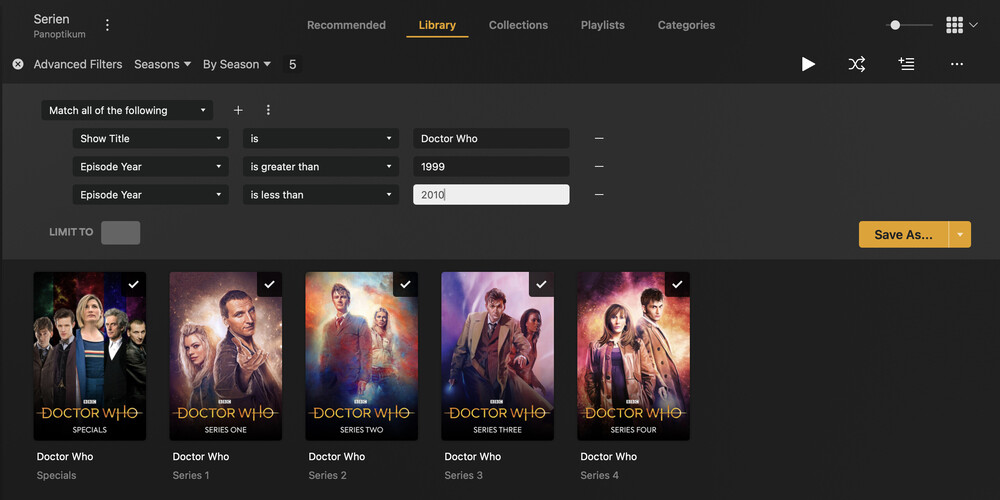
If you expect more episodes to “show up” from a decade later, you can create this as a smart collection; otherwise a classic collection will do.
It is perfectly fine to use the “year-seasons” like they are on TheTVDB.

/Series <-- this folder is added to the library
   /Looney Tunes (1929) - {tvdb-72514}
      /Season 1936
          Looney Tunes - S1936E07 - Page Miss Glory.mkv
After adding the files and scanning the library, be sure to edit the series and set the Episode Ordering to “TheTVDB (Aired)”.
If there is a mismatch, unmatch the series first, then pick Match again and pick “Looney Tunes (1929)”.
This is working with the default “Plex Series” agent. No trickery with collections or custom agents necessary.
