In the container, does PMS run as root also?
If not, let’s try: chmod 666 /dev/dri/*
This opens up permission on the device temporarily to everyone in that container
In the container, does PMS run as root also?
If not, let’s try: chmod 666 /dev/dri/*
This opens up permission on the device temporarily to everyone in that container
To confirm? You have two RTX cards in the machine?
Yes. RTX 8000
Now for the dum-dum question.
You can or cannot setup a quick & dirty native install on the host?
(remove the container from the list of variables)
How skilled are you with invoking PMS in the Debugger ?
Asking because the team seeing something really whacky going on and has asked if you can set a breakpoint on std::invalid_argument::invalid_argument
This type stuff mean anything to you?
You mean a bare metal installation directly to the host? If that is so, i already have one and it works like a charm.
The problem is with the container .
The reason I have two Plex installations is because i want to differs the channels in two “two” groups.
I wish Plex would provide the option to “tag” them as a group but that is another whole new topic 
Nope.
My setup is basically plex server running on docker with Portainer and xteve
What’s the base OS?
The host is ubuntu 22.10
PMS on Ubuntu is trivial. (Linux PMS is based on Ubuntu)
Can I get you to standup a test-only server?
The purpose of that test server, which goes away as soon as test complete, is to confirm PMS, on the base OS, using the base OS drivers, can talk to the cards
Of course! how that would work? What are the next steps?
The next steps are straight forward:
You have the Nvidia drivers already installed on the host – Nothing additional required.
Download PMS from https://plex.tv/downloads (Debian/Ubuntu 64 bit)
Stop the Docker container on the Ubuntu host
Install the DEB file you just downloaded (sudo dpkg -i filename.deb)
You’ll see the installer run and install PMS on the host.
When it’s done, it will automatically start PMS for you too.
Now open open the browser, open a new incognito window
In that window, open http://127.0.0.1:32400/web
You’ll be setting up a new server.
– Give it only 1 library section (small one we can use to confirm HW transcoding)
– Give it a FRIENDLY NAME of “test” or anything else not to conflict with your production server’s name (the hostname)
– Remember to go into the Server settings → Transcoder - Show Advanced
– ENABLE all the HW transcoding options (by default one is not)
– SAVE
Test
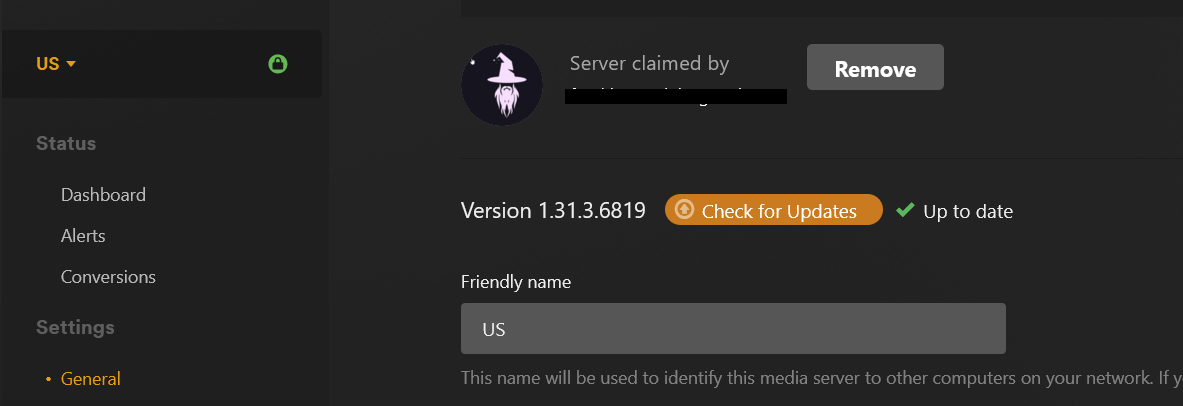
That’s the thing. I already have a PMS installed on host, running 1.31.3.6819. It works completely fine.
Let me explain my setup a little bit.
I have Hardware Server that contains two PMS:
- "US" - contains local libraries such as movies and TV shows. It also contain US a xteve with US Channels . This PMS server is installed on the host or as we usually say "bare metal"
- "Brazil" -contains Brazilian channels , also running with xteve. This is the problematic PMS server. It is running on Docker.
This is the server where I have been testing. Everything works with version 1.29.2.6364 but when I upgrade the version to the latest it fails with errors I already mentioned in the previous messages.
The main reason for two servers is because I like to “split” the channels into two tabs
You do? (sorry for missing that point)
So this is entirely a container issue?
That’s correct.
And It works with 1.29.2.6364! So it is not my setup… I think
I use docker , not portainer. I can’t advise you further there.
I do know that docker works flawlessly when you add:
--device=/dev/dri:/dev/dri
you didn’t forget that … or forget to run the container in privileged mode?
This is my docker-compose.
version: “3.5”
services:
brazil:
image: plexinc/pms-docker:1.29.2.6364-6d72b0cf6
runtime: nvidia
restart: unless-stopped
container_name: brazil
environment:
- UID=1000
- GID=1000
#- PLEX_CLAIM=claim-sGEdXdErut1V3Esfnzsp
- NVIDIA_VISIBLE_DEVICES=all
- NVIDIA_DRIVER_CAPABILITIES=all
- TZ=America/Los_Angeles
networks:
plex_enp166s0:
ipv4_address: 192.168.96.2
volumes:
- /data/containers/plex/brazil:/config
- /tv:/tv
- /movies:/movies
- /data/transcode/brazil:/transcode
- /data/downloads:/downloads
devices:
- /dev/dri:/dev/dri
networks:
plex_enp166s0:
external: true
the container is NOT in privileged mode. Let me test and and I will let you know in a few minutes.
Nope. Same freaking error
Plex Media Server Logs_2023-03-16_16-01-30.zip (930.8 KB)