@Vicerak
Yes, getting errors and digging deeper as I am left alone along enough to do so.
Yes, getting errors and digging deeper as I am left alone along enough to do so.
I need your help / knowledge.
I’m trying to setup a machine to help you.
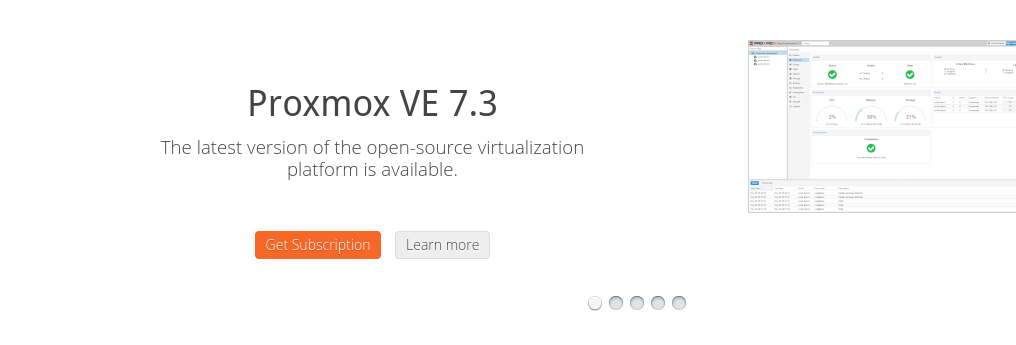
When I log into the server, I’m presented with:
I figured I need a license.
I reached out to them and got a confusing reply.
Hello,

Thanks for your request. Proxmox VE is licensed under aGPLv3. (you do not need a support subscriptions = support contract).

Feel free install, test and support your community.

--

Best Regards,

Martin Maurer

----------------------------------------------
Ticket ID: #328981
Subject: Request for licensing assistance
Status: Answered
Ticket URL: https://shop.proxmox.com/viewticket.php?tid=328981&c=pzsSx91c
If it’s GPL then why does one need a Subscription / annual license ?
You don’t need a subscription. You can just press Ok to close that dialog (it’s going to show up quite frequently btw).
How frequently?
Every time you load the webpage. You may also need to add the “no subscription” to your source list.
echo ‘deb Index of /debian/pve/ buster pve-no-subscription’ >> /etc/apt/sources.list
This looks odd and generates a very noisy failure output
# security updates
deb http://security.debian.org bullseye-security main contrib
deb http://download.proxmox.com/debian/pve buster pve-no-subscription'
root@pve:~#
Err:6 https://enterprise.proxmox.com/debian/pve bullseye InRelease
  401  Unauthorized [IP: 144.217.225.162 443]
Reading package lists... Done
W: Skipping acquire of configured file 'pve-no-subscription'/binary-amd64/Packages' as repository 'http://download.proxmox.com/debian/pve buster InRelease' doesn't have the component 'pve-no-subscription'' (component misspelt in sources.list?)
W: Skipping acquire of configured file 'pve-no-subscription'/i18n/Translation-en_US' as repository 'http://download.proxmox.com/debian/pve buster InRelease' doesn't have the component 'pve-no-subscription'' (component misspelt in sources.list?)
W: Skipping acquire of configured file 'pve-no-subscription'/i18n/Translation-en' as repository 'http://download.proxmox.com/debian/pve buster InRelease' doesn't have the component 'pve-no-subscription'' (component misspelt in sources.list?)
E: Failed to fetch https://enterprise.proxmox.com/debian/pve/dists/bullseye/InRelease  401  Unauthorized [IP: 144.217.225.162 443]
E: The repository 'https://enterprise.proxmox.com/debian/pve bullseye InRelease' is not signed.
N: Updating from such a repository can't be done securely, and is therefore disabled by default.
N: See apt-secure(8) manpage for repository creation and user configuration details.
root@pve:~#
You can comment out the pve-enterprise source and looks like you have a trailing quote for pve-no-subscription'
Also, you can update the distribution in the line from buster to bullseye.
DOOH 
Now I’m getting a whole bunch of updates… at a whopping 1.2 MB/sec 
I really appreciate your help Chuck.
Will this guide allow me to configure PVE 7.3 for GPU passthrough?
I used the guide you linked there and also:
https://andrewferguson.net/2022/06/18/plex-proxmox-vm-with-nvidia-gpu-passthrough/
Updates:
The installer won’t report “i915 found” because the “Common KVM Processor” doesn’t provide the i915 for the Ubuntu kernel to see it. (It looks to see if the driver is loaded)
In spite of that , PMS does
Mar 22, 2023 19:25:15.174 [0x7f978c4b1b38] DEBUG - [GPU] Got device: HD Graphics 620, intel@builtin, default true, best true, ID /dev/dri/renderD128, DevID [8086:5916:8086:2068], flags 0x67
Mar 22, 2023 19:25:15.174 [0x7f978c4b1b38] INFO - Preemptively preparing driver icr for GPU HD Graphics 620
What’s next?
That seems to be fine with your configuration, @Ossalingur and I are using Xeon CPU’s and an Nvidia GPU. Looks like it works perfectly with your intel card passed through
If I could have stuffed a Nvidia into my BabyNUC , I would have.
I did blow up my installation (not sure what I did) but will recreate and then look at what’s needed for the Nvidia.
It shouldn’t be any different than the Intel display.
For the intel, the VM sees the i915 which is passed through.
The place to look is:
chuck@pvebuntu:~$ ls -la /sys/module/i915/drivers/pci:i915/
total 0
drwxr-xr-x  2 root root    0 Mar 23 21:50 .
drwxr-xr-x 25 root root    0 Mar 23 21:50 ..
lrwxrwxrwx  1 root root    0 Mar 23 21:56 0000:00:10.0 -> ../../../../devices/pci0000:00/0000:00:10.0
--w-------  1 root root 4096 Mar 23 21:56 bind
lrwxrwxrwx  1 root root    0 Mar 23 21:56 module -> ../../../../module/i915
--w-------  1 root root 4096 Mar 23 21:56 new_id
--w-------  1 root root 4096 Mar 23 21:56 remove_id
--w-------  1 root root 4096 Mar 23 21:50 uevent
--w-------  1 root root 4096 Mar 23 21:56 unbind
chuck@pvebuntu:~$
Similarly, on my Ubuntu bare-metal host, for Nvidia, you find,
[chuck@glockner drivers.2000]$ echo /sys/module/nvidia/drivers/pci:nvidia/*:*:*.*
/sys/module/nvidia/drivers/pci:nvidia/0000:07:00.0
[chuck@glockner drivers.2001]$
(yes, you can find the device a number of different ways)
is this info of help?
Hey Chuck,
Nothing about my issue, right?
Does the newest release: [1.31.3.6856-ac8f1d669]
Include the fixes in the engineering build that we have in this thread?
1.31.2.6810 fixed the Nvidia GPU driver issue.
We have several issues in this thread so please do specify if that’s not the issue you request.
Please forgive. In our meeting , I shows the N5xxx CPU problem.
That’s dependent on me now. (I need test FreeBSD – tonight).
When that’s confirmed, the new driver will be released