So I have a bunch of cartoons that are in the format of 2 files / episode (1a & 1b). Seems like Plex doesn’t understand this, I have 24 episodes in total, for example, but Plex only sees 12 (half).
Do I need to use -part1/part2 instead? How can I tell Plex to group them into 1?
It’s gotta be one, or the other:
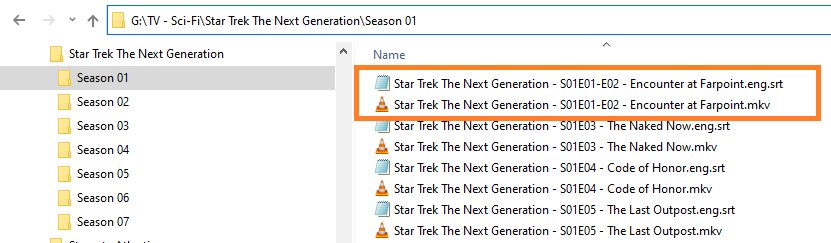
Two episodes in one file:
/TV Shows/ShowName/Season 02/ShowName – s02e17-e18 – Optional_Info.ext
or
Two files for one episode:
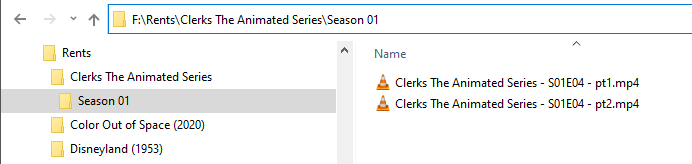
/TV Shows/ShowName/Season 02/ShowName - s02e17 - pt1.ext
/TV Shows/ShowName/Season 02/ShowName - s02e17 - pt2.ext
The latter example does probably not apply here.
Compare how TheTVDB.com and TheMovieDB.org have this show organized.
With some shows TheMovieDB has the episodes organized like your files are – with “double episodes”.
If this is the case, use the episode numbers of TheMovieDB, then tell Plex to use the episode numbering of TheMovieDB:
Then Refresh Metadata of the whole show.
If both websites are only listing single episodes, you’ll have to use the above mentioned nomenclature to indicate that there are 2 episodes in each file.
Yeah, I tried the (Aired) option but didn’t work 
I will try the Part 1,2 option
After Otto fixed my ‘fat-finger’ (in the nick of time) - I tested with this:
… it worked as expected.
I already know these work: