Hi,
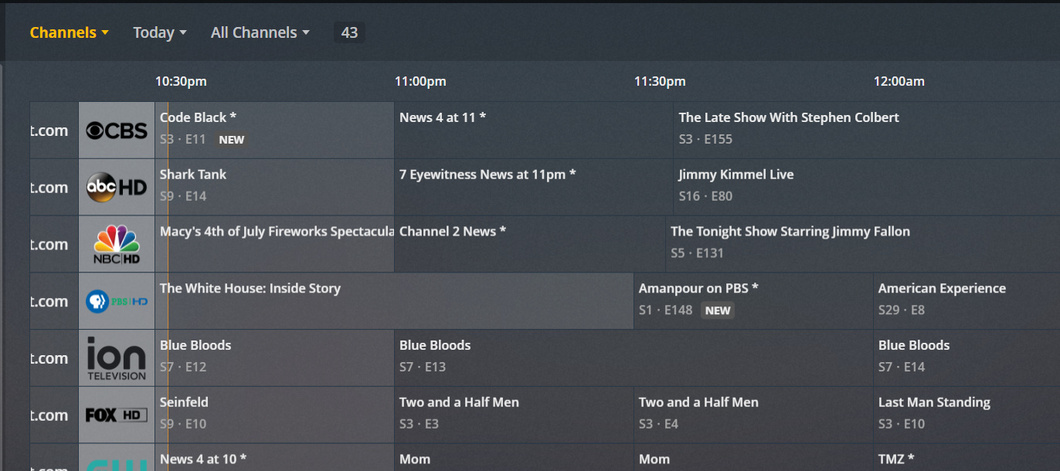
I’m glad that grid view layout is available on plex web it really great. I am however having some issues with the way things are being displayed currently. I’m using an HDHomeRun and Plex Media server installed on Ubuntu, and since i’m in canada and there was no programming guide available in plex when i typed in my postal code, i decided to use zap2xml to pull the guide data which it pulls from tvlistings.zap2it.com. This is setup to refresh nightly on a cron job.
I then configured plex to use the xmltv file generated by zap2xml and mapped all of the channels in plex.
The guide seems to be working, but in of listing the channel names based on the display-name tag, it seems to be displaying the text in the channel id tag. Also the channels are not showing up in order by number.
I have previously been told that this is not a bug but by design. Plex displays channel information from xmltv-files in the following format: “Channel ID - Display Name” rather than just “Display Name” (at least that is the case for the iOS app). In the screenshoot above it actually seems that only “Channel ID” is displayed.
My guess is that this method has been chosen as Channel ID can be used with numeric values only and this way the channel ID helps to show channels as a channel number plus a channel name.
However this approach is actually not compliant with the xmltv-specification. This calls for the channel ID to be a DNS-like entry (i.e. exactly as it shows in your screen shot above). If a channel number should be displayed, this should be included in the display name attribute.
@WillsonHaw Great to hear that you have logged an internal issue for this. I would love to see Plex update their parsing of xmltv-files to show only the the channel name attribute and not the channel ID as the current parsing and display is very messy, unless you have an xmltv file where channel ID is limited to a short (1-3 character) numeric value.
Thanks @Mtjoernelund for the explanation. I also believe that plex should stick to the xmltv-specifications and not use the channel ID as the display name… It just makes things look messy and confusing. My understanding its that the channel id is there to be a unique key for the channel listing. for example in my area in the niagara region, zap2it list both WNLODT4 and WIVBDT4 on channel 4.2 … so depending on where i point my antenna I may get either of the two, so the epg gives each a unique channel id, so as not to mix up the channel listings.
This being said though, most people just want to see the channel number or the channel name, but I don’t think anyone really wants to see the channel id, since that’s something that the site creating the listing/epg (like zap2it, or schedules direct) creates and doesn’t need to be known my the end user.
Anyway, thank for logging the ticket. I hope it get resolved in an upcoming update.
Can I ask who your service provider is? I’m in western Canada and Shaw Cable is unfortunately king out here. All their services seem to be DRM protected…unless I’m missing something (and I’m hoping someone can enlighten me).
@CondorXIII I’m using mine with a homemade HDTV antenna. I live in the Niagara region and we have a really good range of free to air (OTA) channel, since we get them from both toronto and buffalo. i’m able to pull in around 50 channel. I gave up cable quite a few year ago, since can get all the major stations via antenna, plus I also have netflix
So I just updated to Plex Server Version 1.13.3.5223 on Ubuntu and some issues with the Guide seem to be fixed to the layout with the Channel logo overlaping the guide data
I ended up deleteing my hdhomerun and re adding it and trying my postal code again and it found the local antenna ota guide data, but it’s missing quite a few channels. I created a new post to seperate the two issues.
So i noticed that Plex Media Server 1.13.4.5251 beta was available and claimed to attempt to find better channel numbers in XMLTV files (#8744), so I installed it, however it still doesn’t seem to fix the issue i’ve listed above.
So it appears that my last post wasn’t entirely accurate. After attempting to refresh the guide data after the last beta, I get this
so I tried deleted my HDHomeRun Tunner and re adding it to completely reconfigure the guide, and every time I select my own xmltv file which is generated my zap2xml, it just brings in the plex over the air antenna guide, and completly ignores the file i specified.
Looks like i’ll have to roll back to the previous version until a fix is found
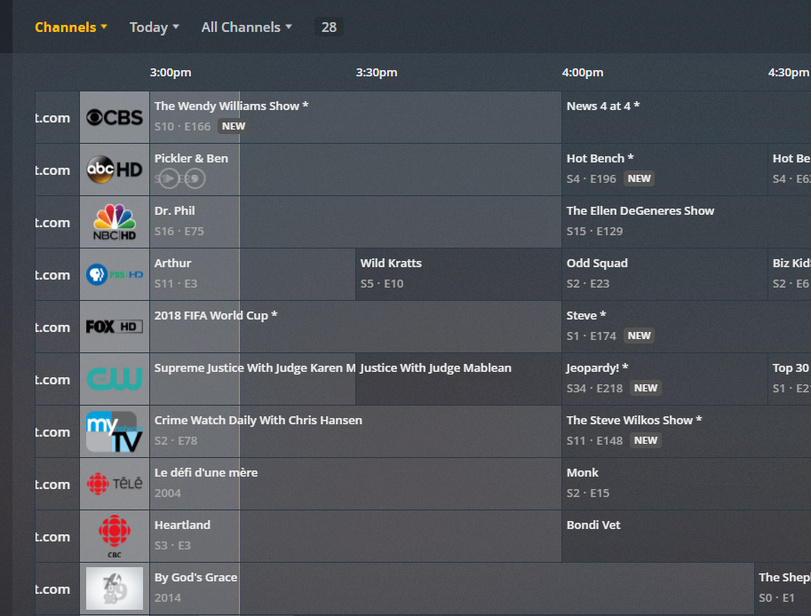
So I did some more testing tonight and it looks like I was wrong and that the new beta fixed the listing of channel numbers. To get it working I deleted my HDHomeRun tunner, then rebooted my plex server. After that I reconfigured my tunner and pointed it to my xmltv file generated by zap2xml and auto mapped all the channels. It was quite nice…Good job Team Plex for the quick fix.
Here’s the proof that it’s working. Notice the powered by zap2it.com at the bottom.