heres everything step by step…i added a settings screen to show how agents legacy is set for movies….THANX for your help….my workaround has been taking all the scrambled individual extras Plex scatters and put them into a collection next to the movie…

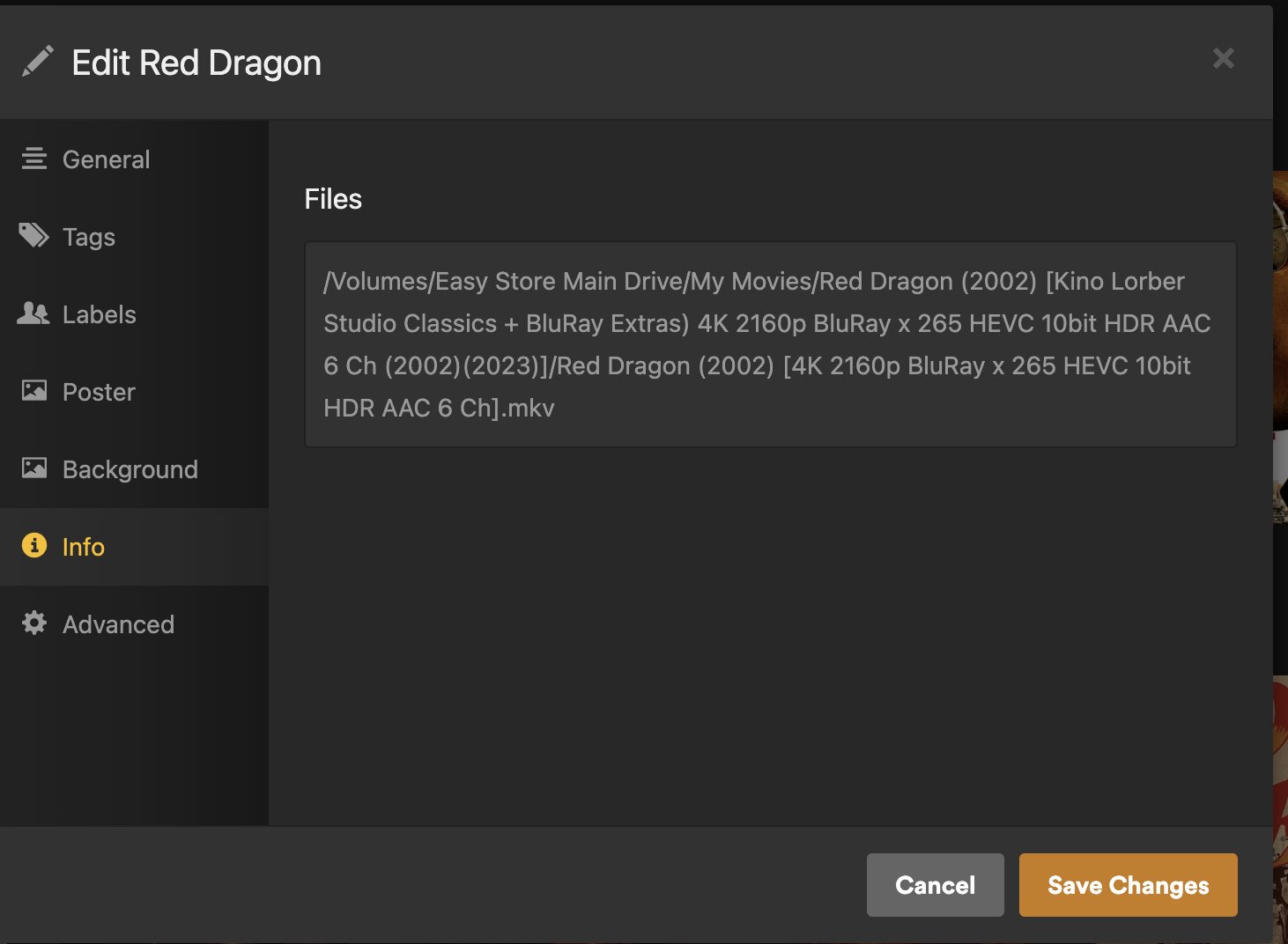
Thanks for the log files and screenshots.
Question: Which folder is added to the movie library? Given your naming structure it should be My Movies.
Question: Which agent and scanner are configured for the library? It should be Plex Movie for both.
To confirm, Edit the Library → Advanced.
If different, change to Plex Movie, save changes, and re-scan the library.
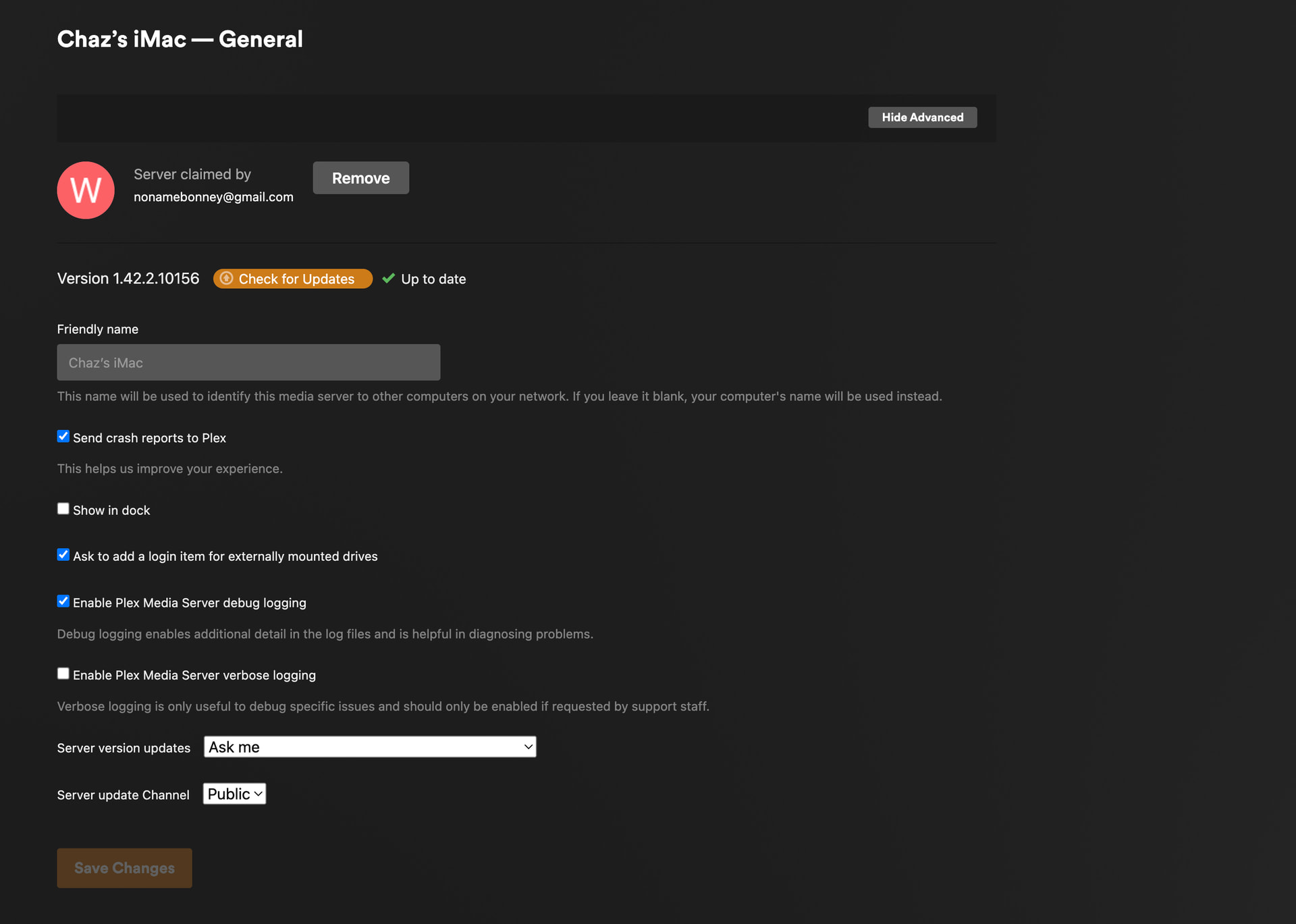
Action: Remove the apostrophe from the Friendly name in Settings → General. Use only letters (A-Z and a-z), numbers (0-9), and spaces. No punctuation marks, umlauts, etc. Such characters have caused problems with Plex in the past.
After you change the name, restart Plex Media Server and re-scan the library.
It will also clear this error (Plex Media Server.log): Oct 31, 2025 12:13:49.544 [0x7000014c2000] ERROR - [HttpHeader] invalid 'X-Plex-Device-Name' header value (Chaz’s iMac)
FYI on Agents:
The Plex Movie agent is configured per library, in the Advanced section when you edit the library. The options in Settings → Agents (Legacy) are for the older deprecated agents and have no effect on the Plex Movie agent.
For TV shows use the Plex TV Series scanner and Plex Series agent. The agent is also configured per-library in the Advanced settings.
For more info:
Plex Docs → Libraries
→ Advanced Settings Plex Movie Agent
→ Advanced Settings Plex TV Series Agent
yes to My Movies and i’m doing the rest right now…
i have NO idea what this means or where to find it?
Look in your last screenshot, Chaz’s iMac - General.
Remove the apostrophe from Chaz's iMac.

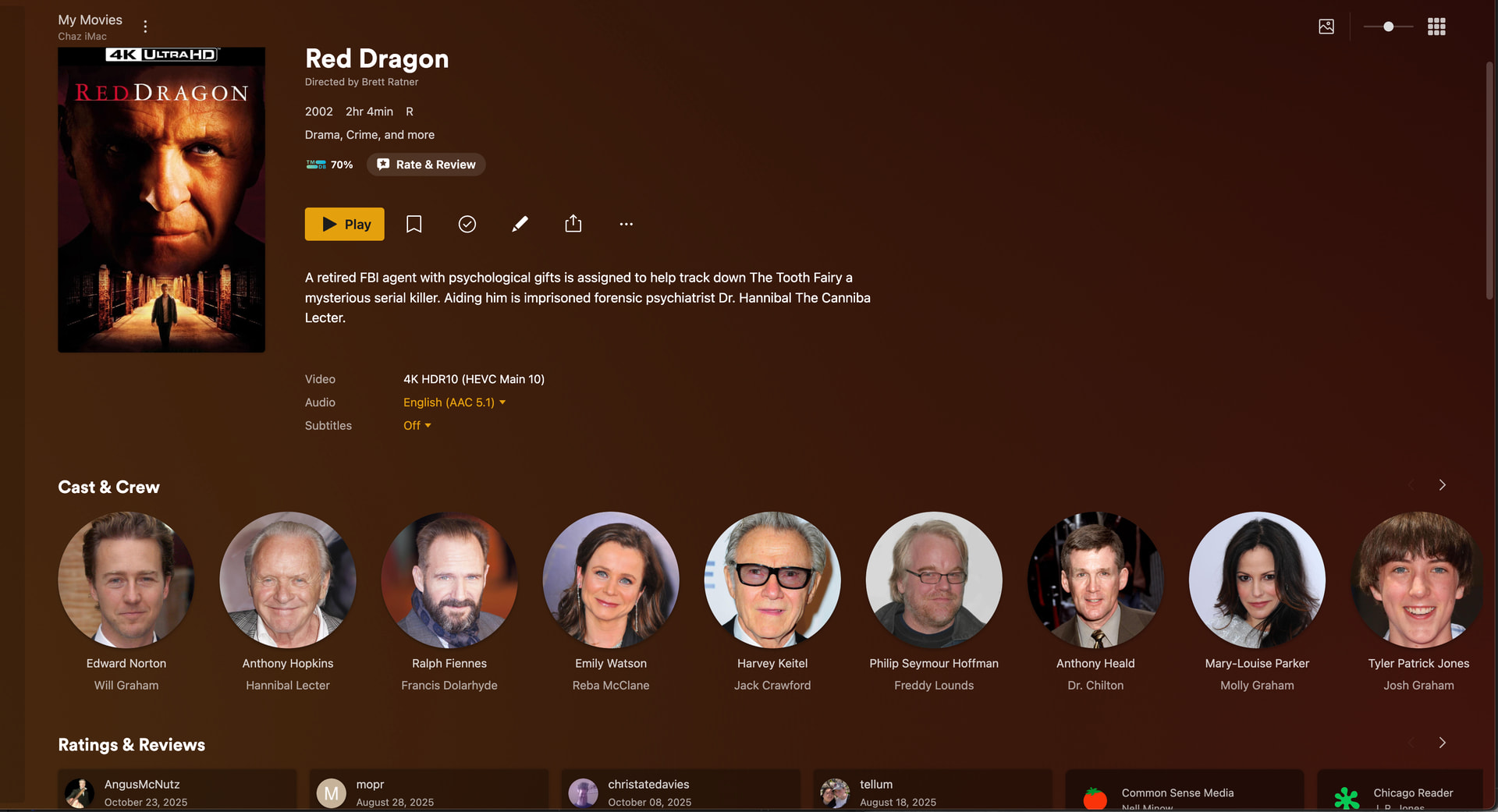
Great!
Check a few more of the movies and make sure extras are showing up OK for them.
Good to know about also removing the apostrophe from the iMac’s name as well. Thanks for mentioning it.
Should i follow remove movies fix extra folders etc put back (Red Dragon i put back everything jpgs but re foldered other deleted etc and it populated fine) for the others i’m having trouble with……i’ll keep you posted……..i’ve been asking for help on this for 2 years…..you are the only one who helped and took the time..others have just stopped responding…THANK YOU SO MUCH
If the subfolders for each movie are correctly named & organized, then you may not need to move things out of the library then back into the library (less shuffling).
Test with two or three movies.
- In one of the movie folders add the desired subfolders for extras (interviews, trailers, etc.).
- Move the extras into the desired folder.
- Scan the library and empty trash
- Refresh the metadata for the movie.
That should pick up the extras and display them properly.
If it works, then you can organize things for all the movies, scan, empty trash, and then refresh metadata for the entire library. Basically, do the scan/empty trash/refresh metadata on the entire library instead of movie by movie (easier & faster than movie by movie).
If that does not work, then Plex Dance the movie (move the entire movie folder including extras). That will clear out bad information from the Plex database.
Also consider simplifying how you name the movie folders and files. It works, but that is a lot to add and track. It will make maintaining the server easier with shorter names.
A lot of the info is redundant.
- 4K, 2160p, and UHD are essentially the same thing.
- HDR & Dolby Vision movies from Blu-ray discs are HEVC 10-bit video (some streaming services have started using AV1).
- All 4K discs are Blu-ray. Use “BD” if you want to differentiate a Blu-ray rip from a different source (dvd, download, etc.).
For example, instead of:
/movies
../Red Dragon (2002) [Kino Lorber Studio Classics + BluRay Extras) 4K 2160p BluRay x 265 HEVC 10bit HDR AAC 6 Ch (2002)(2023)]
..../Red Dragon (2002) [4K 2160p BluRay x 265 HEVC 10bit HDR AAC 6 Ch].mkv.mkv
Consider something like:
/movies
../Red Dragon (2002)
..../Red Dragon (2002) [2160p.HDR.BD.AAC 6 Ch].mkv
It is your server and up to you about how much extra stuff to add to a folder/file name. Just remember that the more time you spend naming & organizing the less time you have for actually watching and enjoying. 
you fixed my Reservoir Dogs extras which i’ve been adding and re adding for over a year….so far so good…..someone told me put any confusing to plex info in [. ] and it won’t be read….i have to add all those details for my computer library……i have so many different versions on other backups……..i know all about AV1 btw……..i am almost ready to get rid of 4K for 1080 AV1 which is crystal clear and tv shows are 500 mbs vs 9 gig for 4K……..thanx again for everything..
