I cannot, for the life of me, figure out how to give access to my wife and kids, access to the library, with the benefits related to Plex Pass.
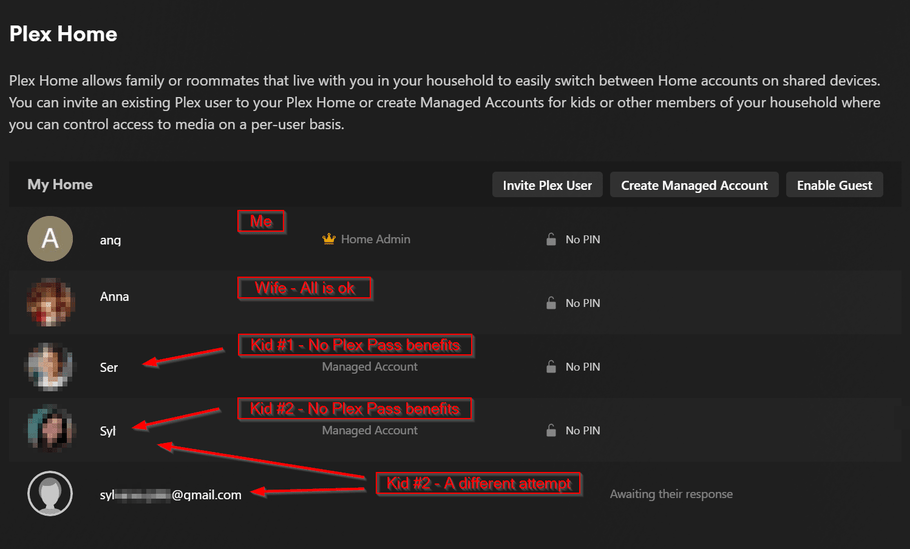
In Plex Home, I’ve added my wife, she has the features with Plex Pass. When I try to add my kids, they do not get all the features. Is there a step by step guide I can follow to add them the correct way? I have no idea what I’ve done differently for my wife than for my kids.
Thanks OttoKerner, I’ve seen this page before but I still don’t understand how I can apply the benefits to my wife and kids… Sorry if it’s a dumb question, I just don’t see it. I might be using my husband yes (like my wife says), it’s right in front of me and still don’t see it LOL.
They can only benefit if they are “managed” users of your account.
If they already have “full” plex.tv accounts, you can invite them into your Plex home too, but that doesn’t give them the full benefits.
Older, full plex.tv accounts which have been a member of your Plex Home since before 2022-08-01 are grandfathered to use the “Downloads” feature, All other full accounts need a Plex Pass of their own to use Downloads. https://support.plex.tv/articles/downloads-sync-faq/
Thanks for the clarification. So, all my family, didn’t have plex account before i bought the lifetime plex pass. So I created managed accounts for my wife and daughters. For some reason, my wife had the full experience. For my daughters though, I don’t know what I did, what step I took extra (or missed)…
What? I thought full account members invited to a “Plex Pass home” had all the benefits of the Plex Pass of the home account.
The article linked appears to do with whether the Plex Pass is owned by the server vs the user. Since it doesn’t mention “home” status, I assumed it was explaining whether a plain “invited” user must have a Pass to download, or the server itself.
So I checked again, and my daughters do not have the benefits that I paid for. The steps I took to set them up is: I invited them through their email address, they didn’t have a plex account so they created one. Once logged in, they chose my server.
They now have access to my music, but can’t download or use the sonic features. My wife, on the other hand, no problem. She has all the same features that I do.
For My Wife, Daughters and Mother, I just created their accounts as Managed Users and logged into the devices then they see their User Accounts and login to them. You can set Pin #'s for extra protection and accidental logging in as one of the other Managed Users.
I think we’re getting all confused, as there are three VERY SIMILAR but quite distinct account types that we need to straighten out.
Firstly, is the standard account. You can invite someone to view the content of your server. Most likely, when you “invited” your children and they created accounts, they became this kind of account. They log in, and can see your content, but they do NOT see any other accounts. They do NOT see alternative users to log into after they log in with their email (more on this in Type 3). These accounts will not get any benefit from the Plex pass of the server anymore. NOTE: It used to allow downloads (OttoKerner’s link up above), but Plex modified it so that the USER’s account needs a pass, not the owner, to be able to download. Plex grandfathered in that old accounts made before the change were able to keep downloading using the server owner’s Pass, but that is the ONLY benefit this account type will see. This account type will NOT be able to see intro skips, will not get credit skip, and will have to pay $5 on mobile apps to be able to use them to view the server content.
Managed Users. These users are very similar to Netflix and Disney+, etc. They are basically “user profiles” that must log in as the original account, but have all benefits of the base account (because they ARE the base account). The play history of these accounts are separate from eachother, allowing each user to see the content at their own pace. When they log in with the base account email, they are then prompted to pick from the few profiles available. There will always be a default “admin” account, and each other managed user will also show up here. You can protect any of these logins with a 4-digit PIN if desired.
Lastly, is an invited HOME user. Each normal account - by default - is also the primary account of what is called a “HOME”. You can invite other users to your HOME, and they basically become a sub-account of the main account. They SHOULD (unless I am mis-informed) be able to use all functions of the HOME account’s Plex Pass, including (possibly) free mobile app use. Once this user logs in using their OWN email/password, they are then prompted to select a profile, just as if they are a managed user. In fact, they can then swap over to the admin “user”, and have FULL ACCOUNT CONTROL that the admin has. At this point, they are actually logged in AS the admin account (dangerous). It is this reason why HOME users should only be used by… well, VERY close family that you trust with this access. If they behave, they will stay on their own managed user, but there is little to stop them swapping accounts to yours unless you 4-digit PIN protect it.
In summary, you probably HOME invited the wife (account type 3) or made a managed user (type 2), but library invited your children (type 1). If this is the case, on logging in, you will see your wife as an option, or the admin, but nobody else.
If this is not the case, I’d like to know what you do see on login. If you are logged in, attempt to “Switch user” to get to this user profile list.
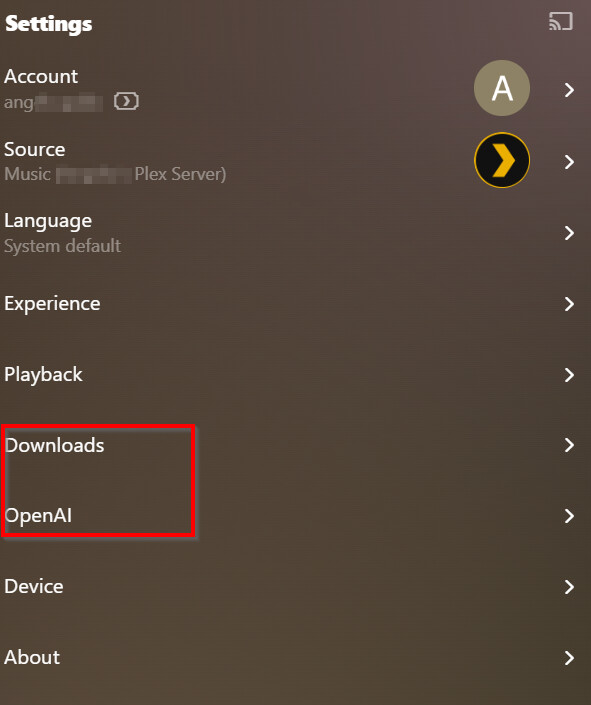
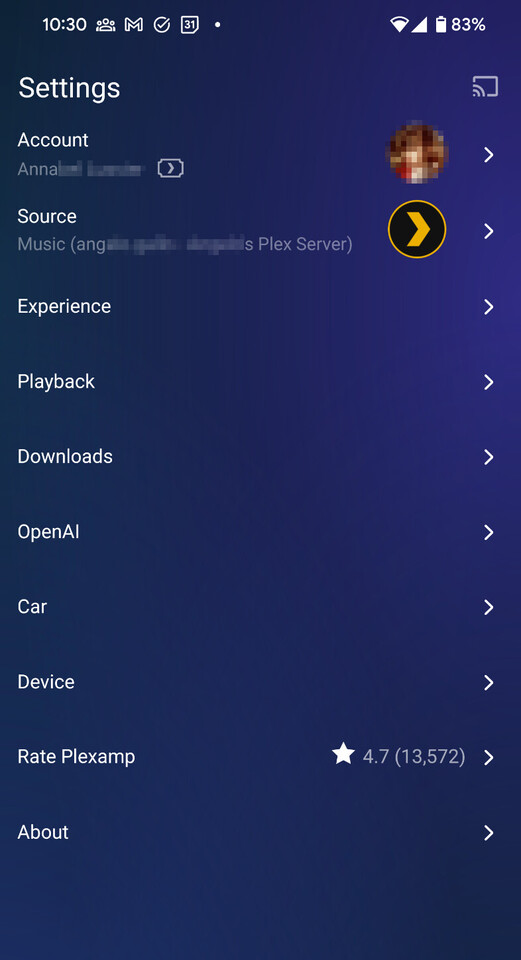
My kids cannot download their music on Plexamp but my wife can. That means that they’re always using their data from their mobile phone. And the other feature, fun but not a deal breaker, the sonic feature are not available for my kids. Downloads and OpenAi both have locks. Note: The below screenshot is of my Plexamp and not my kids.
In your second point, about Managed Users, I think the part that confuses me is when you say: “They are basically “user profiles” that must log in as the original account”.
Are you saying that they should be using my login credentials and use their profile? If not, how do I log them in if they wouldn’t have a Plex account?
I would like to tell everyone in this post how sorry I am if it’s really easy to understand and I’m not getting it. I work in IT and this should all be very logical, but I just don’t see it. The way I would see it, is when I create a managed user (or a profile like on Netflix), I should be able to specify which email address they will be login in with. During the process of creating that managed account, it doesn’t ask for any credentials. I guess that’s where I am all confused.
Again, I’m deeply sorry for this post. I was pulling my hair out this weekend and I’ve been trying since February…
Precisely. You log in on their device(s) with your own user credentials.
Which necessitates that you first log them out.
On all Plex client types other than Plexamp, you go then into the preferences of that Plex client and activate “automatic logon”.
And after that, you are performing a “Switch User” operation to their own managed user account (or “user profile” as it was called above).
Unless your wife’s account was added to your Plex Home before 2022-08-01, you will have to create a managed user for her as well and do the “log out”, “log in”, “Switch User” on her device(s) as well.
My wife made her account in Dec 2023 after I bought the plex pass in Nov. 2023. What happened when I was using my account on my wife’s phone is that it was login me out of my other devices. So I was using Plexamp on my phone and work computer. When she logged on, i was getting logged out of my phone, and that’s when I created that account for her.