I try my best, but I know that my mind works differently, and the way I describe something is how I’d like it described to me, which may not work for others.
As far as I know from my family’s Netflix account, is we only have the one email. I must log in with that email to enter the account, upon which I am asked which profile to select. These allow me to keep my “continue watching” and watch history separate from the rest of the family. It hasn’t even occurred to me that it would be possible to combine separate email accounts into one “family” account type (which, based on the sound of it, would be Account type 3 I mentioned above. Huh). Anyway, that is what I am describing as Type 2: That they are sub-profiles of the account itself. If the account is deleted, then these managed users would also disappear, since they cannot exist without the base account itself. There is no separate email address to enter to login.
Type 3 accounts would continue to exist, however, if you deleted the “Home admin’s” account. Otherwise, they act similar to Type 2 accounts, in that upon login they are required to pick a profile.
All that aside, it’s good to know that your wife is a Type 3 (A user invited to the home. You can only tell this because they are in the home, but do not have “Managed Account” under the center column). Your kids are Type 2 (Managed users, mini-profiles created under the base account “anq”). The final qmail account below is a pending invite for a Type 3 account to join your home, but we can ignore that for now.
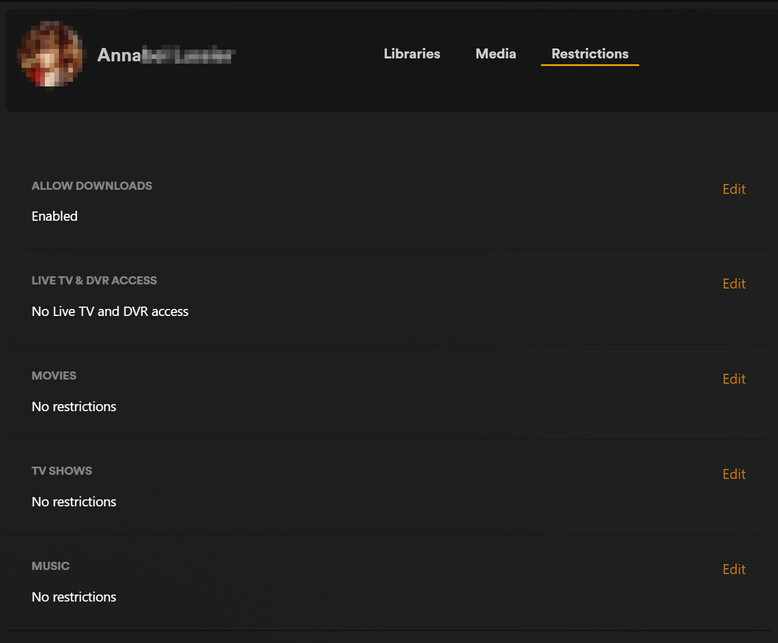
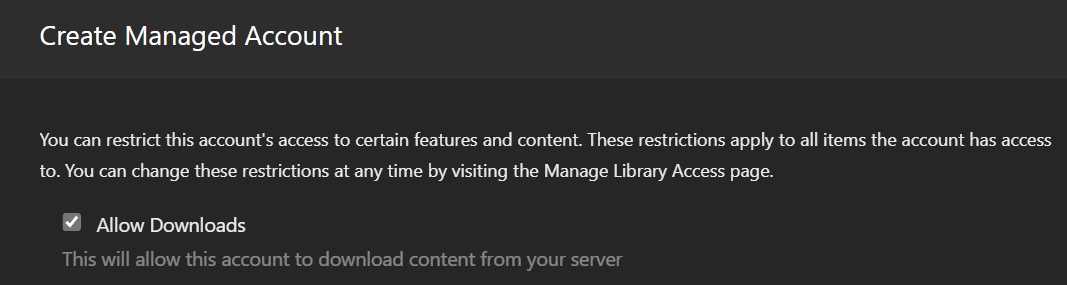
I think what we need to do now is make sure your Managed User/Account profiles are not restricted from downloading. Hover over the row of one of the kids, and click anywhere OTHER THAN the “X” that appears at the right-hand side (Which is where you click to set a PIN). Next, click on the “Restrictions” header along the top area to check if you removed “Download” permissions when you created the managed users.
EDIT: Your wife is a Type 3 account, but still has access to Downloads, right? Can you check her row by clicking it, to see if Downloads are allowed as well? I don’t have “Home” user Type 3 accounts, so I’d like to know if the menu looks the same as Managed User Type 2’s…