Using plexamp inside a family with one plexpass

Server Version#:synology nass Versie 4.84.1
Player Version#:doesn’t matter for now

Hi,
i try to figure out how to create a hierarchical family group with one lifetime plexpass.
i like to have one master account, plexpass owner, and few sub accounts who only can see what i open. so no configuration acces.
which is easy with plex app itself. just invite and done.
But i like the plexamp music app and i would like to set this in a common mobile who is a sort of digital remote and device screen for the hole family at home.
It’s connected to the general family email account but has no plexpass privilege.

Is it possible to log in that mobile with a useraccount which isn’t mine?
Or acual it is mine but then with less/no access to the configuration page.
I would be a bit expensive to buy 3 extra lifetime passes just to share library’s for plexamp. (i like it’s smart choosing of songs after initial choice.)
i created a managed acount but the present login of plex in the general mobile is with a invatation friends.

any thoughts? advise?

Invite your sub-accounts into your Plex Home, if they are not “managed users” anyway (in which case they are a part of your Plex Home already).

Install Plexamp, sign in with your own (Plex Pass) credentials.
Then perform “Switch User” to one of the sub accounts.

Hi thanks for the reply.
i am not very used in setting up hierarchical networks so before i start opening and connecting stuff i need to get clear what i am doing. Novice level.

ok i try to get clear which is what.
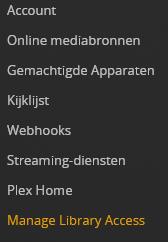
library acces
This is the place where a invitation to a email adres which has to create a free plex “google account” in order to accept the invitation. on it’s own that’s the same as my account before in payed for lifeplex.
(in my (general) "remote"mobile is that email adres which is googleplay connected to which is used for free plex. with it’s own library , empty library but still a own library. That i invited to my musiclibrary.

Then we have Plex Home:

we have “invite plex user”
and we get this warning:

Inviting other users to your home is a security risk that allows these users to access your account. You should only do this if you live in the same house and share devices.

would i need to invite the email connection which i already invited?

And what is “managed account” exactly? it looked like a “sub account” from my masteraccount. hierarchical a daughter . and here i can set restrictions.

this subaccount is one of the My Home created managed accounts?
example : username: familiytest: pin 1234
and do i need to log in my emailacount on the phone(add the account on the phone which opens the email and such also which isn’t what i would like.)) or just in use it as username for log in?
(yep it would be smart to create a email just for plex :wink: )

so step 1 i instal on all mobile phones plex amp
step 2 : use my own login to get full-acces to that plexamp
step 3 go in settings and preform switch user. (i tried in my own mobile and i see indeed the “managed account” i created. which i now don’t switch by the way.
step 4 preform this for all family members on there phone if they like.
(inside the Wifi)
question: would this work on 4G (mobile internet) also?

and return to first remark:
If i invite the created plex free accounts (wife, kid1 and kid 2) in my Plex-Home:

Users in your Plex Home appear on the Switch User screen. The invited user will be asked to confirm Home membership
So they will be switch-able back and forwards? (even level) or just once and then you require a password to get back to my own account if you want to switch back? hierarchical.
what would be there accounts rights against my own?
same level as the managed accounts?

(i won’t want them to play around and meshup my library’s in there not knowing what they do when they clicker the click around, that would cost me day’s to restore i am afraid.)

Email plex free account is “sharing” and even outside my WiFi domain and a Managed (sub) Account is home WiFi only right?

thanks.
(i reply tomorow on a answer i have to go.)

Precisely. There is no need for a separate email address if you create managed accounts for your family members.

What prevents other family members from switching to your account is the 4-digit PIN. It is good enough protection to prevent a family member from switching accidentally.

Whether the Plex client is local or remote is irrelevant.

1 Like

Right,
First fench i need to open is.
I used my own login email adres and pasword.
Which next step is verification number.
This mobile phone which is my home remote hasn’t have a simcard/mobile number.
So it can’t receive sms.

So when i try to log in it ask for a verification number.
Wasn’t my PIN. And no code is got visible on my own mobile.
So how do i gona be past this?

Plex never asks about some kind of “verification number”. Particularly not one that is sent per SMS.

Do you perhaps mean the account’s PIN? That one you must know yourself, as it’s your account.
Or, if you want to switch to one of your Plex Home members, the PIN should be known to the person to which the account belongs.

If the user is a “managed user”, you as the admin can reset or change the PIN here: https://app.plex.tv/desktop/#!/settings/plex-home
Regular users need to reset their PIN themselves, if they have forgotten it Pin Reset | Plex
I forgot my Plex Account PIN; how can I reset it? How can I change my PIN? | Plex Support

That is the 2-factor code.
You have enabled 2-factor protection for your Plex account, so you must have an app installed somewhere (usually on your phone) which provides you with the 2nd factor.

Geesh forgot about that. Now i feel stupid😣
(i forgot i did activate that security option.)

Done.
I am in, switched to general family account…
Music only. It’s building library now.

Happy camper.
Now we can select a musicsong and let plexamp follow the choice in the mood and type. Bluetooth soundbox in the garden.
Imagin this.
BBQ in low and slow for hours, me/we sitting next to it keeping an eye on my cookingapp(bbq monitor) on this device, start plexamp select a song and let it just run it’s course. Open an bottle of wine or a beer, get a paper book and start relaxing.
Or start to cut the food to complement that delicious piece of meat… :drooling_face:

Summer can begin!:sunglasses:

I created 2 more plexhome accounts for the kids.
I can follow the same steps.
For plex and plexamp.
So they can use the same library’s as my Kodi device at the risk i never see them again only when they seek for food and drinks downstairs… :yum:

Thanks for your patience and support.

1 Like

This topic was automatically closed 90 days after the last reply. New replies are no longer allowed.
