Sorry, I didn’t know that it was going to be like this.
Fantastic graph. By the looks of it, Invited-to-Home users get all benefits of the server admin’s pass, including Downloads, though with an asterisk that - to me - does not clarify this situation.
Both the asterisk link and Otto’s link to the same article do not specifically specify if home-invited users are able to download using the server owner’s pass credentials. In my mind, invited home users are then the exact same type of user as a managed user, which has no relevance to the “creation date” that the article specifies. The article appears to only be referring to friend-invited users, and whether they are able to use the server’s pass for downloads or need their own.
Repeated linking to this article will not clear it up for me. So I would like word on whether the date-account-created-by restriction does ALSO apply to home-invited users.
No, they don’t. At least if they’re new. https://support.plex.tv/articles/downloads-sync-faq/
Don’t worry about it. The fact that all of us are this engaged in helping solve your problem is a testament to our excitement at fixing this issue. If it was truly a pain, you’d probably have gotten very few replies and no conversations going on.
As for your children, have you tried making new Plex accounts (normal ones, not using Google’s SSO), and inviting them into your home? They can then log into Plexamp using those new accounts you made, and should be able to access your server contents. I am currently waiting for clarification on the whole “date-account-created” question on whether they get the Plex Pass download benefits though.
Not true. I just tested it myself.
I’ve been meaning to get around to transitioning my Managed users to home-invited users. So just now, I created a brand new account 5 minutes ago, invited it to my home, and changed my plexamp over to the new user. (interestingly, the downloaded media from the manged user account remained, so downloads are not saved per user. Makes sense, I can imagine the storage implications if you swap users and can’t figure out why Plex is using up all the phone storage)
This new user has the ability to download songs. So the article (which does not bring up home-invited users) is not clear enough to specify that the restriction is only for users with invited access.
This might apply to downloads in Plexamp, but definitely not to video downloads in the mobile and desktop apps.
Ah, I did not test that. Let me see…
Okay, also not true. I loaded up the mobile Plex app, swapped to my brand new Home-invited user, and am able to download a movie.
Try doing that not from within the same local network as your server is in.
Unless you have nothing in “List of IP addresses and networks that are allowed without auth”.
Ah, good point. I still have my local network allowed “without auth” from a while back.
Okay, turned off wifi, and am now definitely on cellular. Force closed apps, to force a re-authentication. Downloads are working in Plexamp.
Plex Mobile app took a bit of fiddling, as I had disallowed downloading while not on wifi. Had to enable that, but the download got stuck. Deleted it, rebooted app, and the download is proceeding.
Conclusion: While on cellular (remote), brand new account Home-Invited user is able to use the Server’s Plex Pass.
I’m probably as shocked as you are by this discovery.
Invited home users have always been able to use offline download. The table I linked above shows that. This isn’t a new discovery or sudden revelation. @OttoKerner is misinformed. The account creation date only applies to friends.
That has been originally so. Until it has been changed. That’s why there is the cutoff date mentioned in https://support.plex.tv/articles/downloads-sync-faq/
If Plex does not intend for invited home users to have the ability to use offline download, then this is a bug that has been in Plex since Aug 1, 2022. The account creation date restriction has never been applied to invited home users. This has been the behaviour for the last two years.
Since she already logged on with SSO (with her Google account) it gives me this message: “Email has already been taken”
If I try to delete her account and create a new one, I think I have to wait 30 (or 60 days). Is there a way to speed this up?
Ok, I just unlinked the Google account. I didn’t know we could do that…
Ok. So I unlinked my daughter’s account from Gmail, invited her to my home:
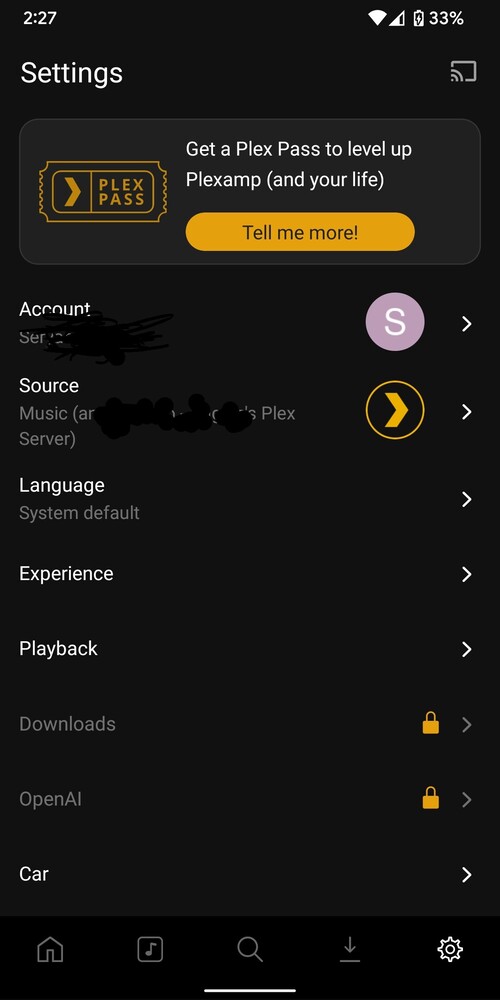
She gets the following:
And she doesn’t show up on my home menu:
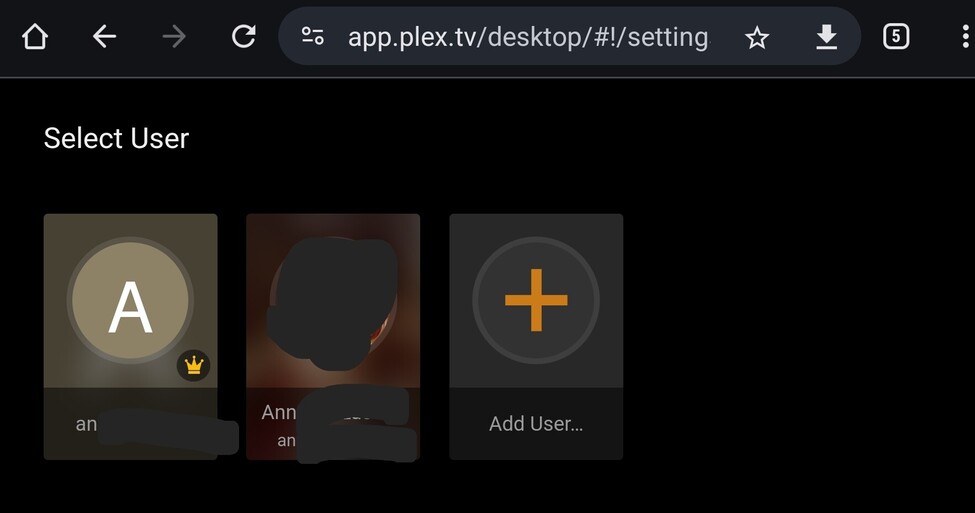
I got my daughter to show up on my home page, she now has downloads enabled but doesnt have the Plex pass icon like my wife.
Deleted my daughters from my home. Unlinked their accounts from Google. Set passwords for both of them. Invited them back to my home. They now all have the Plex Pass icon.
Thank you so much for your help and patience 
1 Like
Haha, glad it worked out! 
This topic was automatically closed 90 days after the last reply. New replies are no longer allowed.
