Server Version#:
Player Version#:
<If providing server logs please do NOT turn on verbose logging, only debug logging should be enabled>I got many directories found my Plex on an HDD but there are a few than it simply does not see. These folders correspond to music band’s documentaries. Can I somehow force it to see them even if Plex does not find the documentary?
Don’t seem to be a solution there. One of the documentaries it does not see is in this path: \Deep Purple\Temp 1\Deep Purple Made in Japan [Documentary][2014].mkv
While it does see this one: \Led Zeppelin\Temp 1\Led Zeppelin The Song Remains The Same - Documentary 1976.mp4
They are both in the sabe \Documentaries directory and in the same HDD.
The release year must not be in square brackets. Doing so will effectively hide it from Plex.
Documentaries are sometimes difficult, because they are relased under a multitude of titles and are sometimes still not filed on either IMDb.com or TheMovieDB.org.
After scanning the library, switch to the Folder view mode.
Does the folder appear?
Switch back to normal view mode, then engage the Duplicates filter.
If there are any, look at their Plex media info. Maybe the missing items have been mismatched as duplicates of already existing items.
Some diles did have the square vrackets but others do not.
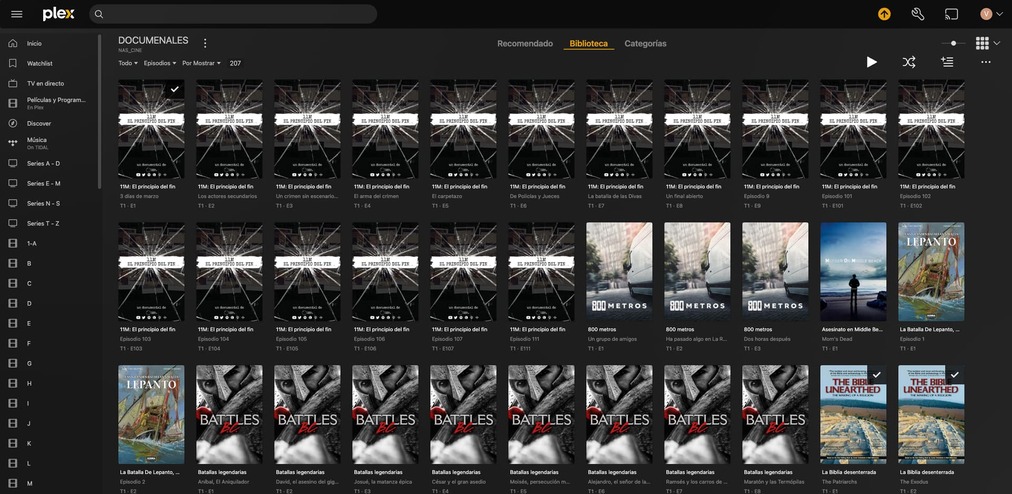
The folders appear in the Folder View mode but I don’t see that Duplicates filter anywhere. I attach a screen capture so you can see what I see in the Normal View mode.
You have to distinguish between one-off documentaries (i.e. “movies”) and a documentary series.
These two types cannot go into the same Plex library.
A library will only accept one of these types, depending on how it was created.
Ok, I solved it by separating the mono-file documentaries from the multiple episode ones into different libraries.
Thank you all very much, learned quite a few things