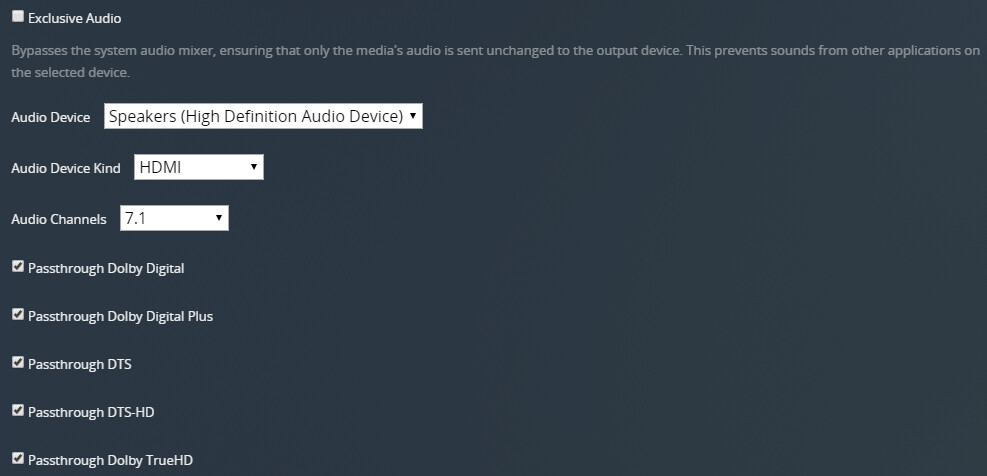
I run plex on a desktop PC connected directly to Home Theater multi channel amp.
How do I config Plex For Windows so it plays back my movies in 5.1 surround sound? ATM it will only playback in stereo and I can find no way to set config.
If I use Plex Media Player, I can find, and set, settings for multi channel playback.
Is it, simply, that I should not be using ‘Plex for Windows’?
I ask only because it seems to me [a new user] that Plex for windows seems far more recent [and kept up to date?] than PMP. Thanks for any advice.
Head into Settings -> Player; then select a specific Audio Device (don’t let it auto select) and then specify the Audio Device Kind as either HDMI or Optical. You should then be able to specify the desired Audio Channels and which codecs to pass through. If you leave the Audio Device Kind as basic you can still specify the Audio Channels, but not the codec passthrough.
If you have a multi-channel sound interface connected to your Windows machine, you can choose “Basic” just fine.
But before you do this, open the “Sounds” control panel of Windows.
(you can do this by typing control.exe mmsys.cpl,,0into the search bar or after pressing Win+r )
On the “Playback” tab, select your sound interface, then “Configure” and set the speaker setup to “5.1 (side)”.
This is necessary for many apps, including games to actually output surround sound.