If your meaning rolling back to a previous version installed on your Mac.
Shut down Plex completely.
From the Go menu, holding down the option key, find the following zip as below.
Drag a copy of the desired zip to the Desktop and expand. (The picture below can be expanded by clicking on it)
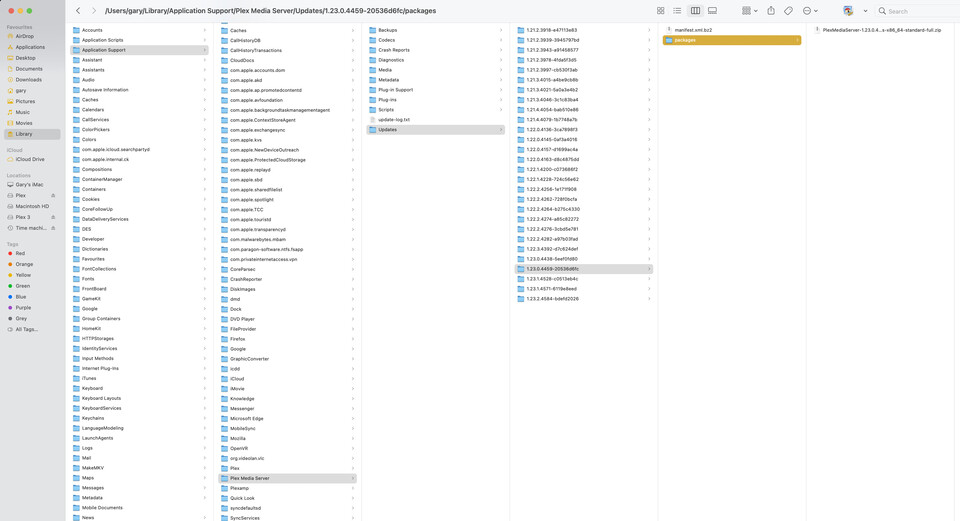
What you will be left with is a folder called contents.
In the Applications Folder / Plex Media Server/ Right click/ Show Package contents.

Swap out contents folders, leave the unwanted contents folder version on the desktop till you have tested out the other.
Start up Plex and there you have it. The only Caveat, you must have previously used the Version as the versions populate the Updates Folder over time that you install updates.
