So i just added a VPN tunnel to my router so all incoming and outgoing traffic is encrypted. Im interested to know how players, specifically Android TV, decides if its on the same network as the server. My fear is that the video is looping out and back into the network through my router, which is slowing down playback. Is there anywhere in the android tv app to connect directly to a local server instead of just getting a list of ‘My Servers’?
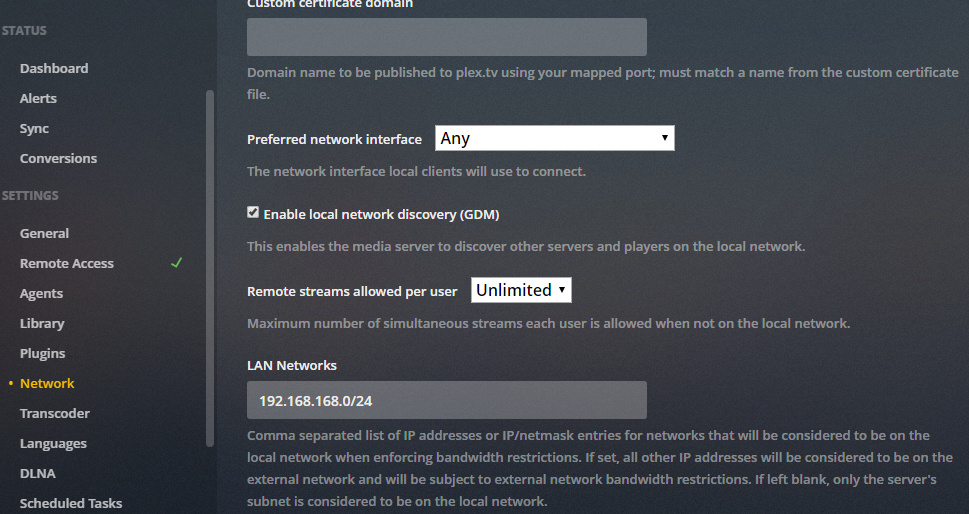
Comma separated list of IP addresses or IP/netmask entries for networks that will be considered to be on the local network when enforcing bandwidth restrictions. If set, all other IP addresses will be considered to be on the external network and will be subject to external network bandwidth restrictions. If left blank, only the server’s subnet is considered to be on the local network.
do note, plex will only use private ip networks for the local network (ie 192.168.x.x./16, 10.x.x.x/24, 172.16.x.x./20)
I was able to find the setting TeknoJunky was talking about… under the header ‘SETTINGS’ item ‘Network’. you have to enable advanced view to see the LAN Networks setting.
I really do appreciate the responses here. I understand you are all trying to help.
I’m just so frustrated because nothing works
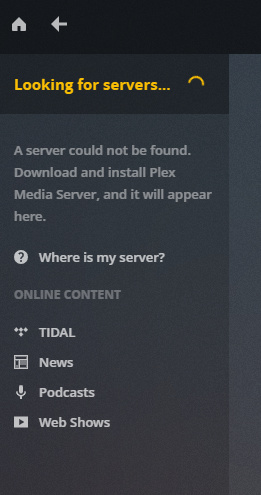
Lostcowboy. - when I go to web page (local or plex) and click on home, the page just there saying “Looking for servers”, but never finds my linus box. That’s my main issue. I have a server on a Linux (Ubuntu 18.04.2) and I have re-installed and re-booted many times but still no luck. This used to work fine but now it doesn’t.
TechnoJunky, I went to the page you suggested and it presents with a login panel. I could go no further because I tries every user/pw combination I could thing off but none worked.
MY PMS address is 192.168.1.5 (the address is fixed on the server) my PC (Win10) is currently 192.168.1.22 (it connects via DHCP) both machines have a default gateway of 192.168.1.1